Chapter 3 Web Interface of RDU501
RDU501 Intelligent Monitoring Unit User Manual
Note
1.
The SMS balance information is forwarded to the admin user's mobile phone. The admin user is required to configure the
mobile phone number.
2.
Since there is a certain delay in the balance message sent by the carrier, please check the receiving time of the SMS to judge
whether the queried SMS information has been updated.
Alarm linkage
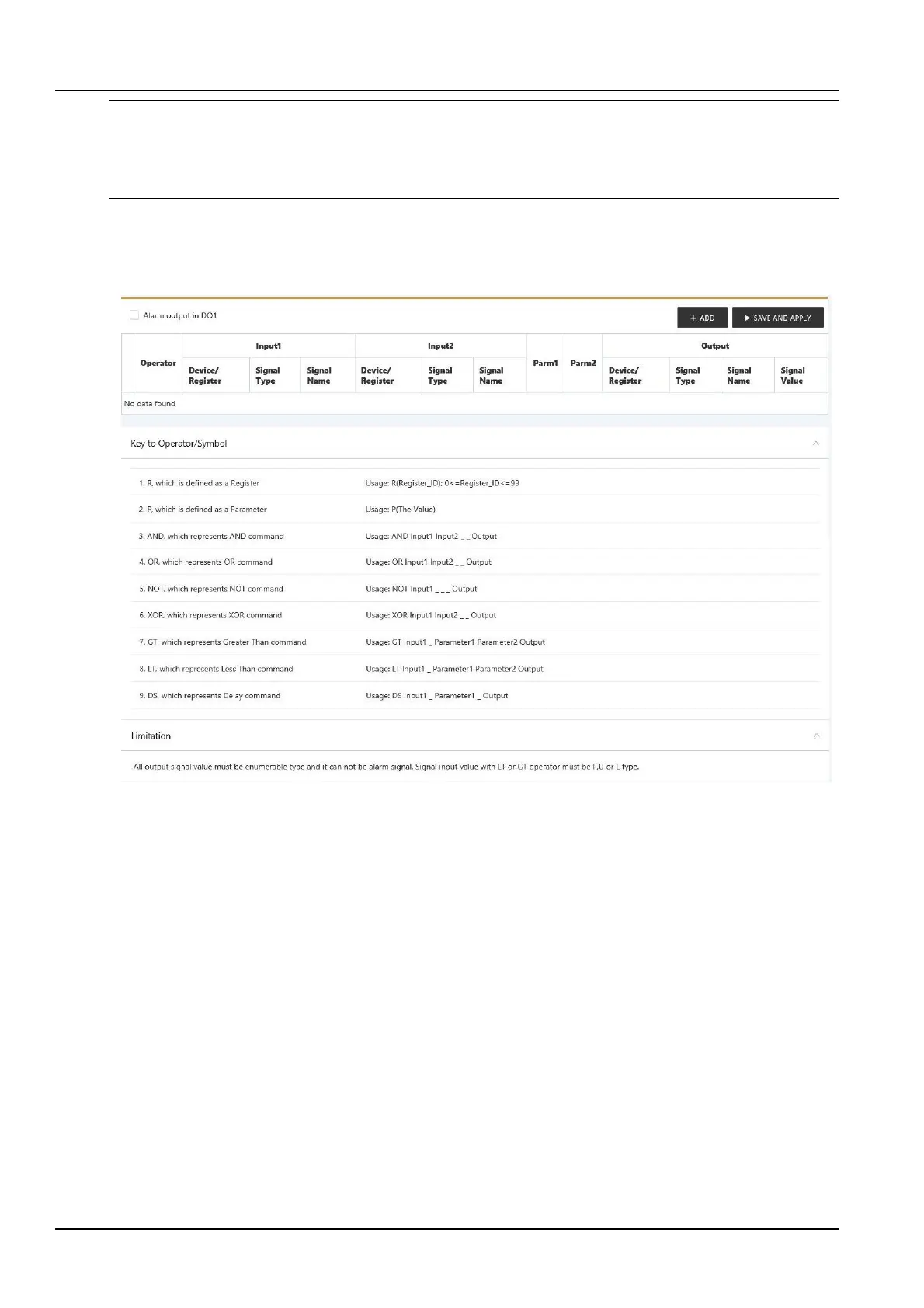
Click the Alarm Linkage submenu under the Alarm Management menu to open the Alarm Linkage page, as shown
in Figure 3-128.
Figure 3-128 Alarm linkage configuration1
DO1 alarm output function
If the DO1 alarm output is enabled, the relay will separately control the output of the DO1 port. If the system has an
alarm and the alarm is not confirmed, the relay is closed. If the system has no alarm or all alarms have been
confirmed, the relay is disconnected. At this time, DO1 no longer participates in linkage alarms.
Alarm linkage function
As shown in Figure 3-128, the Symbolic Meaning List shows all the commands and their uses. Click the Add button
to add a new alarm linkage expression, as shown in Figure 3-129.



 To Next Page