Chapter 3 Web Interface of RDU501
RDU501 Intelligent Monitoring Unit User Manual
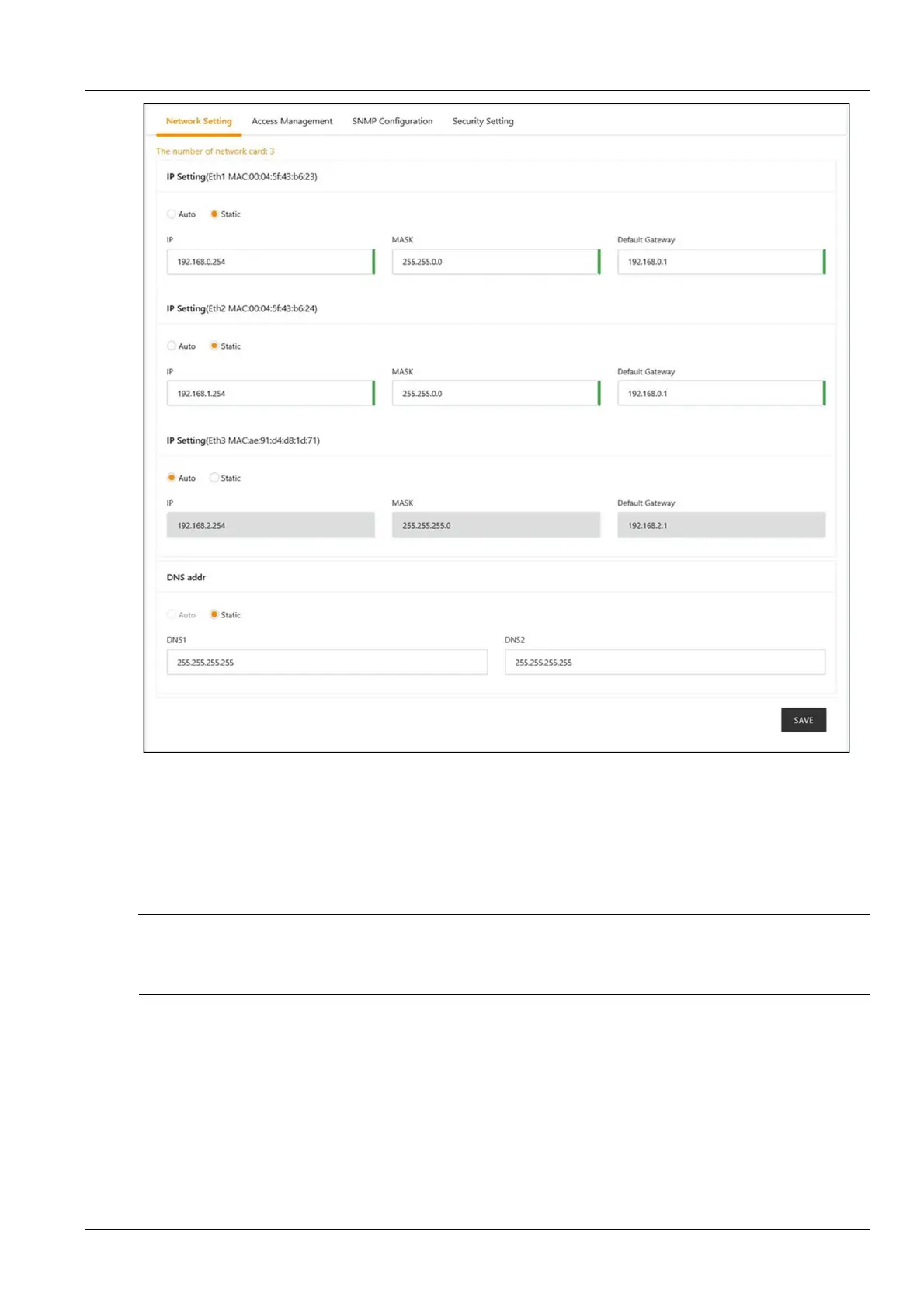
Figure 3-135 IP setting
The RDU501 provides two IP setting modes: DHCP dynamic acquisition and manual static setting. It also supports
DNS domain name resolution .
On the page shown in Figure 3-135, the network parameters that users can configure are as follows: IP acquisition
mode and address , subnet mask, default gateway, DNS1 (preferred DNS server), and DNS2 (alternate DNS
server). After modifying the network parameters, click the Save button to make the parameters take effect.
Note
1.
If the NIC chooses to use a static IP address, the DNS address cannot be obtained automatically.
2.
After modifying the IP address, the user needs to log in to the RDU501 again with the new network address. By default, will
redirect to the IP address of the network card 1.
2.
Access control
Click the Network Settings submenu under the System Settings menu, then click the Access Control tab to bring
up the page shown in Figure 3-136.



 To Next Page