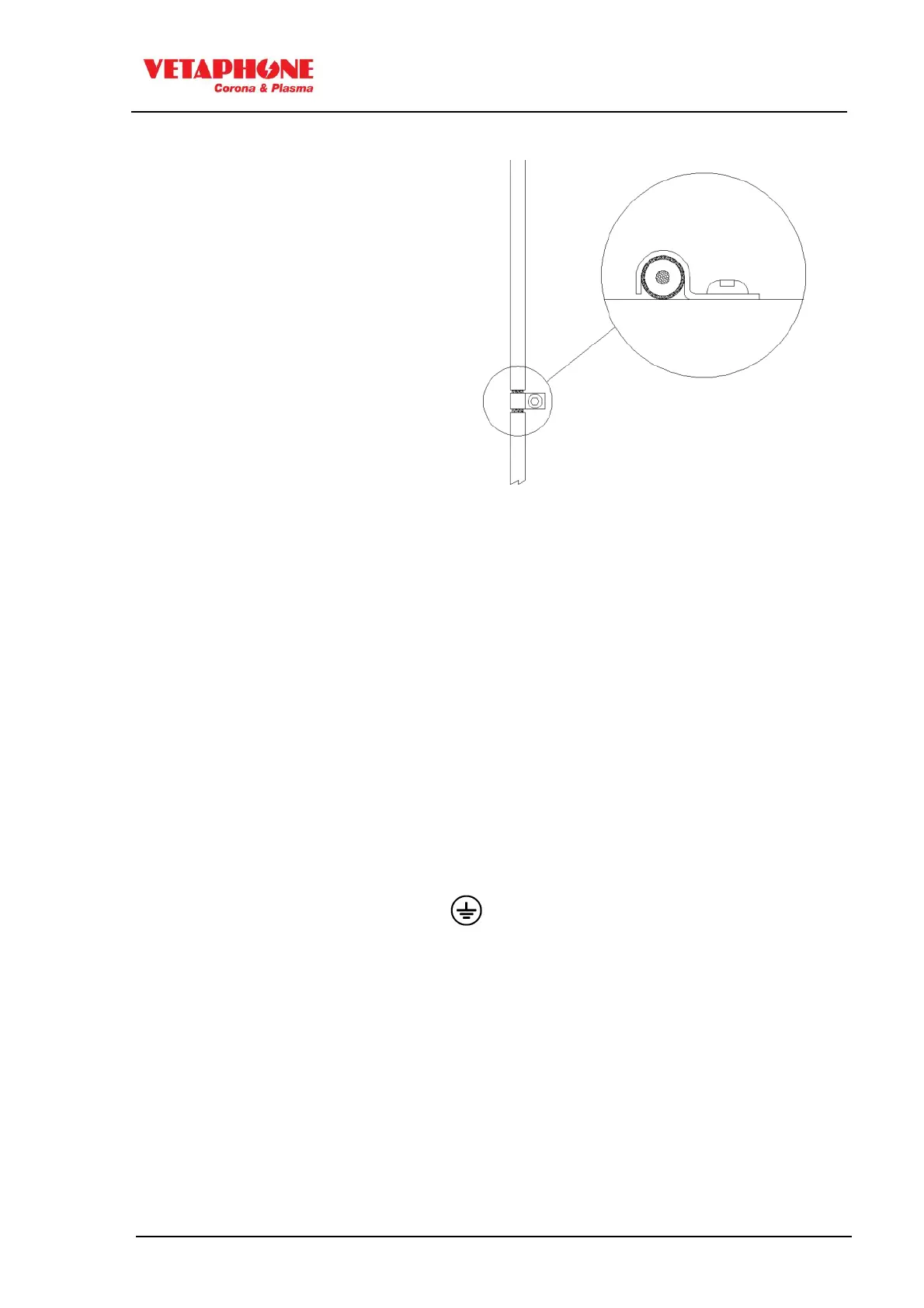
Please note that all screened cables should
have the outer jacket stripped around the
support clamp, see picture
OZONE EXTRACTION FAN
The fan can be connected to an external mains supply, having the voltage specified in the order
confirmation. It is important that the fan continues to extract air from the station for another 20-60
seconds after the corona discharge has stopped, for cooling of electrode bars and removing the
remaining ozone.
Unless specified otherwise in the electrical diagrams, a 24VDC relay for controlling an ozon extraction
fan can be connected between Digital output 9- (X3-13) and Digital output 9+ (X3-14) (opto-coupler
output) on the generator. When the generator is switched ON the output is activated, but the generator
itself remains on STAND-BY until the airflow is correct (typically 10 sec).
The opto-coupler Digital output 9 (X3-13 and X3-14) has a maximum current rating of 25 mA, and
should not be subjected to more than 30 VDC
EARTH WIRING
The earth cable (yellow/green) comes with the equipment as one complete piece, together with a
number of cable shoes. It is IMPORTANT that the cable is connected between station
and transformer, at the screws marked (earth connection).
The cable is to be kept as short as possible.
For safety purposes, the conductivity of the earth wiring must be verified after installation.



 To Next Page