This part is very important, please check your setup is as same as the data above. Even a small
error will cause the machine working incorrectly. Do not forget to save the setup.
Remark:
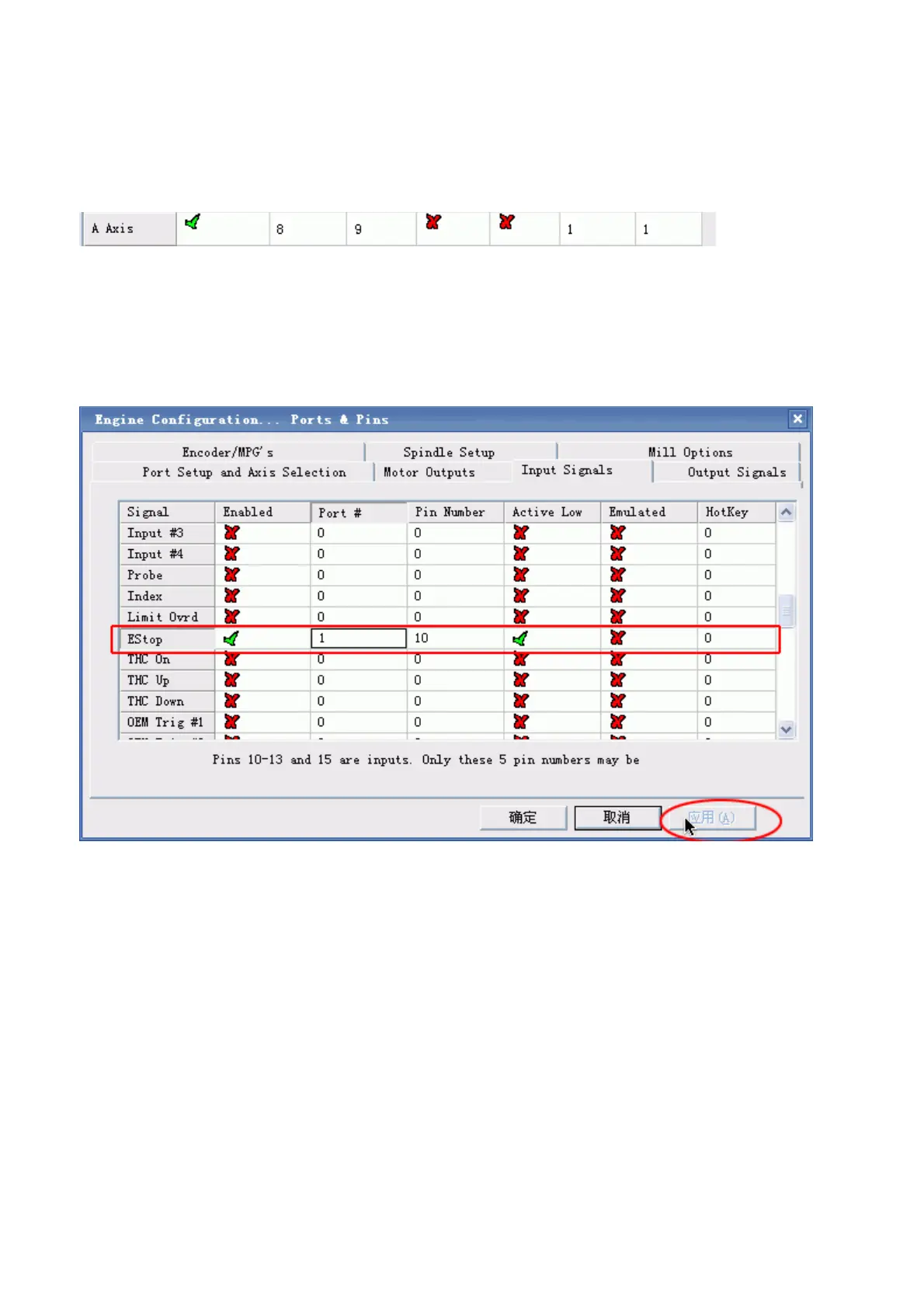
(1). If you want to use the 4th axis(A axis), you can setup the A axis data as follows:
(2).”Dir Low Active” This choice is to set up the Direction of the motor, if you find the running
direction of the axis is inverse, you can choose the “Dir Low Active” to change the direction and
then save the setup.
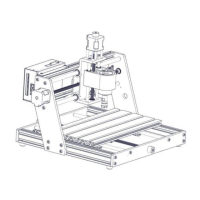
6. The clients who bought the Control box from us, need to setup the E-stop signal, still in “Ports and
Pins” menu to click “Input Signals” to find the “Estop”,then setup as follow, final apply and then save.
7. The setup of the Stepper motor: Config-- Motor Tuning--- X Axis---setup the X axis as follows---
then“SAVEAXIS SETTINS”, then setup the Y axis and Z axis,final click “OK”.



 To Next Page