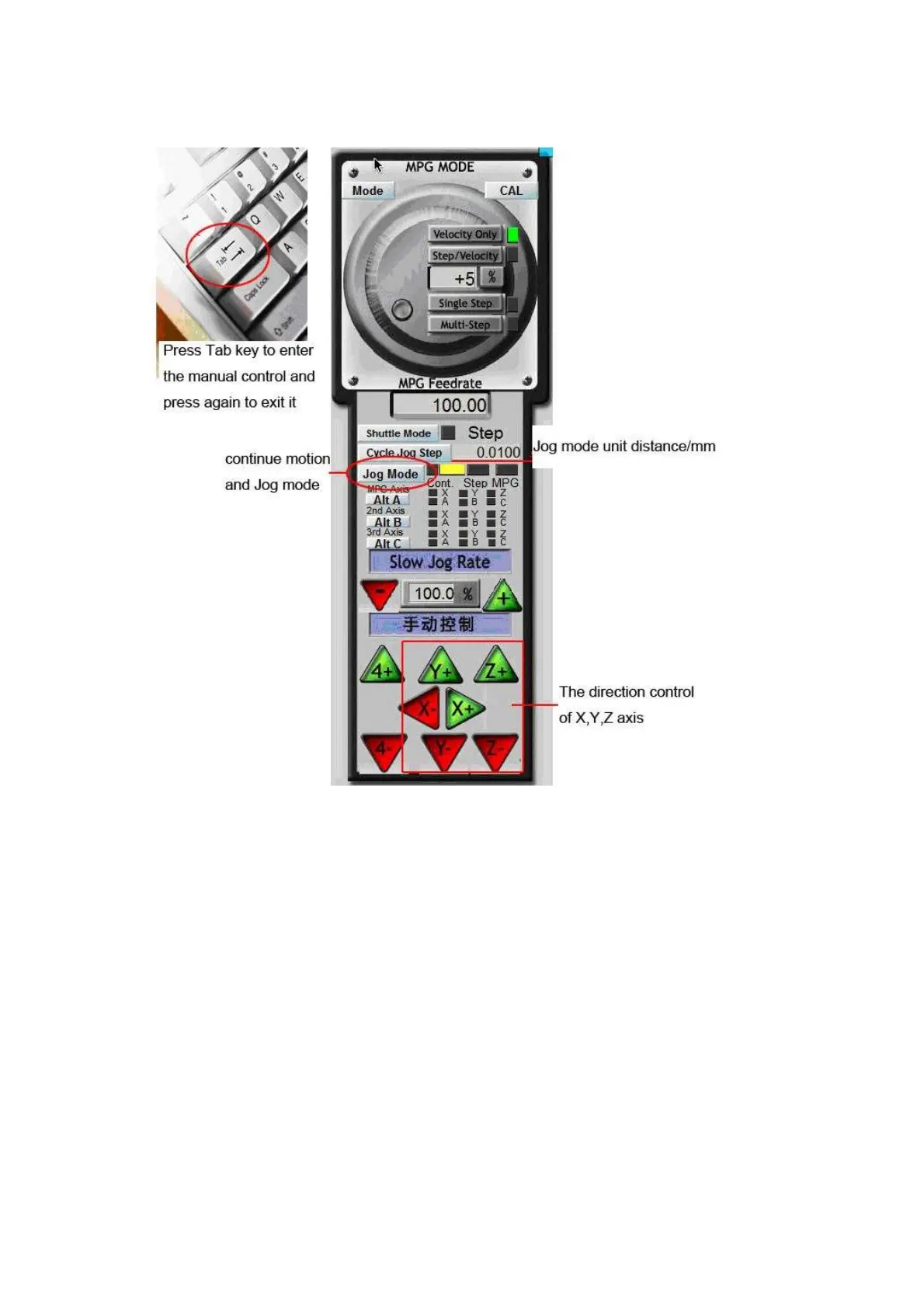
Now the test of the Mach 3 communication with the machine is over. If it still can not realized the manual
control, please do as follows:
(1)Uninstall the Mach3 and use other versions of the Mach 3 to test(because some parallel port is not
compatible with MACH software)
(2)Check the PC parallel port is fine or change another PC to test it.
(3)If the machine’ X, Y, Z axis can be self-locked, you should think about the compatibility of the PC and
the Software.
(
4
)
You must restart the PC when finish installing of the MACH 3.
4.Engraving test
We use a Chinese character”
雕
” to test the machine.



 To Next Page