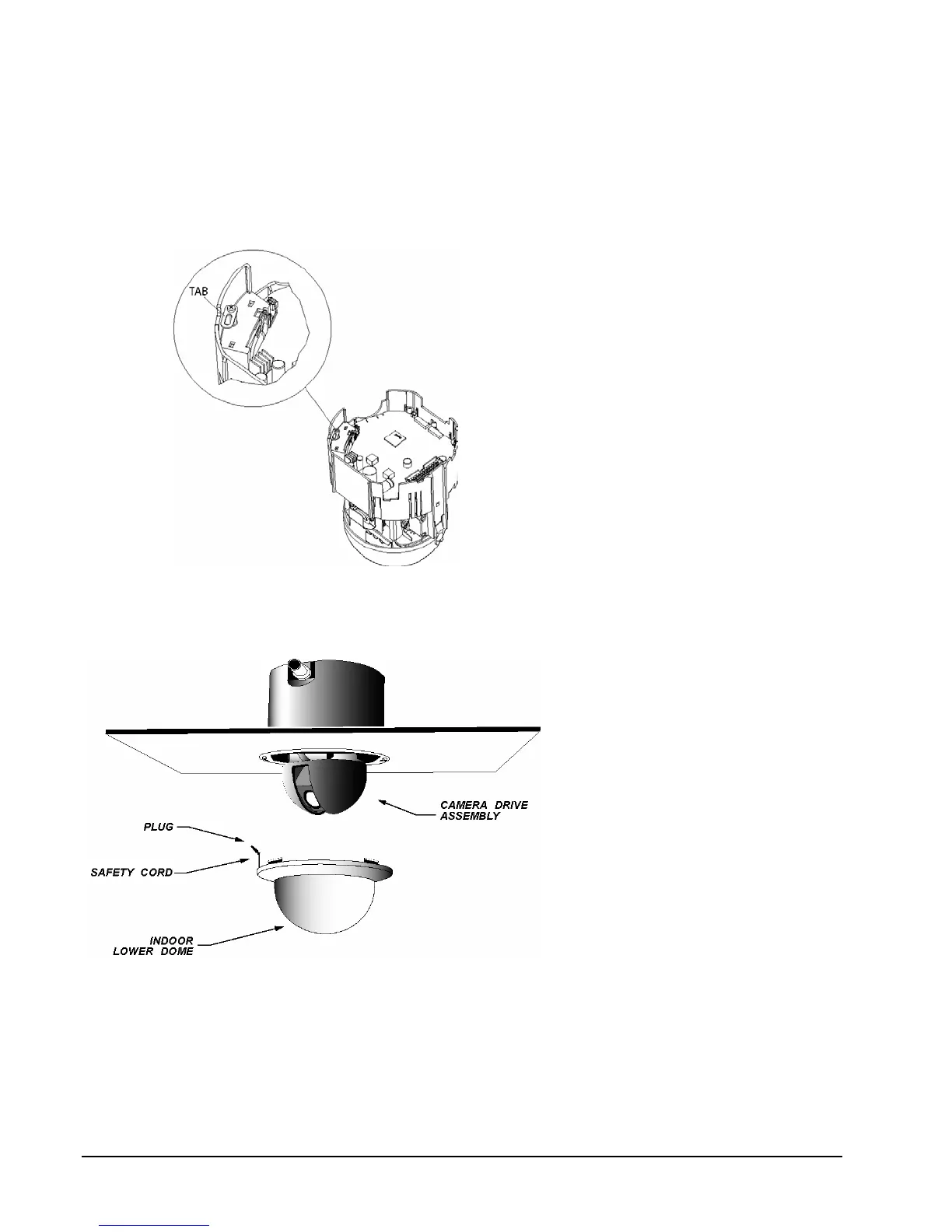
9. Connect the enclosure’s safety cord clip to the tab in the camera drive to allow the drive to hang from the
enclosure. Refer to Figure 7 for location of tab. Insert the clip of the safety cord on the lower dome into
the hole in the enclosure. Refer to label in the enclosure.
10. Align the 2 slots on the camera drive with the tabs in the enclosure, being sure to match up the arrows on
both the drive and in the enclosure. Insert the camera drive into the enclosure until it snaps into place.
Figure 7
Safety Cord Installation
11. Lift the lower dome up to the
SurveyorVFT and line up the 2
molded tabs on the lower dome with
the 2 recesses on the inner
enclosure. Refer to Figure 8. There
are only 2 ways to align it.
12. Push the lower dome up into the
SurveyorVFT. Verify that it snaps
into place on both sides. The upper
edge of the lower dome should be
flush with ceiling plane.
13. Proceed to the Operation section of
this manual.
Figure 8
Final Assembly, Ceiling Mount Version
16 • Installation XX134-01-00 Rev 205 SurveyorVFT Camera Dome System



 To Next Page