EasyManua.ls Logo

Videx 4812 - User Manual

Videx 4812
72 pages
Print Icon
To Next Page IconTo Next Page
Loading...
18/11/16 08:35
Or Search
Enter Number
18/11/16 08:35
Enter Number
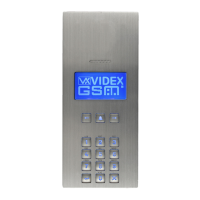
DIGITAL GSM
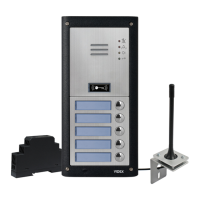
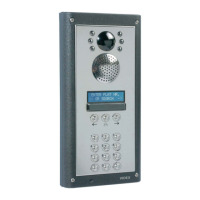
4000 Series Vandal Resistant Digital GSM Audio Intercom
with Proximity
66251750-EN
V1.0 - 05/06/17
We recommend
This equipment is installed by a
Competent Electrician, Security or
Communications Engineer.
Technical Manual
ENG
4812 / VR4812
4812R / VR4812R

Questions and Answers

  • J
    Jeffrey HernandezAug 7, 2025
    How to fix interference on Videx 4812 Intercom System speech?
    • P
      Peter CooperAug 7, 2025
      If you are experiencing interference on the speech with your Videx Intercom System, it could be due to a few reasons. The signal strength might be too low, causing the GSM module to increase its power and interfere with the speech circuits. Try relocating the antenna or using a more powerful one. Also, ensure the antenna cables are not running close to the power supply cables or the microphone wires inside the intercom panel. Finally, try a different SIM card from a different network service provider, as they may have better coverage in that area.
  • M
    Michael PetersAug 12, 2025
    Why does my Videx 4812 call keep dropping out?
    • T
      Terry RileyAug 12, 2025
      If your Videx Intercom System calls are constantly dropping, there are a couple of things you can try. First, increase the call time (SPT) of the digital GSM intercom. Second, check the signal strength. If the signal is weak, try moving or changing the antenna, or consider using a different SIM card provider.
  • J
    james92Aug 16, 2025
    What to do if Videx Intercom System does not respond to SMS messages?
    • R
      Ryan MillsAug 16, 2025
      If your Videx Intercom System isn't responding to SMS messages, here's what to check: * First, ensure the SIM card has an SMS service centre number stored. You'll need to put the SIM card into a mobile phone to check this. * Second, verify that you're sending the message to the correct number (the number of the SIM card in the digital GSM intercom panel). After sending an SMS message, listen for a single short beep from the intercom panel, indicating the message was received and understood. A long beep indicates the message was either not understood or the 4 digit master code was incorrect. You can also try resetting the 4 digit master code to 1111.
  • V
    vrayAug 20, 2025
    Why does speech echo and feedback on my Videx 4812?
    • E
      Edward EverettAug 20, 2025
      If you're experiencing speech echoes or feedback with your Videx Intercom System, try these adjustments: * First, adjust the mic and speaker volume via the keypad by selecting the general settings menu on the digital GSM intercom. * Second, adjust the mic and speaker volume using the programmable settings during a call. Also, check that the microphone is fitted correctly in the intercom panel and that the mic hole is not blocked in any way.
  • S
    Shelly JohnsonAug 25, 2025
    How to fix Videx Intercom System when unable to open gate/door from telephone?
    • J
      Jeff GarciaAug 25, 2025
      If you're unable to open the gate or door from the telephone during a call with your Videx Intercom System, and the DTMF tones are not being recognized, try sending the following SMS command 1111AT1”AT#DTMFCFG=8,2500,1500”? to the digital GSM and wait for a reply. After receiving the reply send the SMS command 1111RBT then wait for the digital GSM to reboot. After the GSM intercom has rebooted test the door opening feature from the telephone during a call. If that doesn't work, try sending the SMS command 1111AT1”AT#DTMFCFG=7,2300,1300”?, wait for a reply, then send 1111RBT and wait for the reboot before testing again.
  • A
    Andrea BaileyAug 28, 2025
    Why am I getting an ERROR message when programming my Videx 4812 via SMS?
    • C
      Carrie PayneAug 28, 2025
      If you're getting an ERROR message in SMS when programming your Videx Intercom System, or no SMS is returned even with a '?' at the end, double-check the message you sent against the examples. Common mistakes include using two apostrophe marks side by side instead of “, and using lower case letters instead of upper case (e.g., 'stn' instead of 'STN').
  • F
    fhallSep 1, 2025
    What to do if nothing is shown on Videx 4812 Intercom System graphical display?
    • E
      Edward HernandezSep 2, 2025
      If nothing is showing on the graphical display of your Videx Intercom System and it is not illuminated, check the power supply has adequate voltage. You can also try a full reset. The digital GSM module may have a fault.

Videx 4812 Specifications

General IconGeneral
BrandVidex
Model4812
CategoryIntercom System
LanguageEnglish

Related product manuals