17
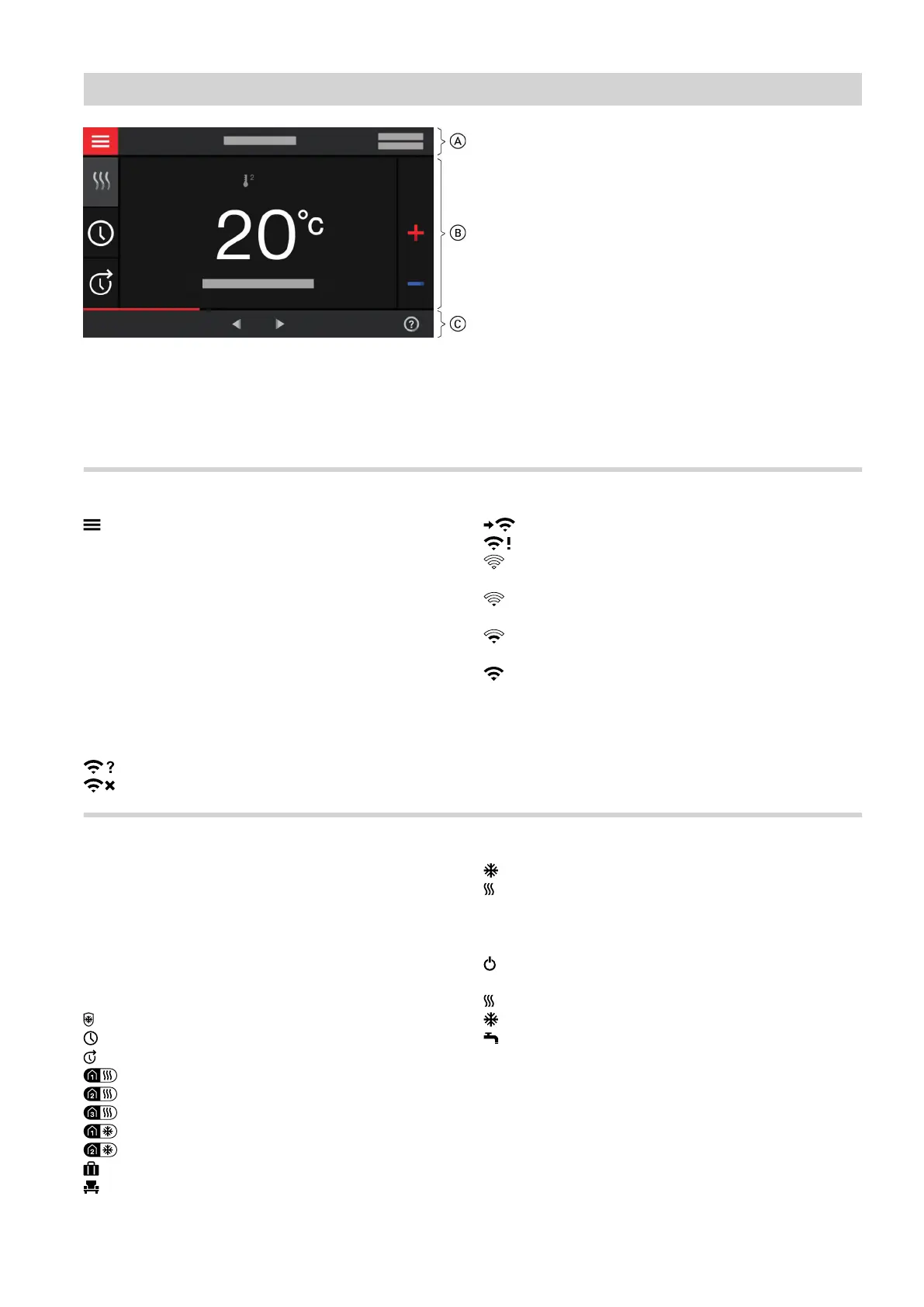
Fig. 6
A
Menu bar
B
Function area
C
Navigation area
Buttons and symbols in menu bar A
Calls up the "Main menu".
"Heating circuit ..." Selects the heating/cooling cir-
cuit.
Note
This choice is only available if
there are several heating/cooling
circuits in your system.
System data:
■
Date
■
Time
Interfaces:
No data transfer
No WiFi connection
Establishing a connection
Communication error
WiFi connection is enabled: Very low reception
quality
WiFi connection is enabled: Low reception qual-
ity
WiFi connection is enabled: Medium reception
quality
WiFi connection is enabled: High reception qual-
ity
Buttons and symbols in function area B
For buttons on the default displays: See page 22
onwards.
Note
These symbols are not always displayed, but appear
subject to the system version and the operating status.
Symbols
Frost protection is active.
Setting/changing a time program
Extend time phase once.
Room heating with reduced room temperature
Room heating with standard room temperature
Room heating with comfort room temperature
Room cooling with standard room temperature
Room cooling with comfort room temperature
Holiday program is switched on.
Holidays at home is switched on.
Room cooling is active.
Room heating is active.
Operating program for room heating, room cooling,
DHW heating: See page 19.
Standby mode for each of the heating/cooling cir-
cuits
Heating
Cooling
DHW heating
Reports: See page 44.
■
"Status"
■
"Warnings"
■
"Information"
■
"Faults"
■
"Service messages"
Operation
Buttons and symbols
6171827







 To Next Page