18
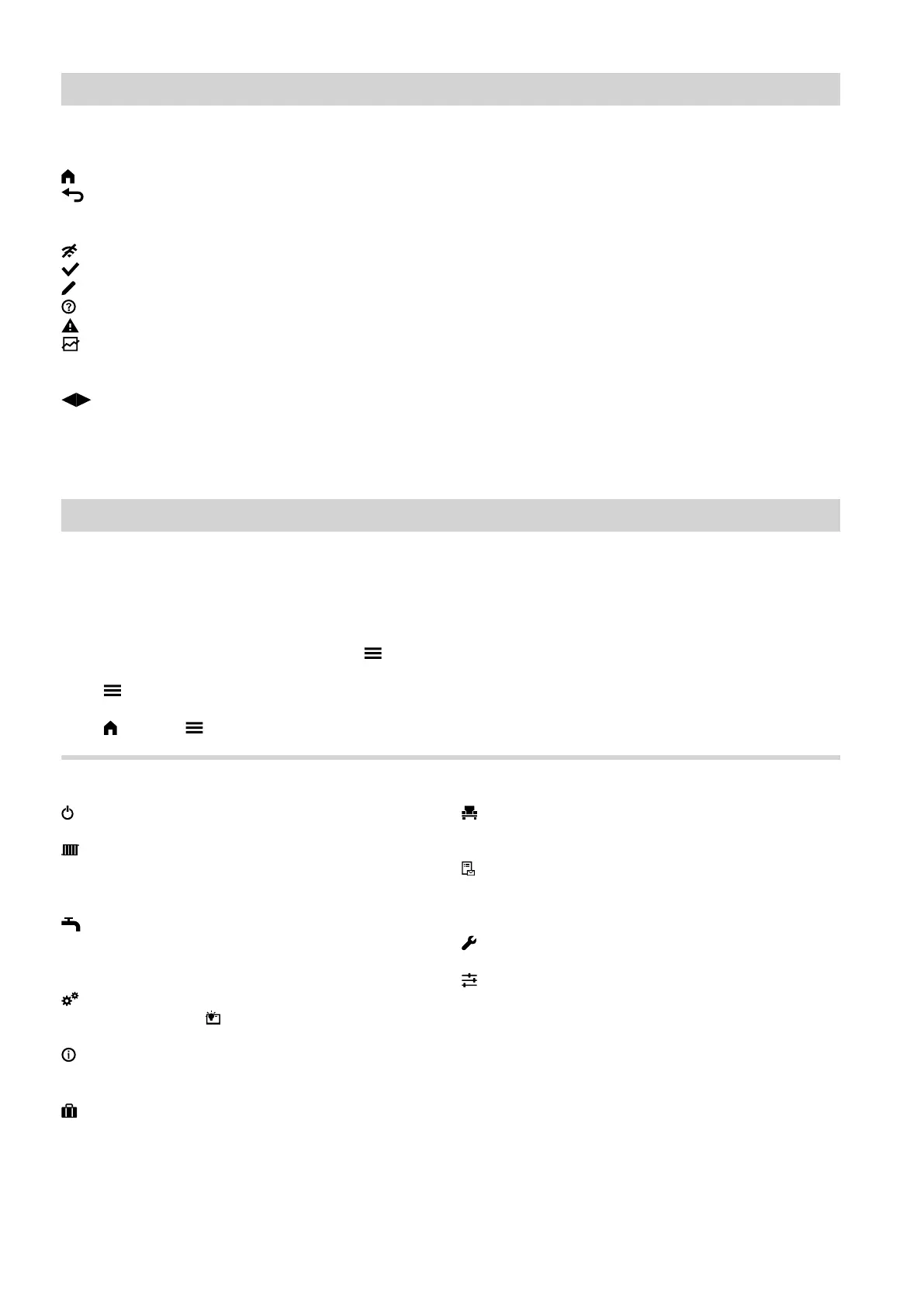
Buttons and symbols in navigation area C
Takes you back to the home screen.
Takes you one step back in the menu.
Or
Terminates an adjustment in progress.
WiFi is switched off: See page 37.
Confirms a change.
Makes changes in the menu.
Calls up the help text.
Calls up messages.
Calls up the required period for the energy bal-
ance.
For further information: See page 23.
Scrolls through the menu.
Or
Switches to other display areas, e.g. to the "Sys-
tem overview".
Note
If "DEMO" is displayed in the navigation area, there is
no room heating, no DHW heating and no frost protec-
tion.
Overview of the "Main menu"
In the "Main menu", you can check and adjust all of
the settings for the control unit's range of functions.
Call up the "Main menu" as follows:
■
If the screensaver is active:
Tap anywhere on the screen and then tap .
■
From the home screen:
Tap .
■
From anywhere in the menu:
Tap and then .
Menus available in the "Main menu"
"Switch on/off"
Switch the heat pump off and on: See page 45.
"Indoor environment"
For more room heating/room cooling settings, e.g.
set temperature values
For further information: See page 25.
"DHW"
For DHW heating settings, e.g. "DHW tempera-
ture set value"
For further information: See page 30.
"Settings"
For example the display setting
For further information: See page 34.
"Information"
For checking operating data
For further information: See page 40.
"Holiday program"
Energy saving function "Holiday program"
For further information: See page 28.
"Holidays at home"
"Holidays at home" function
For further information: See page 28.
"Message lists"
Calls up all pending messages
For further Information regarding reports: See
page 42 onwards.
"Service"
For contractors only
"Advanced"
For the processing of further settings from the
function range of the heat pump control unit, e.g.
emergency mode
For further information: See page 33.
You can find the menu overview on page 53.
Operation
Buttons and symbols (cont.)
6171827







 To Next Page