26
In the time programs for room heating and room cool-
ing you set the time phrases during which your home
is heated or cooled and to what temperature.
Setting the time program
Factory setting: One time phase from 06:00 to 22:00 h
for every day of the week with the "Standard" temper-
ature level.
Adjust the time program for room heating or room cool-
ing.
The procedure is explained using the example of room
heating for heating/cooling circuit
Tap the following buttons:
1. for the default display "Indoor environment"
2. for the required heating/cooling circuit
3.
4. Required day of the week
5.
6. Depending on the required change:
for changing the beginning and end of the
selected time phase
for a new time phase
to delete a time phase
to select the time phase if more than one
time phase is set.
Note
When adjusting the setting, bear in mind that your sys-
tem requires some time to heat the rooms to the
required temperature.
To continue: See page 19.
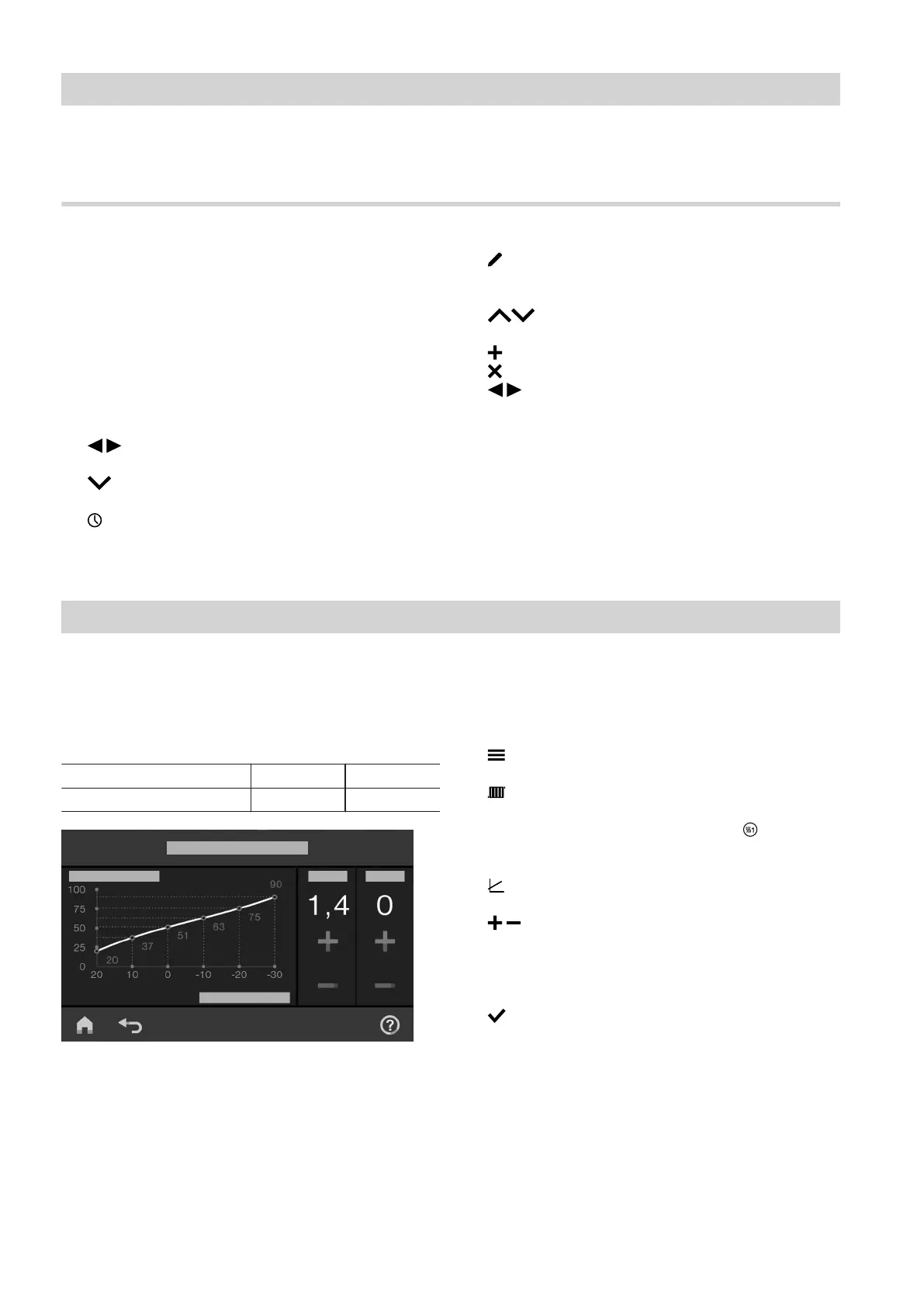
Setting the heating curve
To ensure your rooms are heated optimally at any out-
side temperature, you can adjust the "Level" and
"Slope" of the "Heating curve". This enables you to
influence the flow temperature of the heat pump.
Factory settings
"Slope" "Level"
Heating curve 1.4 0
Fig. 9
The procedure is explained using the example of heat-
ing/cooling circuit 1.
Tap the following buttons:
1.
2. "Indoor environment"
3. Required heating/cooling circuit, e.g. "Heating/
cooling circuit 1"
4. "Heating curve"
5. for the required value for "Slope" and
"Level" respectively
The diagram indicated shows the change in the
"Heating curve" clearly.
6. to confirm
Room heating/room cooling
Time program room heating/room cooling
6171827







 To Next Page