13
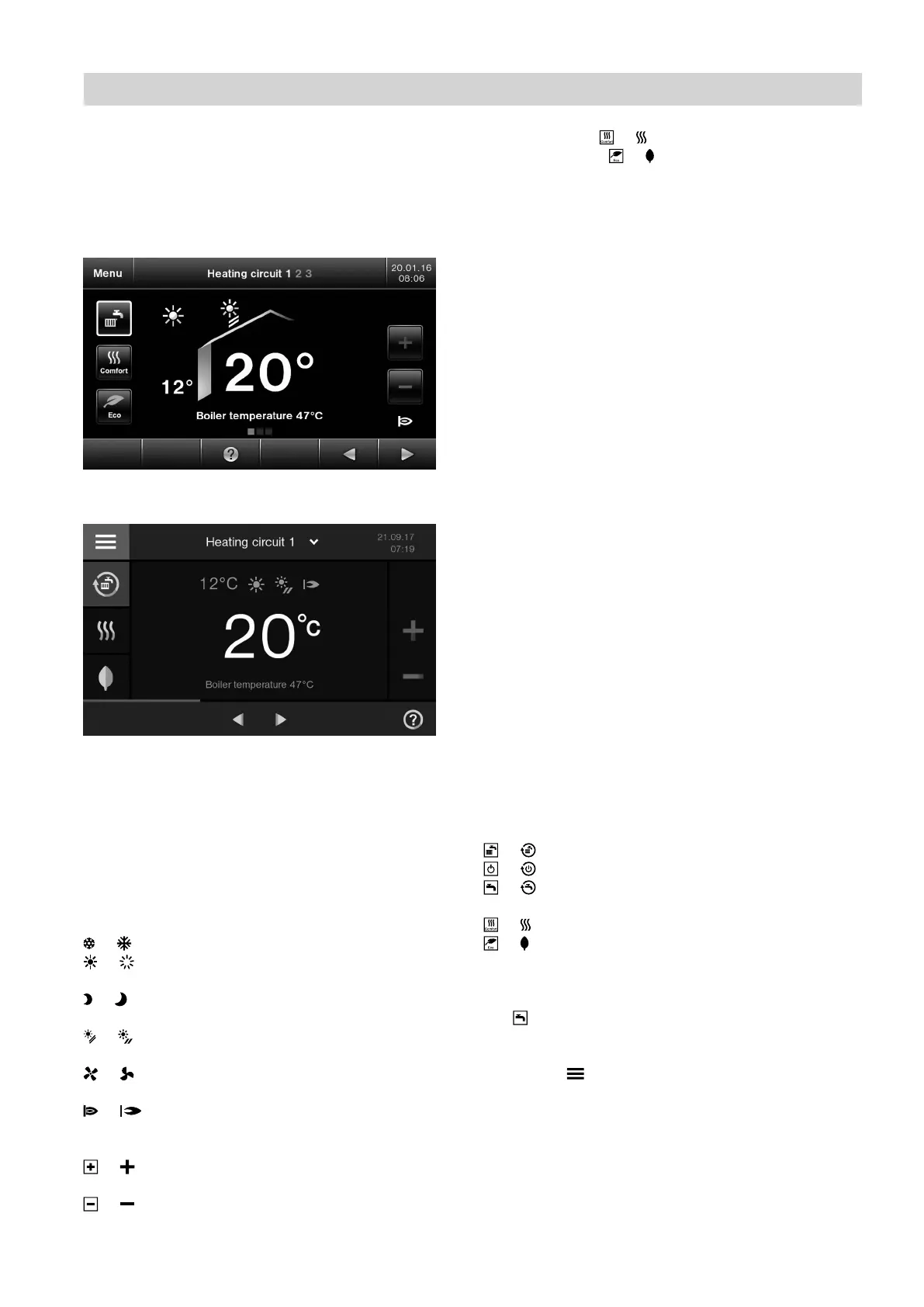
Default display "Heating"
In the default display (see image below) you can call
up and adjust the most frequently used settings:
■
Set room temperature
■
Operating program
■
Comfort mode or
■
Economy mode or
Fig. 4 HO2B
Fig. 5 HO2C
Temperature displays
12° Current outside temperature
20° Selected set room temperature
Symbols and buttons
These symbols are not always displayed, but appear
subject to the system version and the operating condi-
tion.
Symbols
or Frost protection is active
or Central heating at standard room tempera-
ture (preferred temperature)
or Central heating with reduced room tempera-
ture
or In conjunction with a solar thermal system:
Solar circuit pump is running
or Mechanical ventilation is running and the
ventilation level is shown
or Burner in operation
Buttons on the default display
or Increases the value for standard room tem-
perature.
or Reduces the value for standard room temper-
ature.
or
or
or Sets the operating program (for operating pro-
grams, see page 15).
or Enables/disables comfort mode.
or Enables/disables economy mode.
Note
If your heating system is not designed for DHW heat-
ing, is not displayed.
Buttons in the header
"Menu" or " " Calls up the main menu.
" Heating circuit 1 2 3" Selects the heating circuit.
Note
This selection is only availa-
ble if at least 2 heating cir-
cuits can be operated.
Operation
Programming unit (cont.)
5811580








 To Next Page