31
Setting a heating curve
Factory setting:
■
"Slope": 1.4
■
"Level": 0
Tap the following on-screen buttons:
1. "Menu"/" "
2. "Heating"
3. "Heating circuit 1", "Heating circuit 2" or "Heat-
ing circuit 3" as the required heating circuit
4. "Heating curve"
5. +/– for the required value for "Slope" or "Level"
6. OK/ to confirm
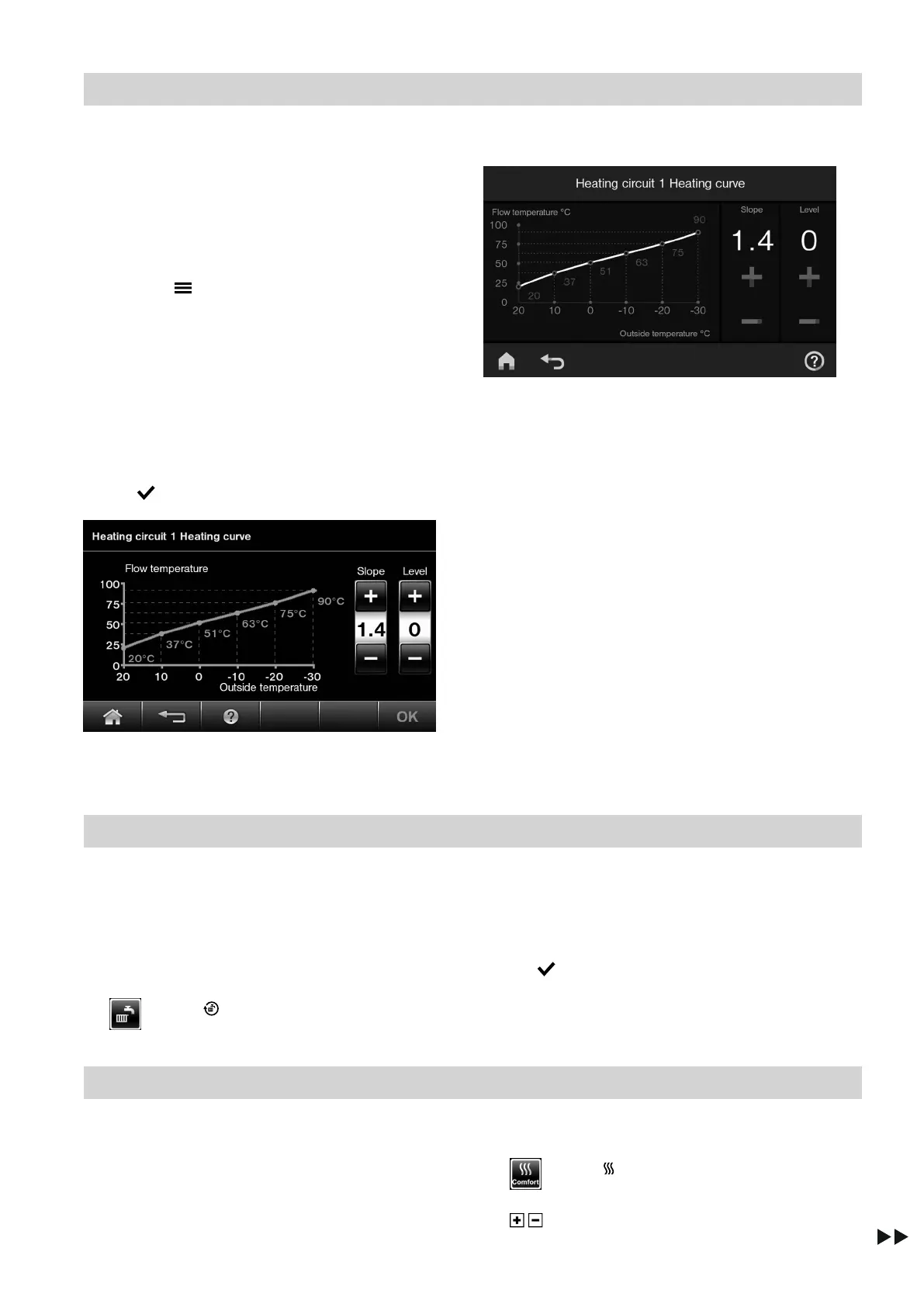
Fig. 28 HO2B
Fig. 29 HO2C
The graph clearly shows the change in the heating
curve as soon as you alter the value for the slope or
level.
Depending on the differing outside temperatures
(shown on the horizontal axis), the assigned set flow
temperatures for the heating circuit are displayed.
Stopping central heating
Only required if "Heating and DHW" is set.
Tap the following on-screen buttons:
1. "Heating circuit 1 2 3" in the header to select the
required heating circuit
2.
or
3.
■
"Only DHW" (no central heating)
or
■
"Standby mode" (frost protection for the boiler
and DHW cylinder is enabled)
4. OK/ to confirm
Comfort function
Setting "Comfort mode" (if available)
Tap the following on-screen buttons:
1. "Heating circuit 1 2 3" in the header to select the
required heating circuit
2.
or
3. / for the desired set room temperature in com-
fort mode
Central heating
Heating curve (cont.)
5811580








 To Next Page