20
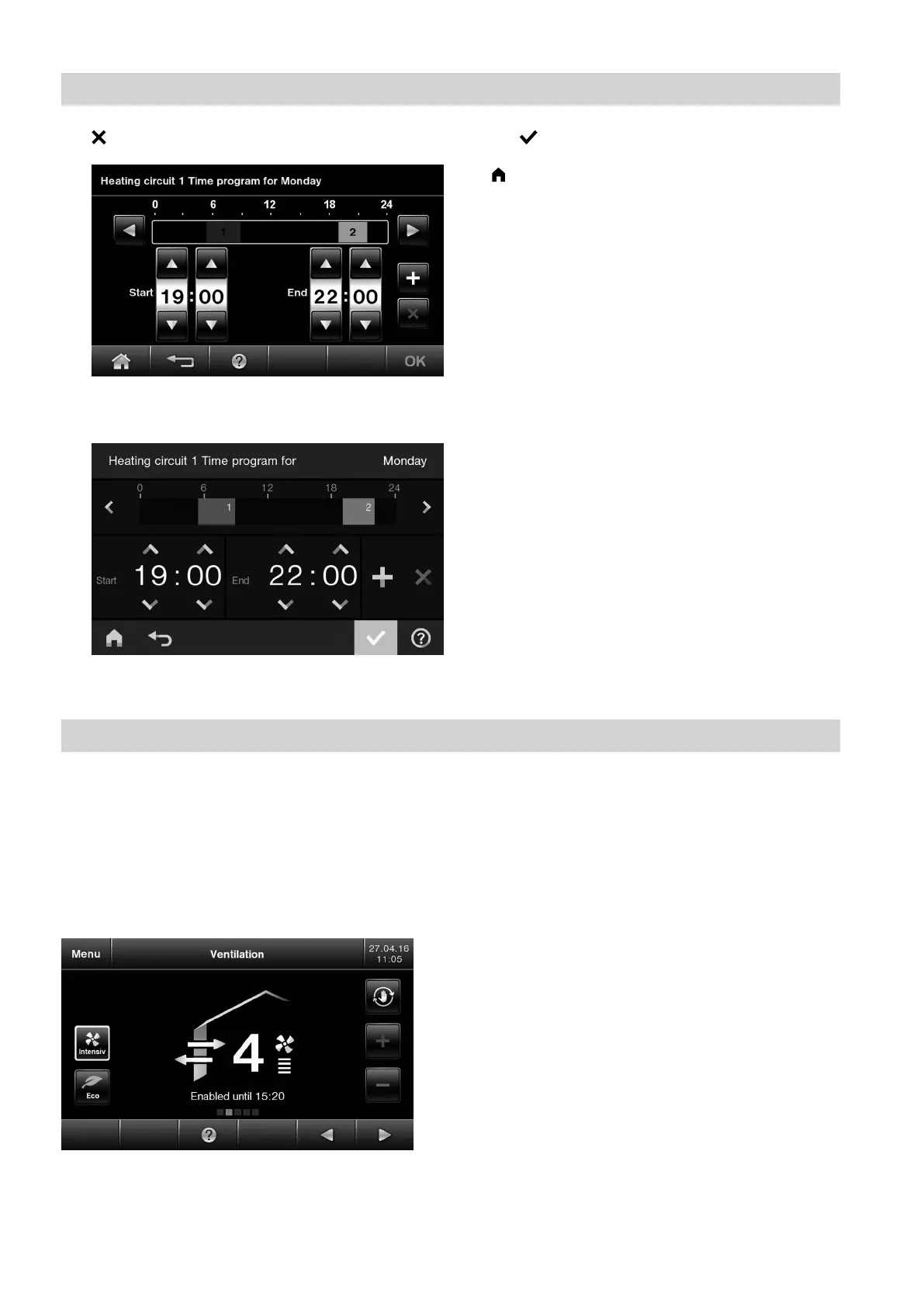
08. to delete the time phase
Fig. 16 HO2B
Fig. 17 HO2C
09. OK/ to confirm
10. to quit the time program
Ventilation
If a mechanical ventilation unit is connected to the
Vitotronic.
In the ventilation display area, you can select the venti-
lation intensity according to current requirements. Your
ventilation system is preset at the factory. In the deliv-
ered condition, the ventilation level is set to "Normal".
The symbol for the selected function is highlighted in
white.
Fig. 18 Display of HO2B
For further details regarding mechanical ventilation,
see page 37.
Operation
Time program (cont.)
5811580








 To Next Page