ConguringClientSettings
Conguring System Settings
38
Setting Access Privileges and Password Also for Standard Users
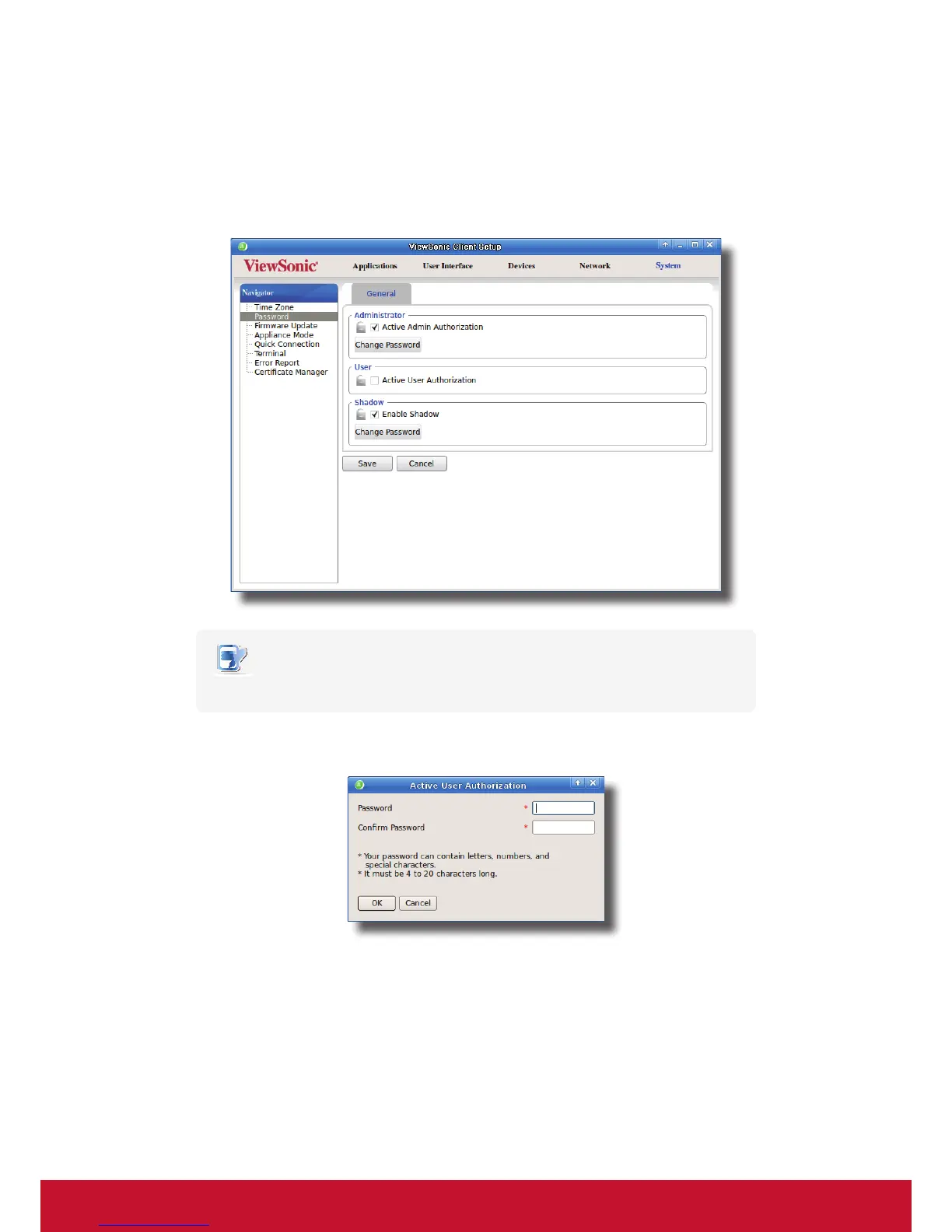
To set access privileges and password also for standard users, please do the following:
1. On ViewSonic Client Setup, click System > Password.
2. Under the User section, click to check Use Password.
NOTE
• The User section appears only when Active Admin Authorization is checked.
3. The access privileges for standard users are granted and a window appears for you to set the password.
4. Type in the desired password, and then click OK to conrm.
5. Click Save to save all the changes.



 To Next Page