ConguringClientSettings
Conguring External Device Settings
67
4.4 Conguring External Device Settings
4.4.1 Devices Tab Overview
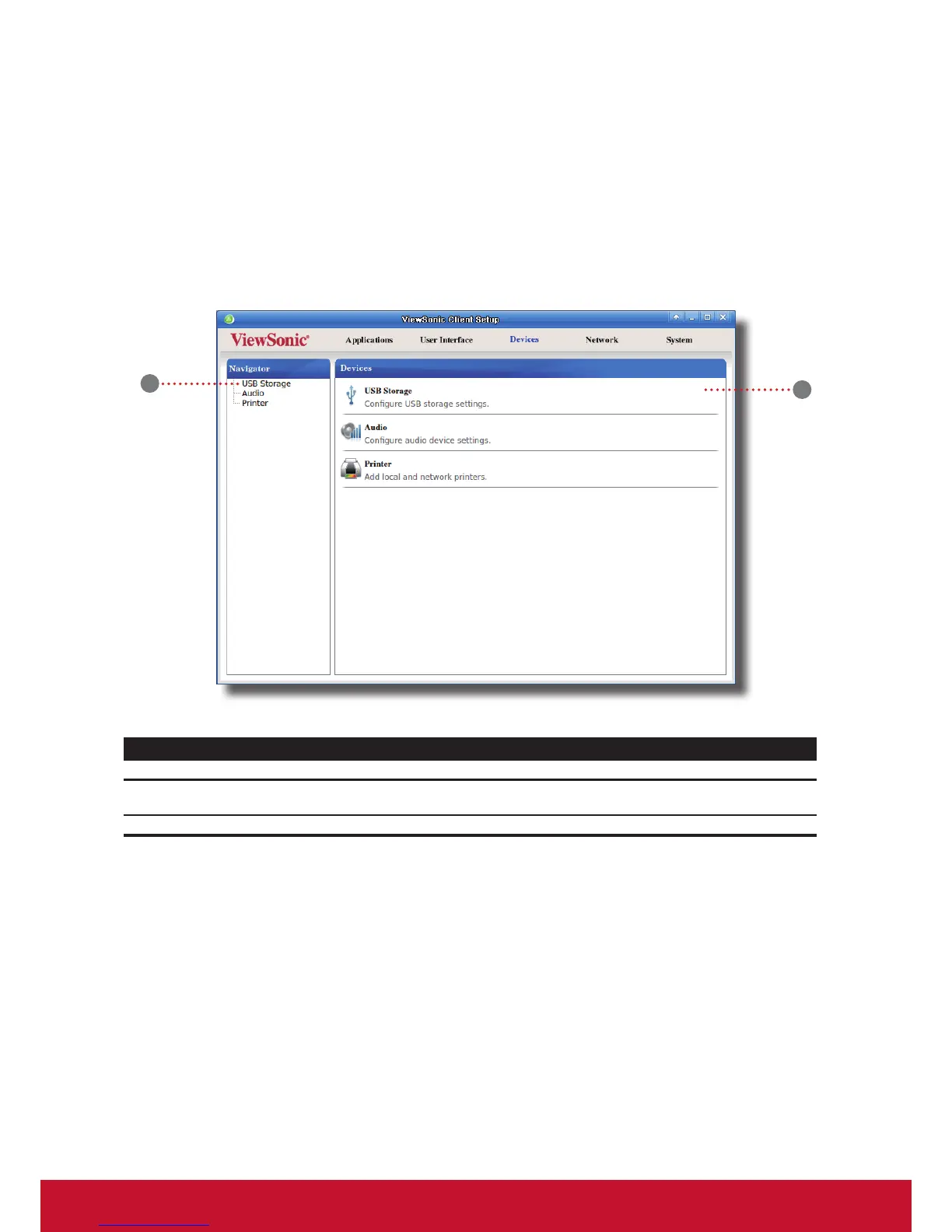
Devices tab enables you to congure settings for external devices of clients. To access available settings of Devices
tab, click the tab on ViewSonic Client Setup.
Interface Elements
No. Name Description
1 Navigation area
Click to select a setting item under Devices tab or to select a setting
entry under a selected setting item.
2 Congurationarea Conguressettingvalueswhenasettingitemorentryisselected.
Devices Tab Overview
1
2



 To Next Page