ConguringClientSettings
Conguring System Settings
49
4.2.9 Enabling or Disabling the Command-line Functions
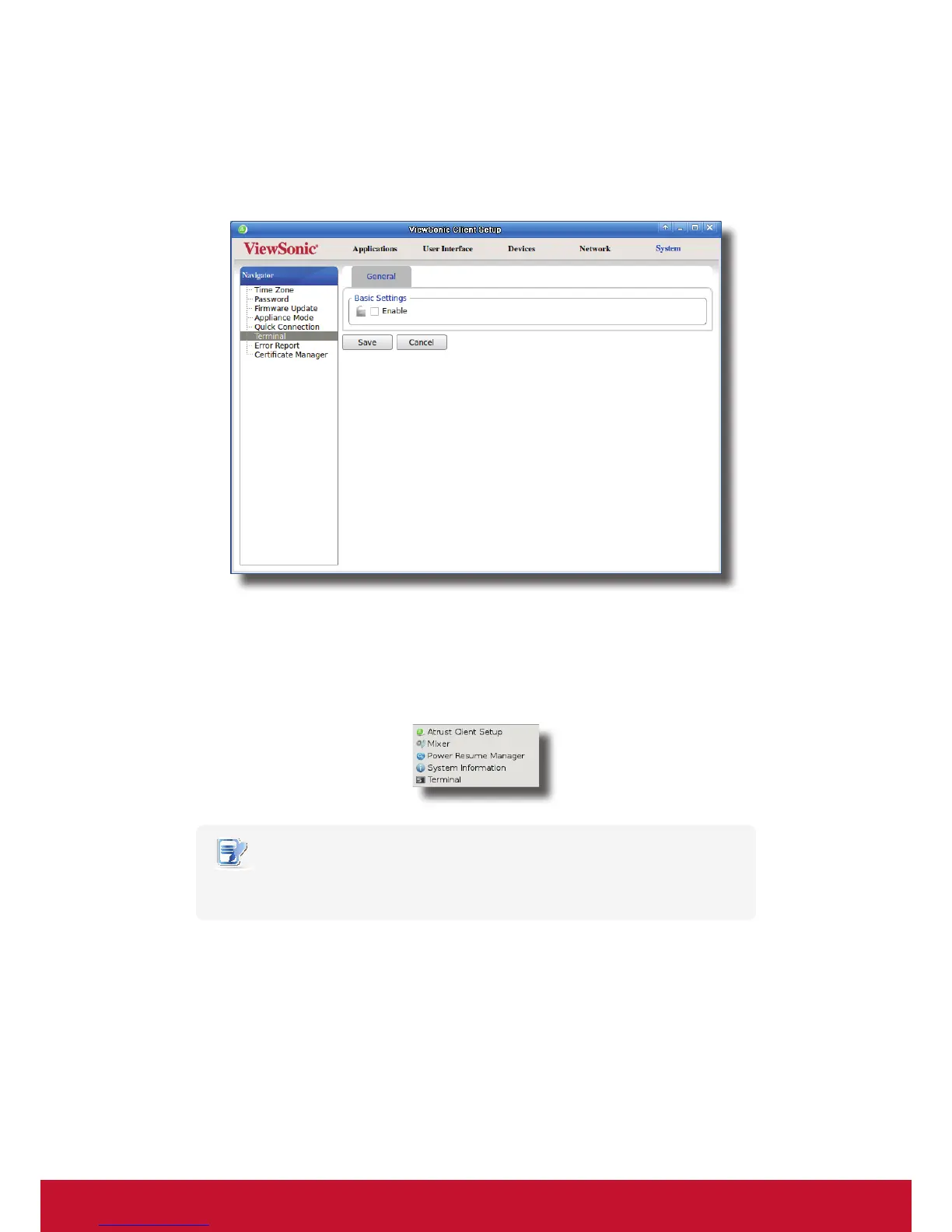
To enable/disable the execution of the text-based (command-line) functions, please do the following:
1. On ViewSonic Client Setup, click System > Terminal.
2. Click to check/uncheck Enable to allow/disallow the execution of the command-line functions.
3. Click Save to conrm your change.
4. The shortcut appears/disappears on the Start menu for access.
NOTE
• On the local Linux desktop, click START > Settings > Terminal to open the
Terminal window.



 To Next Page