© 2010 Viking Preferred Service
25
Diagnostics
Mode A Functions (continued)
VCC Compressor Frequency
This allows adjustment of the compressor frequency used when the compressor is running at low speed.
(A new LV board comes at default setting of 7.) Place the unit in Program Mode A (see Program Mode on
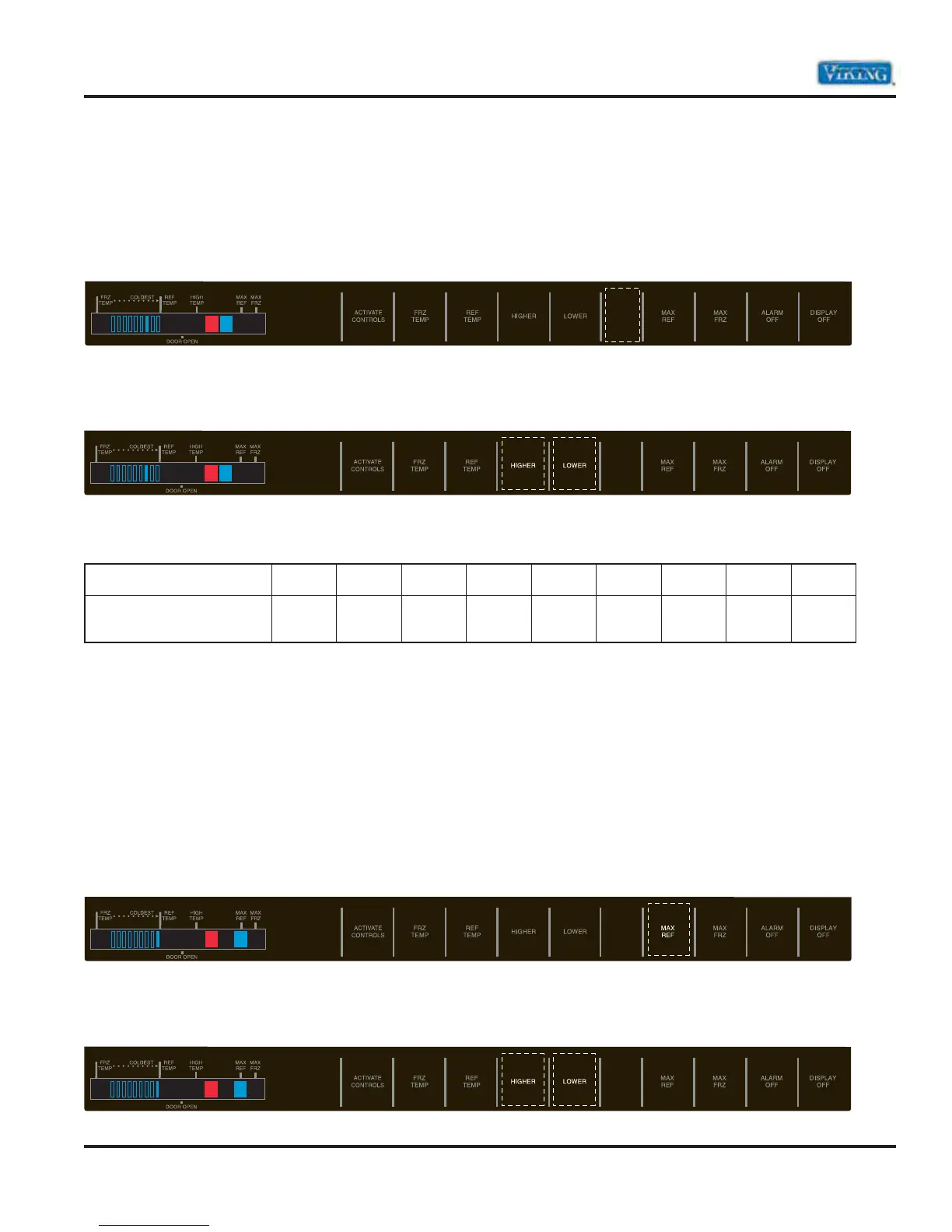
page 22). Press the “HIDDEN BUTTON” pad. An audio confirmation beep will be heard. The blue LED to the
right of the orange LED will be lit. The Compressor Frequency will be displayed by having one of the nine
segment indicators being lit.
The compressor speed frequency value is changed by using the Higher Temp and Lower Temp keys. Pressing
the “HIGHER TEMP” key once will lower the frequency by one level; pressing the “LOWER TEMP” key once
will increase the frequency.
The indicator light and corresponding Compressor Frequencies are listed below.
Indicator
123456
7
89
VCC
Compressor Frequency
55 Hz 57 Hz 62 Hz
65 Hz
67 Hz 70 Hz 75 Hz* 80 Hz 85 Hz
*Default setting
Temperature Differentials for Freezer and Fresh Food Compartments
Note: These settings should not be changed unless instructed by Technical support or if the settings are not
at the defaults. Improper operation of the unit can result if settings are altered!
Refrigerator Cut-In/Out Temperature Differential
The parameter defines the temperature separation between the refrigerator cut-in and cut-out temperatures.
Place the unit in Program Mode A (see Program Mode on page 22). Press the “MAX REF” pad. An audio
confirmation beep will be heard. The Max Ref indicator will be illuminated. The differential temperature will
be displayed by use of one of the nine temperature indicator bars. The 9th bar is the default setting for the
fresh food compartment.
The differential temperature is changed by using the Higher Temp and Lower Temp keys. Pressing the
“HIGHER TEMP” key once will change the differential temperature by one level; pressing the “LOWER TEMP”
key once will change the differential temperature by one level in the opposite direction.



 To Next Page