© 2010 Viking Preferred Service
34
Diagnostics
Mode B Functions (continued)
Exiting Program Mode
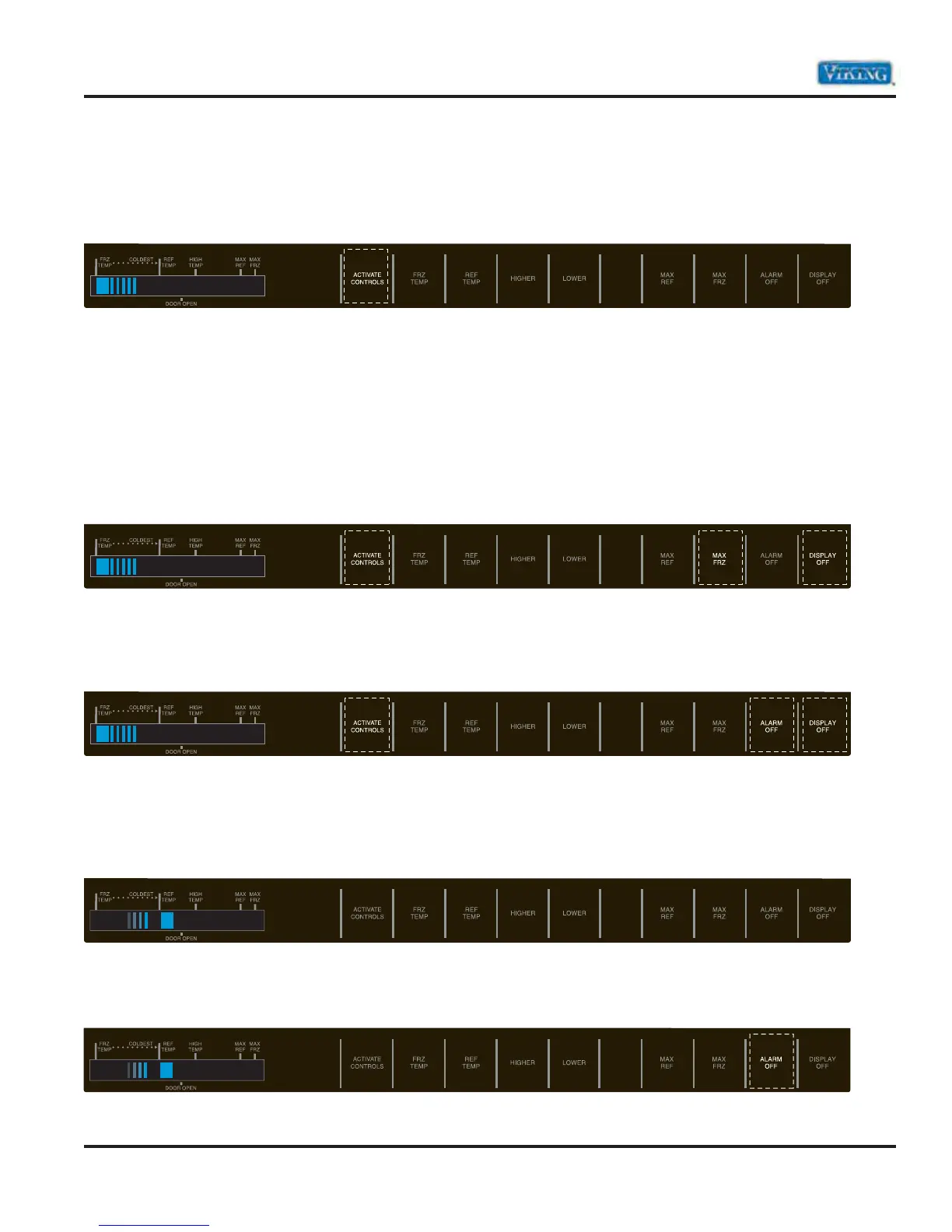
Press “ACTIVATE CONTROLS” for 3 seconds to exit Program Mode. An audible tone will sound three
times indicating Program Mode has been exited. Changes made in Program Mode will be permanently
saved in EEPROM.
Note: If no pad is pressed for 10 minutes, Program Mode will automatically exit. However, no changes will be
saved if Program Mode exits automatically.
The following features do not require entry into the service mode and can be performed by the consumer.
Special Features
Forced Defrost Start
Press “ACTIVATE CONTROLS” pad. Press and hold “MAX REF” and “DISPLAY OFF” for 3 seconds.
Forced Compressor Start
Press “ACTIVATE CONTROLS” pad. Press and hold either “MAX FRZ” or “ALARM OFF” pad and “DISPLAY
OFF” pad for 3 seconds
.
Open Thermistor Detect
Alarm sounds and freezer or refrigerator indicator light illuminates and temperature indicators 4 through 7
will turn on in sequence if either thermistor circuit opens. Refer to Temperature Control Section and Electronic
Testing section.
Press “ALARM OFF” pad to turn off alarm. Alarm will reset for normal operation. If condition has not been
corrected, alarm will sound again.
1 2 2
1 2 2



 To Next Page