EXPLORE THE BIKE'S FEATURES
27
4.14.1.
Battery capacity bar
The capacity bar is displayed at the top of the HMI screen. The capacity bar provides information about the remaining
battery capacity. When the battery loses connection with the system, the capacity bar will flash red.
4.14.2.
Assist mode display
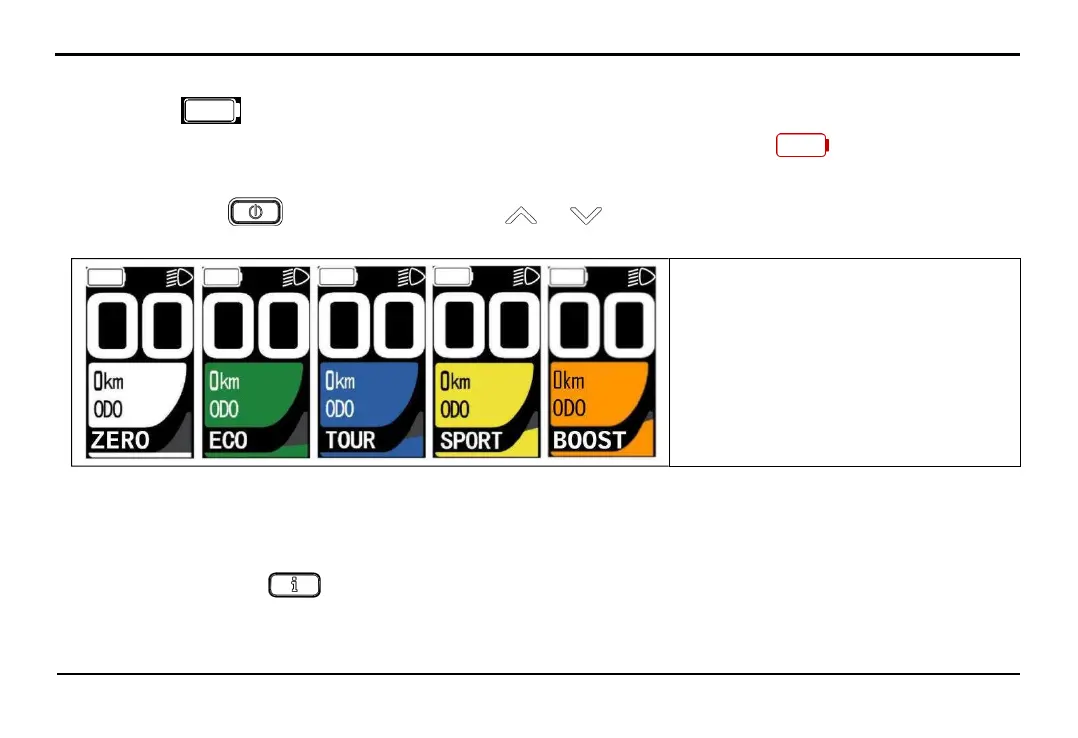
After pressing button to start the screen, press the or to change the selection of assistance modes, there are 5
modes: ZERO/ECO/TOUR/SPORT/BOOST.
The level of assistance increases gradually in the following order ECO > TOUR > SPORT > BOOST, with ZERO mode
providing no assistance. Additionally, within each assistance mode, the level of assistance depends on the speed and force applied
to the pedal by the rider.
4.14.3.
Parameter display
In each mode, press button repeatedly to view the following parameters ODO -> Trip -> Time -> AVG -> MAX -> M PWR
-> H PWR -> CONS -> C.INST -> RANGE -> PD RPM.
+ ZER0: No assistance
+ ECO: Eco mode
+ TOUR: Long-distance mode
+ SPORT: Sport mode
+ BOOST: Acceleration mode



 To Next Page