22
Adjusting brake force
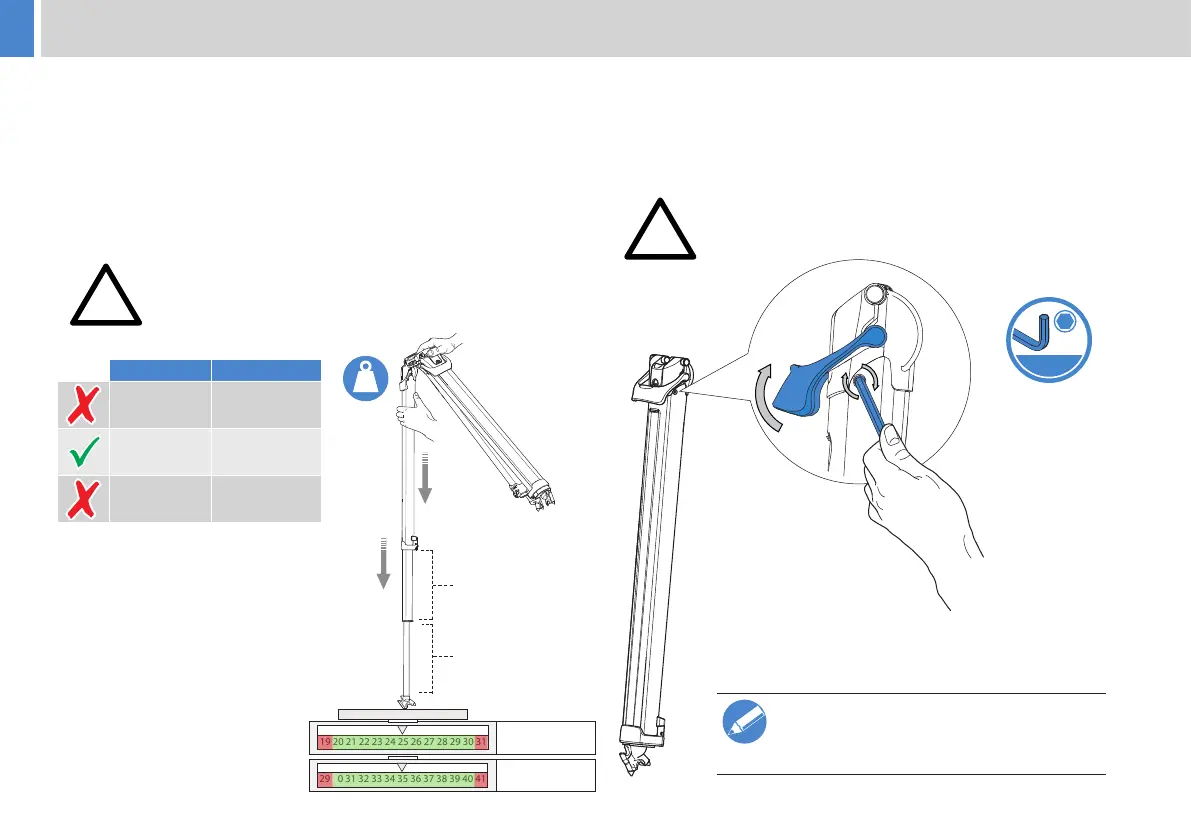
1. Lift the quick release lever to clear the adjustment screw. Using a
key, turn clockwise to increase the brake force.
2.
3. When the adjustment is made, test the brake force
again on the scales, repeat if necessary.
4. Repeat the procedure for the remaining two legs.
CAUTION! Do not adjust more than required as this
will lead to increased wear and stress on the brake
components.
Maintenance
2.5mm
Should the adjustment range become
please contact your local service centre.
www.vinten.com
Checking brake force
if necessary.
1.
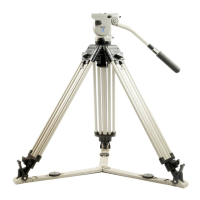
2. Place a rubber mat or similar on a set of scales to prevent
damage and skidding. Stand one leg on a set of scales and apply
a vertical downward force.
3. With an average downward force of
owtech 75 or
owtech 100
applied, the leg should remain
extended.
4. If the leg starts to collapse before a
owtech 75 or
owtech 100
force is achieved then
adjustment is required.
“See Adjusting brake force”.
!
WARNING! Use a non-slip mat to ensure the
foot does not slip from the scales when applying
downward pressure.
WARNING! Finger entrapment. Take care not to trap
Average slip force
19 20 21 22 23 24 25 26 27 28 29 30 31
kg
29 30 31 32 33 34 35 36 37 38 39 40 41
kg
owtech 75 owtech 100



 To Next Page