STEP 2: CONNECT AND CALIBRATE THE SCANNER 7
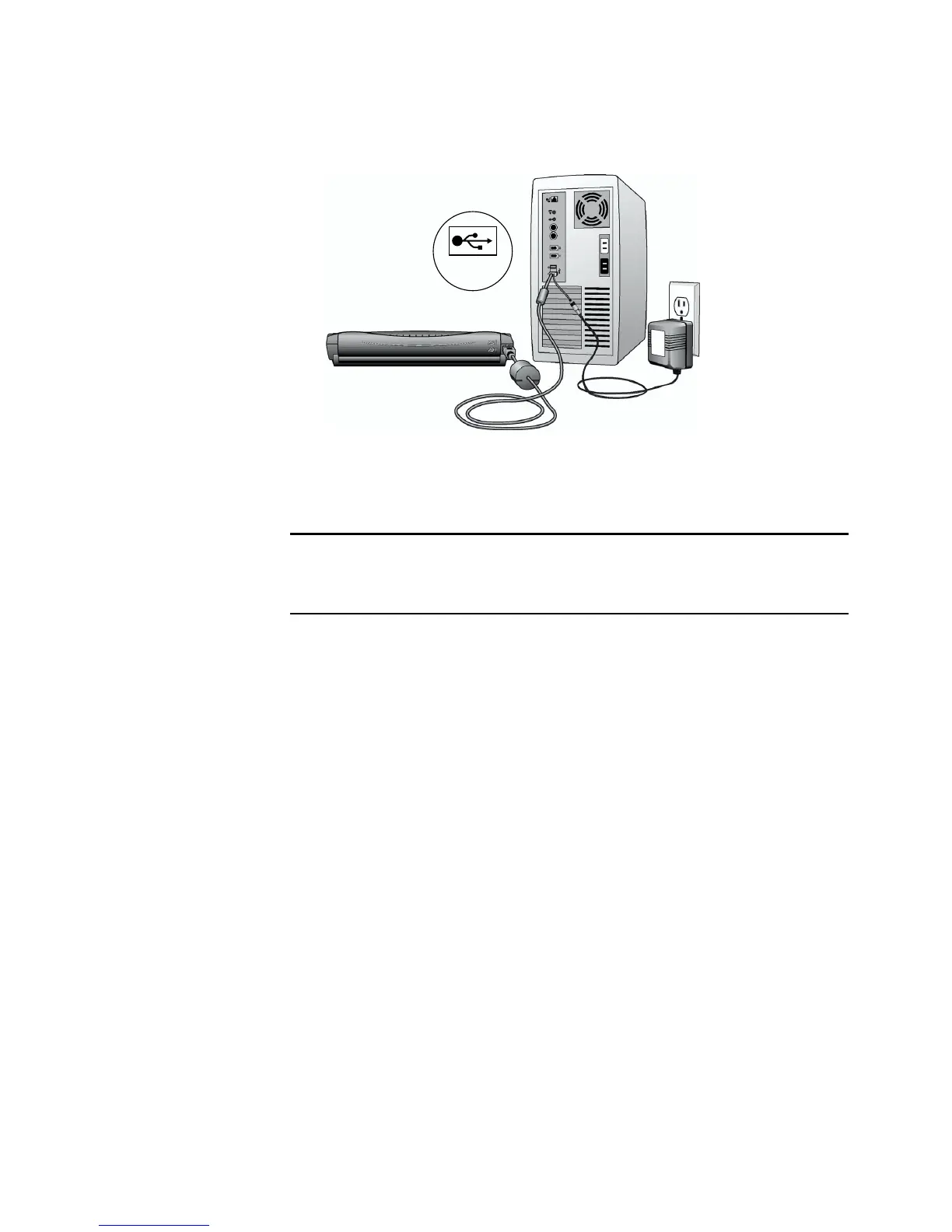
The USB symbol identifies the location of the USB port on your
computer. If the plug does not attach easily, make sure that you are
plugging it in correctly. Do not force the plug into the connection.
Your computer recognizes that a scanner has been plugged into the
USB port and automatically configures its driver database with the
appropriate software to run the scanner.
4. For Windows XP users only, the Found New Hardware Wizard
opens. Click Next to proceed.
For Windows 2000 users only, the Digital Signature Not Found
dialog box opens. Click Yes to continue.
Note: You can also connect the scanner to a USB port on the
computer’s keyboard, or to a USB hub. If you use a USB hub, it must
have its own power supply plugged into an electrical outlet.
USB














 To Next Page