EasyManua.ls Logo

Visionix VX90 - B) Patient Side

Visionix VX90
50 pages
Print Icon
To Next Page IconTo Next Page
To Previous Page IconTo Previous Page
Loading...
VX90 - User Manual
12
Description
1
Optical-measurement head
Contains the hardware used to perform all of the measurements during patient
diagnostic exams.
2 On/Off switch
Shuts down the machine
3 LCD touch screen
4 Up and Down Chin Rest button
5 Joystick to move up /down/left / right the machine
6 Lock Switch
To lock the head
7 Reset and Print Key
Reset print function
8 Printer
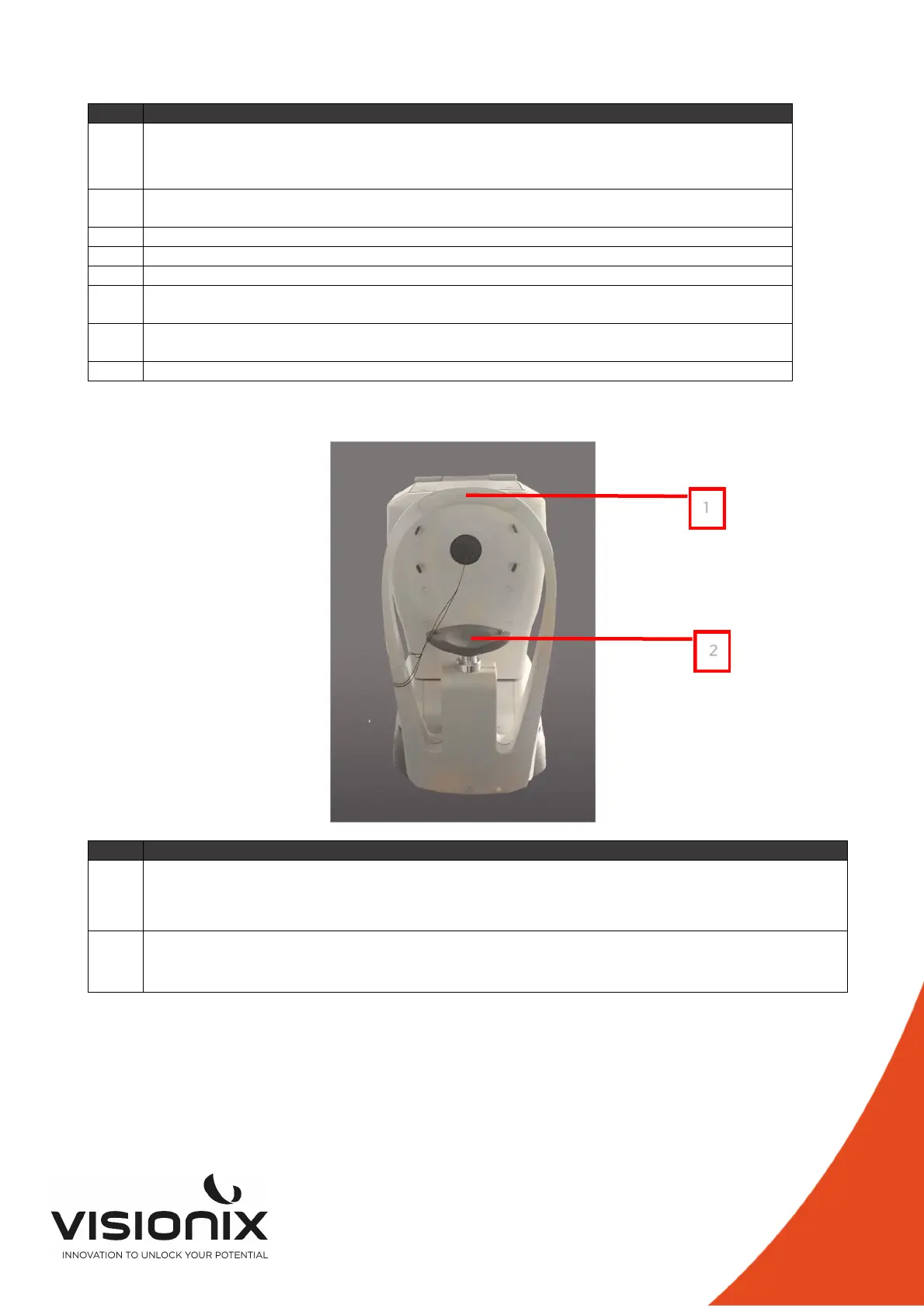
2.b) Patient Side
Description
1
Headrest
The patient should lean their forehead on the headrest during all diagnostic procedures.
2
Chin rest
The patient should lean their chin on the chin rest during all diagnostic procedures.
1
3
2
3

Other manuals for Visionix VX90

Related product manuals