VX90 - User Manual
21
2
Diameter 2
Touch to modify diameter 2
3 Left perpendicular bar arrow
To move the le left perpendicular bar
4 Right Perpendicular bar arrow
To move the right perpendicular bar
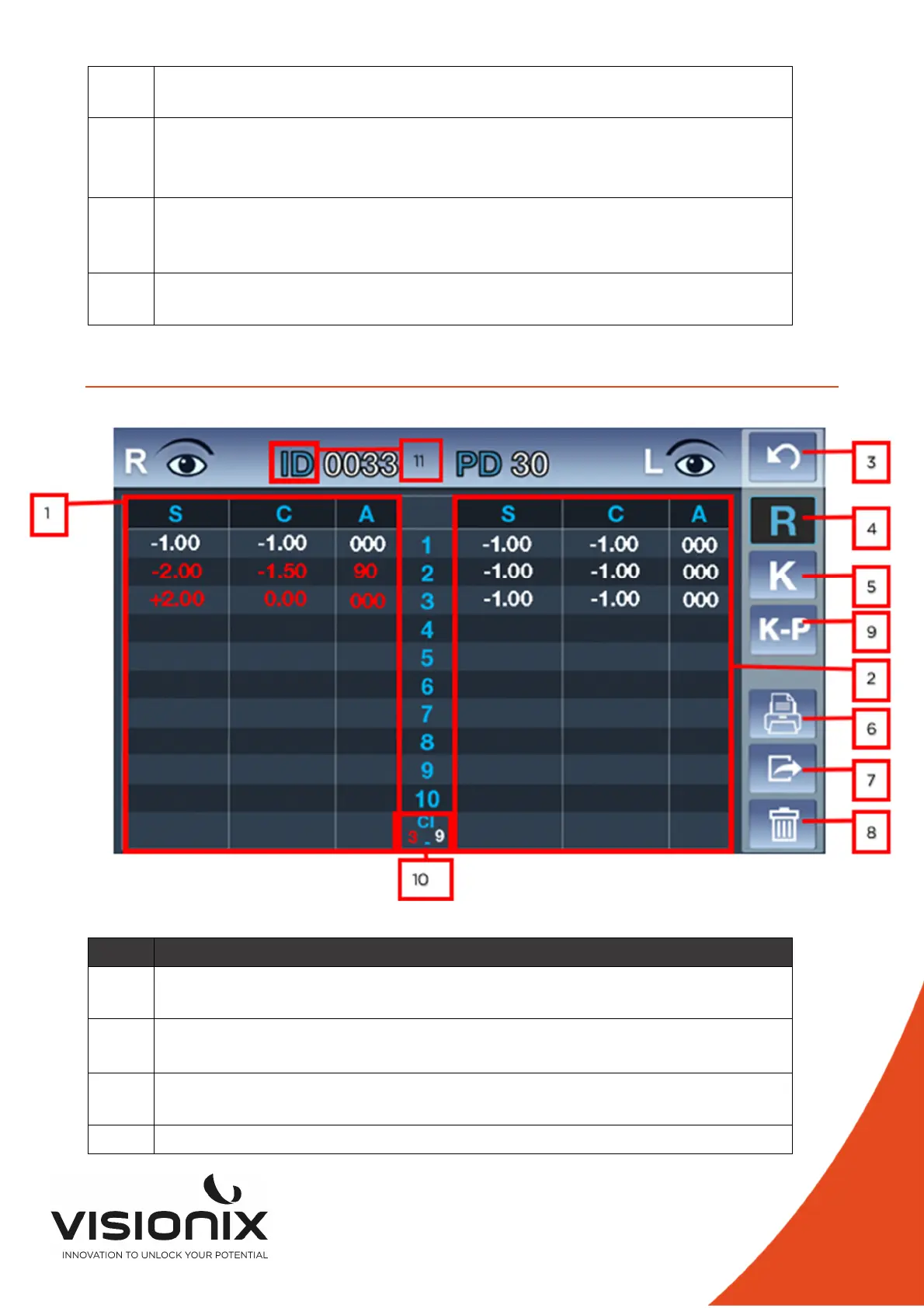
IV.5 - Data Menu
N° Description
1 Right Refraction measure
Display of the all measure with the average at the bottom of the column
2 Left Refraction measure
Display of the all measure with the average at the bottom of the column
3 Return
Touch it to return at the main screen
4 Refraction Measure



 To Next Page