VX90 - User Manual
33
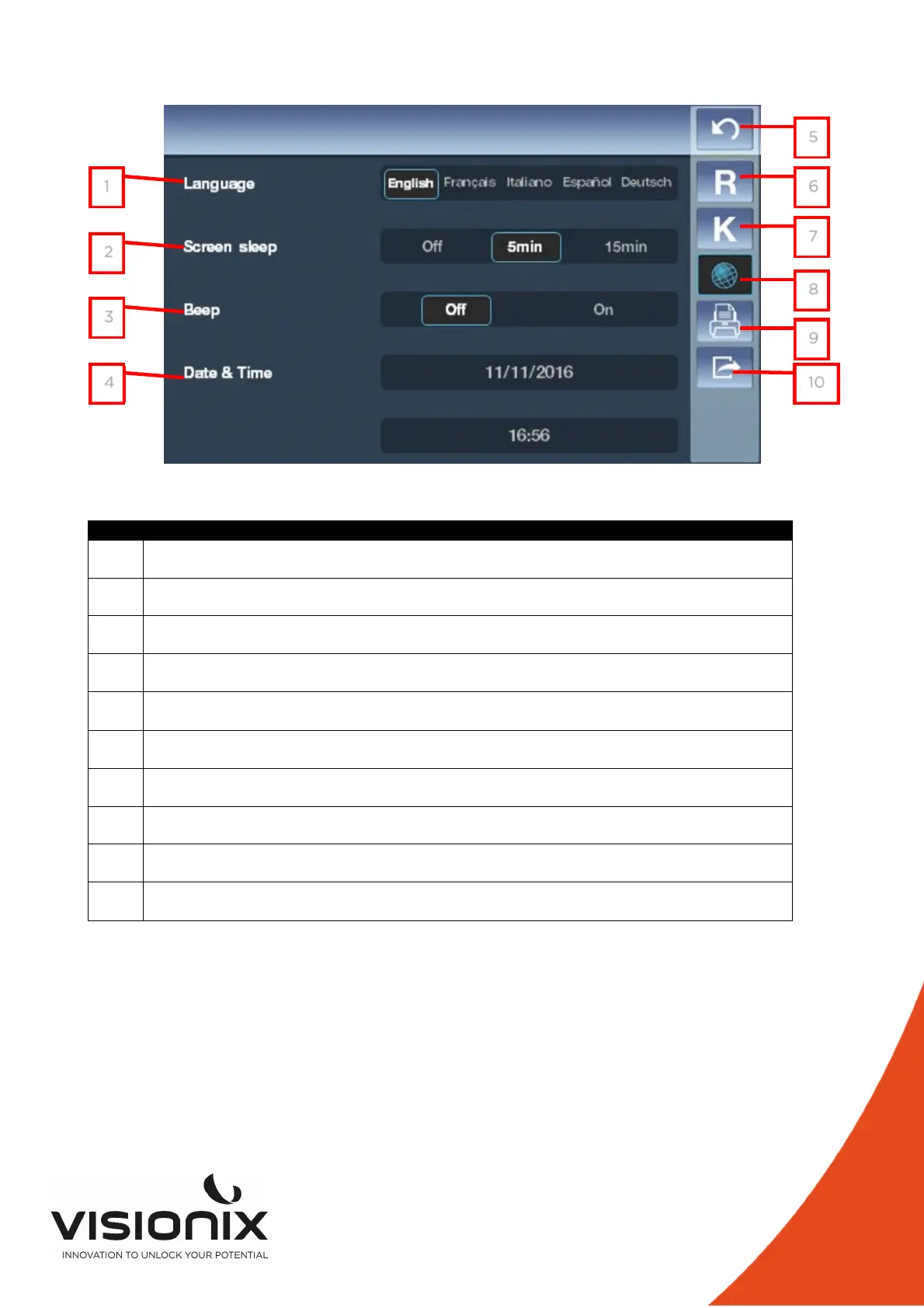
2.c) Device Settings
N° Description
1 Language
Touch the language you want to select
2 Screen Sleep
You can select the time before Screen sleeping
3 Beep
To choose if you want sound signal when you touch the screen
4 Date and time
To select the date and the time of the device
5 Return
To return at the main screen
6 Refraction settings
To set the taking of the refraction measurement
7 Keratometry Settings
To set the taking of the Keratometry measurement
8 Device Settings
To change the settings of the device
9 Print Settings
To set the printing
10 Export Settings
To set all information to export data to an external device
1
2
3
4
5
6
7
8
9
10



 To Next Page