VX90 - User Manual
34
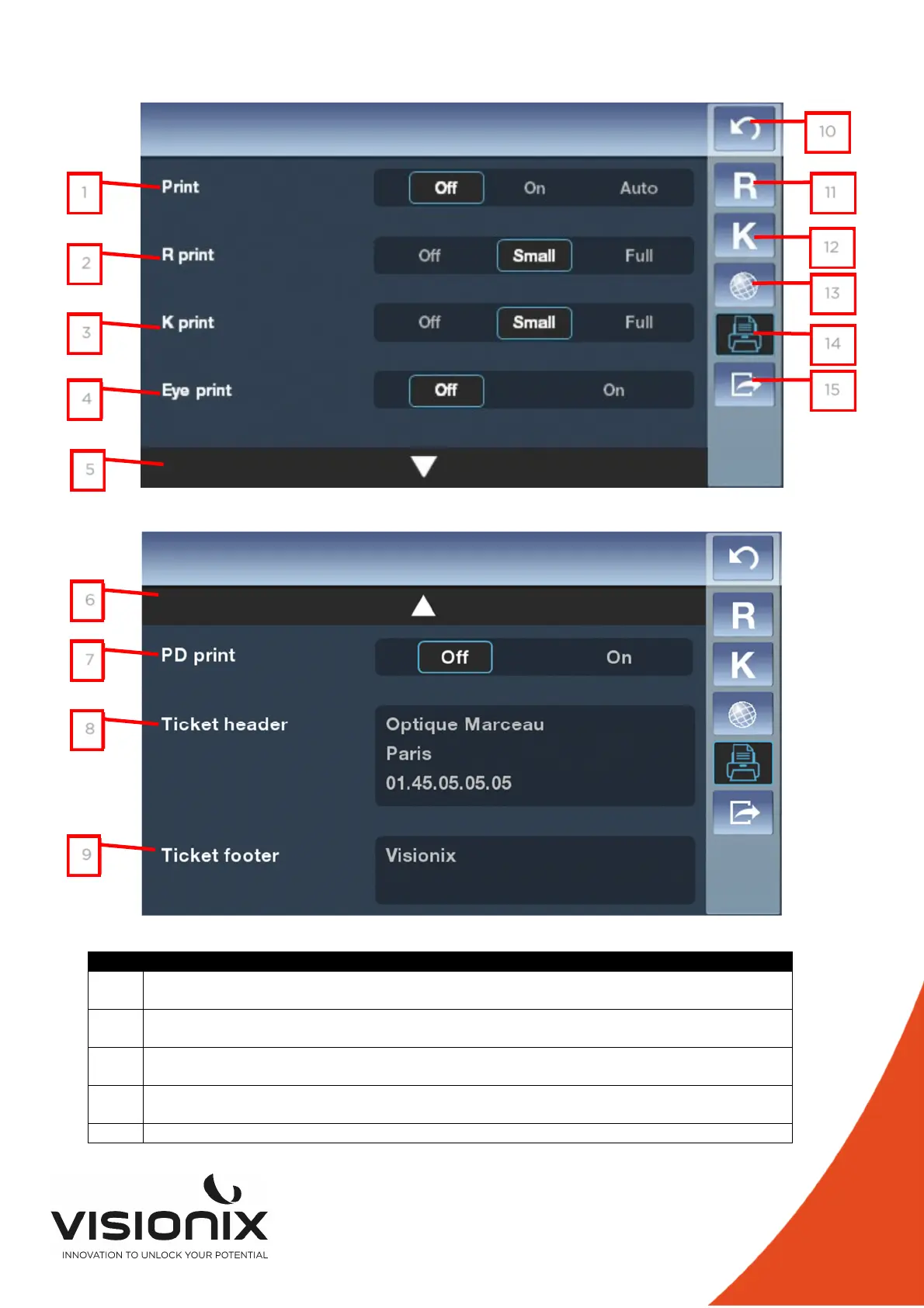
2.d) Print Settings
N° Description
1 Print
To enable or disable the printing of one ticket, or set as automatic
2 R Print
To enable or disable the refraction part print in the ticket and choose the type
3 K Print
To enable or disable the Keratometry part print in the ticket and choose the type
4 Eye Print
To enable or disable the diagram of the eye on the ticket
5 Access to the second page
6
7
8
9
1
2
3
4
5
10
11
12
13
14
15



 To Next Page