VX90 - User Manual
16
IV.1 - Home Screen
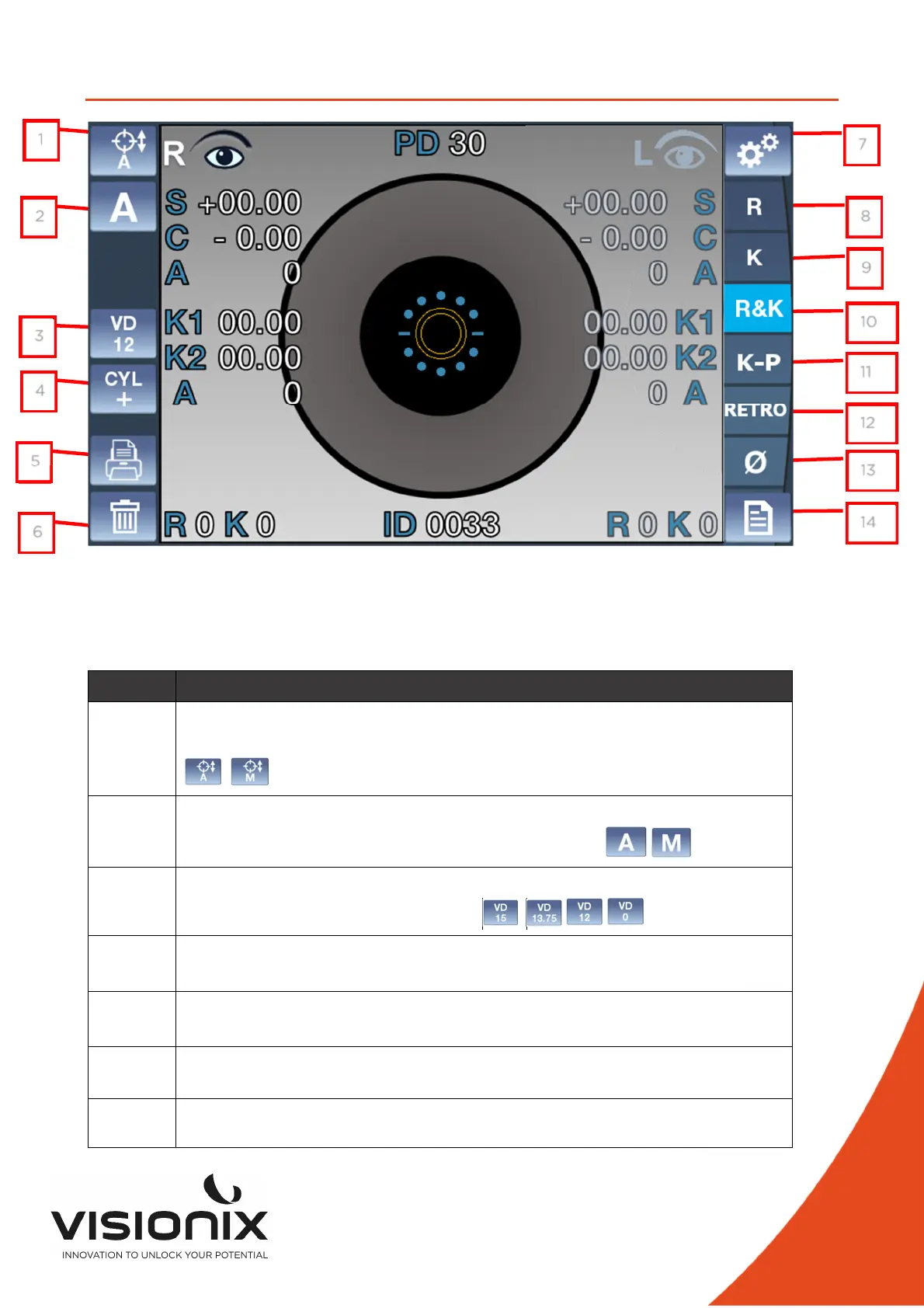
The Home screen is the main menu of the VX90. It gives you access to all of the functional
screens of the interface.
N° Description
1 Alignment
To select an automatic vertical alignment or a manual vertical alignment:
,
2 Measurement
Touch to select an automatic or manual measurement ,
3 VD Value
Touch this key to switch the VD Value:
,
, ,
4 Cylinder sign
To select the cylinder sign, minus, plus or auto.
5 Print mode
Use to print ticket or send data
6
Clear Button
Press this button to clear the data
7
Settings Menu
Touch this button to access the settings menu
7
8
9
10
13
14
113
12
3
1
2
6
4
5



 To Next Page