VX90 - User Manual
36
N° Description
1 Export
To enable or disable the export data
2 RS 232
to select the protocol of the communication
3 LAN
To enable the Wi-Fi connection or disable it
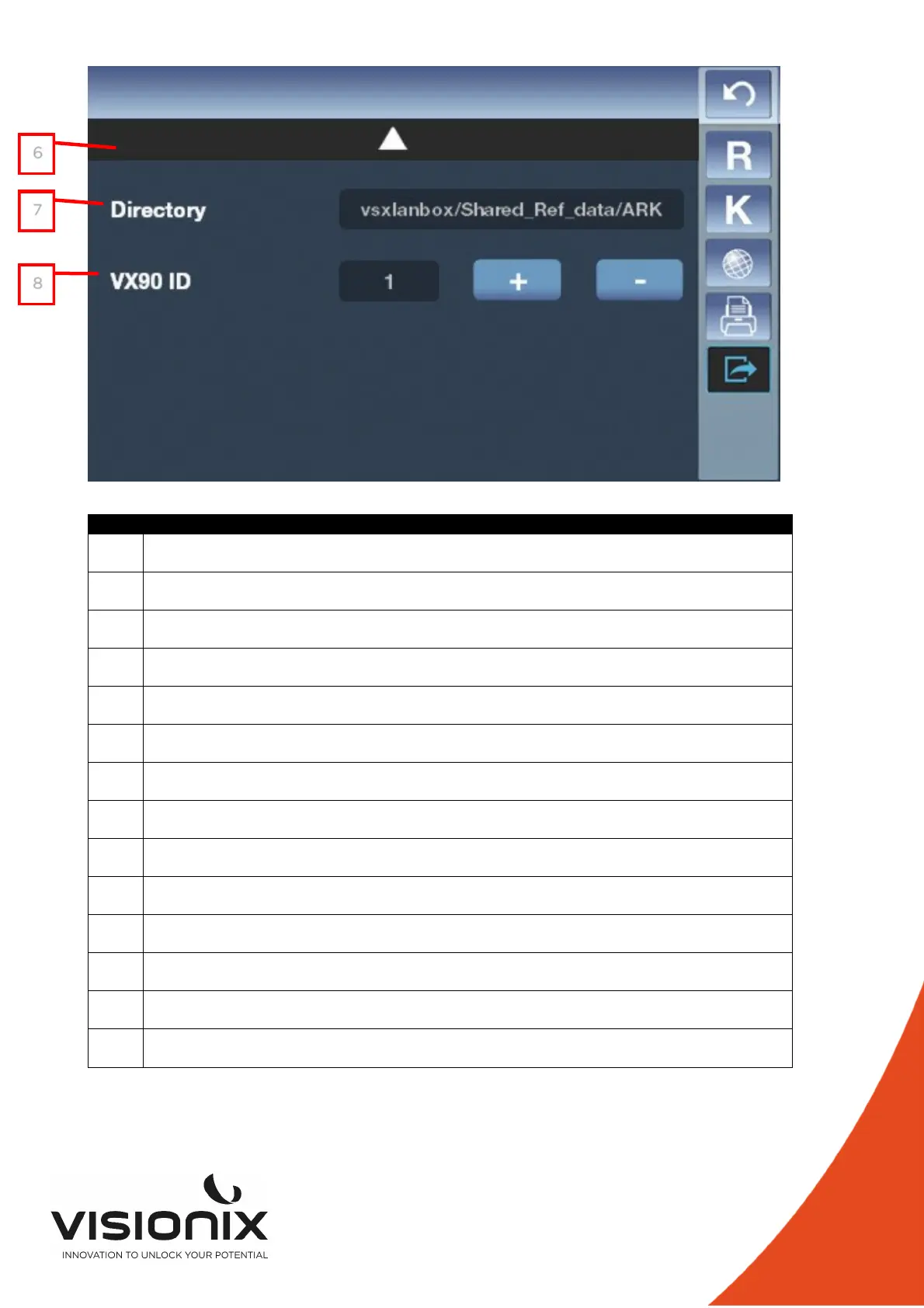
4 VX90 ID
Touch “+” “-“ to modify the Id of the VX90
5 Access to the second page
Touch this button to access to the second page
6 Access to the first page
Touch this button to access to the first page
7 WiFi
To select the name of the Wifi you want to connect
8 Password
To select the password of the wifi you want to connect
11 Return
To return at the main screen
12 Refraction settings
To set the taking of the refraction measurement
13 Keratometry Settings
To set the taking of the Keratometry measurement
14 Device Settings
To change the settings of the device
15 Print Settings
To set the printing
16 Export Settings
To set all information to export data to an external device
6
7
8



 To Next Page