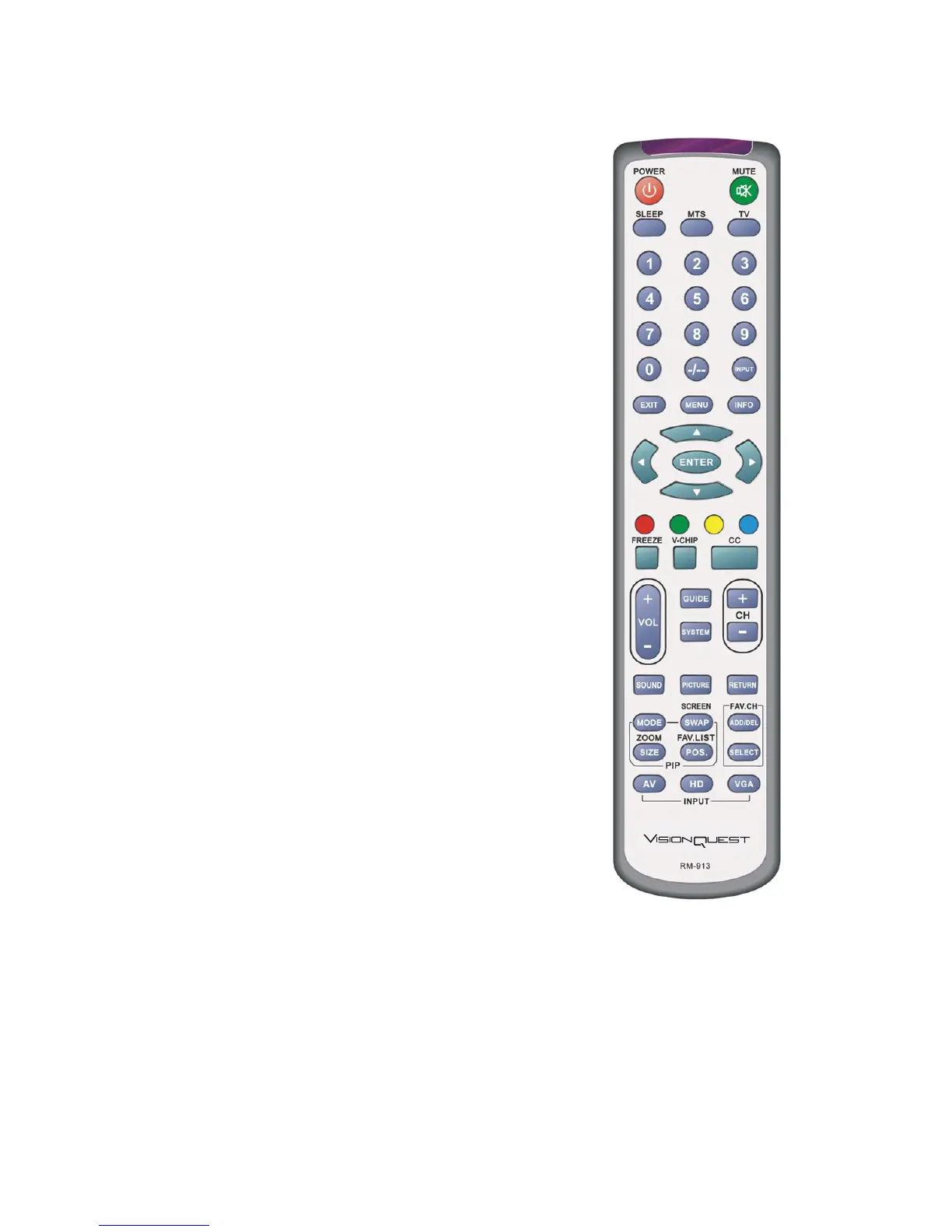
•SOUND-Press repeatedly to select sound mode: Off, Rock,
POP, Live, Dance, Techno, Classic, Soft.
•PICTURE-Press repeatedly for different picture modes
select: Normal/User/cinema/Sport/vivid/Hi-bright.
•RETURN-Press it to return to the previous channel in
TV mode.
•MODE-Use this button to activate the PIP mode and select
the mode by pressing repeatedly.
•SWAP/SCREEN-Used to swap the inputs from the main
screen and the sub-screen while in the PIP mode,
Additionally Press repeatedly to select the viewing
mode: Auto/Normal/Zoom/Panorama/Dot by Dot.
•SIZE/ZOOM- Press this button to select the size of the PIP
screen from one of the following: small, medium or large
in PIP mode, Additionally press it to zoom the image.
•POS/FAV.LIST-Press this button to change the PIP window
position in PIP mode. Additionally press it to show the favourite
program list.
•ADD/DEL-Press this button to add/delete current channel
to/from the list of favorite programs.
•SELECT- Press it to select the program directly from the
list of favorite channel you preset.
•AV-Repeated pressing of this button will cycle through
Composite1,Composite2,S-Video inputs.
•HD-Repeated pressing of this button will switch between
the Component1/Component2 input and HDMI1,HDMI2 mode.
•VGA-This button selects a connected VGA input.
WWW.VISIONQUESTCE.COM
14


 To Next Page