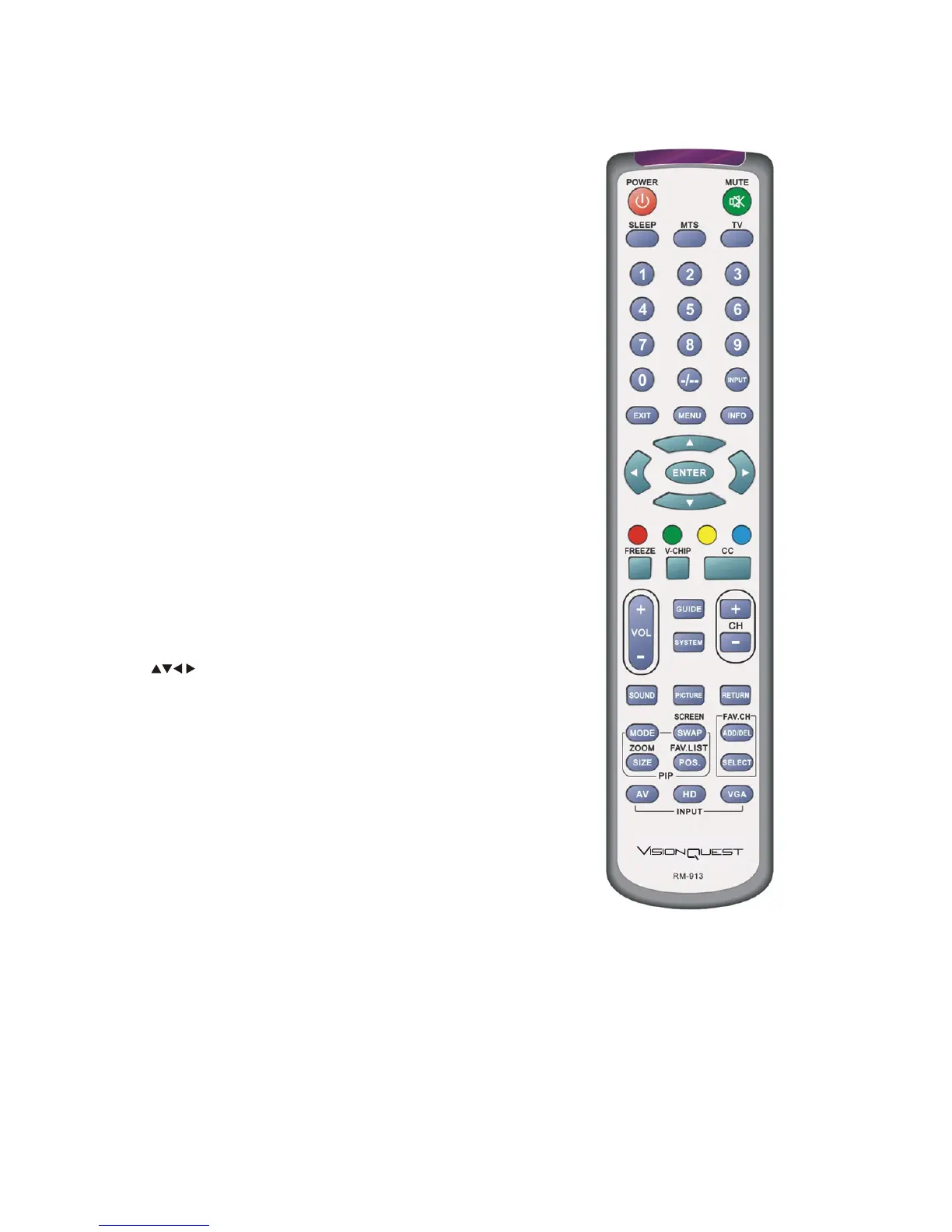
1.4-VISIONQUEST Remote Control Button Description
•POWER- Press this key to turn the TV on from standby
mode. Press it again to return to the standby mode.
•MUTE-This button turns the sound on and off.
•SLEEP-This button allows the user to select the sleep options
by adjusting the timer in10 minute increments up to120 minutes.
•MTS-This button will select the MTS options in an analog
program mode. Options include: Stereo, SAP or Mono;
Additionally changing the audio language in an digital program.
•TV-This button is used to select the input source -TV.
•Number Button Pad-Use these buttons to select a channel or
enter a password.
•INPUT- To display the input source list to change the input
source.
•EXIT-To close the current OSD page or function.
•MENU-To display and close the menu.
•INFO-This button displays the image and system information
display.
•ENTER-To display the channel list.
To add and erase the favorite channel when the favorite list
displays.
To un-lock the locked channel or program.
To access the item or page.
To auto adjust the VGA input source.
• These buttons navigate the On-Screen Display(OSD)
menu.
•RED/GREEN/YELLOW/BLUE button-These are short-cut
buttons, using them with the hint OSD menu.
•FREEZE-To hold the active video.
•V-CHIP- Press to popup a pin-code dialog box to set
the viewing rating.
•CC-To select the closed caption temporary.
•VOL(+or-)-These buttons turn volume up or down.
•GUIDE-To display and close the EPG.
•SYSTEM-Press repeatedly to select tuner mode: Antenna/Cable.
•CH(+or-)-These buttons change the channels up or down.
WWW.VISIONQUESTCE.COM
13


 To Next Page