Please read the user manual carefully before performing the installation.
The power consumption of the display is approximately 240 watts, please use the power cord designated
for the product. When an extension cord is required, use one with the correct power rating. The cord must
be the grounded and the grounding feature must not be defeated.
The product should be installed on a flat surface to avoid tipping. Space should be maintained between
the back of the product and the wall for proper ventilation. If you would like to mount the TV to the wall,
please see" Preparing the LCD for Wall Mounting" below for additional information.
Please ensure the product is installed with the screen in landscape orientation. Any 90° clockwise or
counter clockwise installation may induce poor ventilation and excessive component damage.
Avoid installing the
product in the kitchen, bathroom or other places with high humidity, dust or smoke, to not shorten the
service life of the electronic components.
Installation Preparation
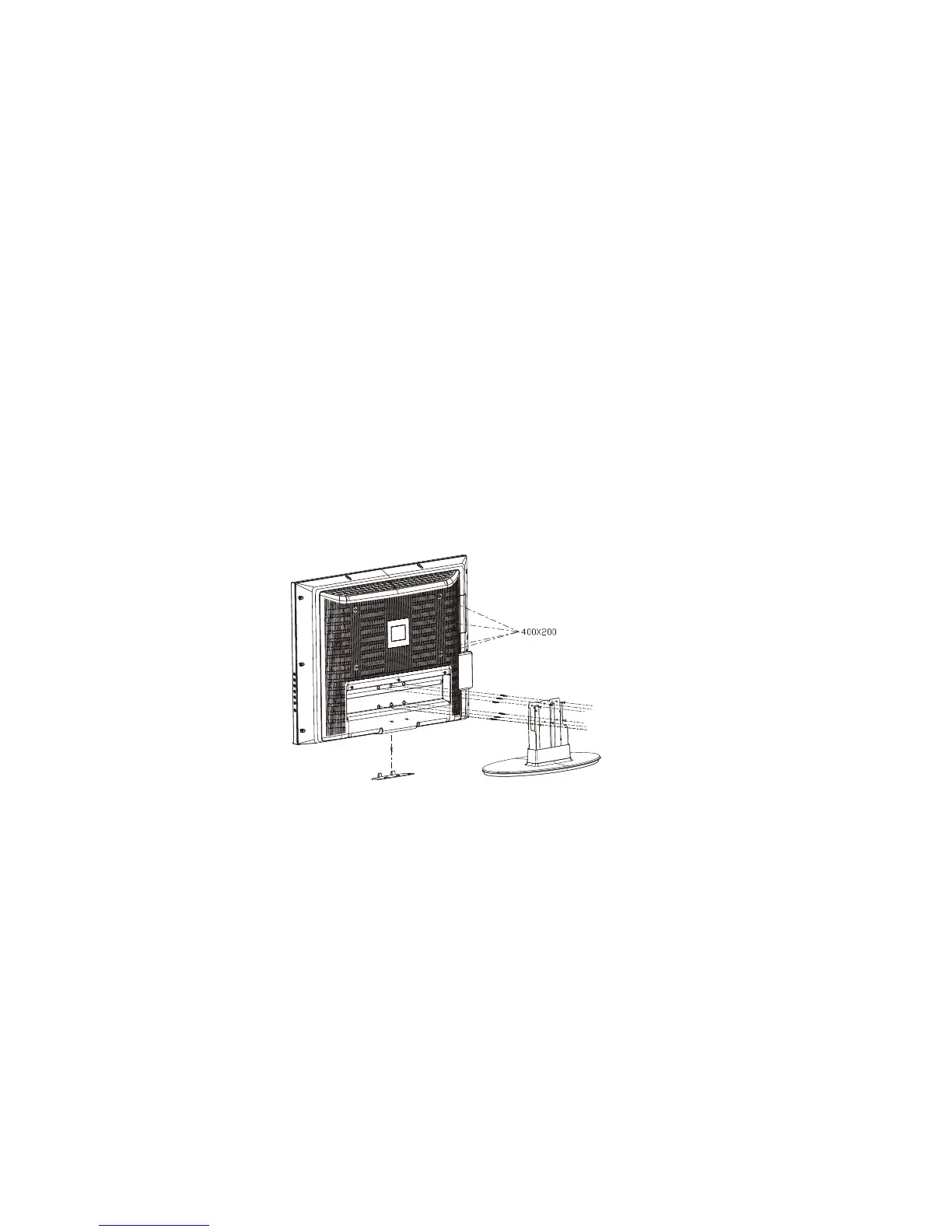
The VISIONQUEST 37''HDTV can either be kept on the stand base or mounted to the wall for viewing. If
you choose to mount the 32''HDTV to the wall, please refer to the schematic drawing when hanging the
TV on the wall.Take off the stand from the whole unit then assembly the TV on VESA standard wall mount
devices. (The distance dimension of the hanging hole is 400*200). Our TV is VESA(400*200mm) compatible.
Refer to drawing below:
Preparing Your LCD TV FOR Wall Mounting
WWW.VISIONQUESTCE.COM
9


 To Next Page