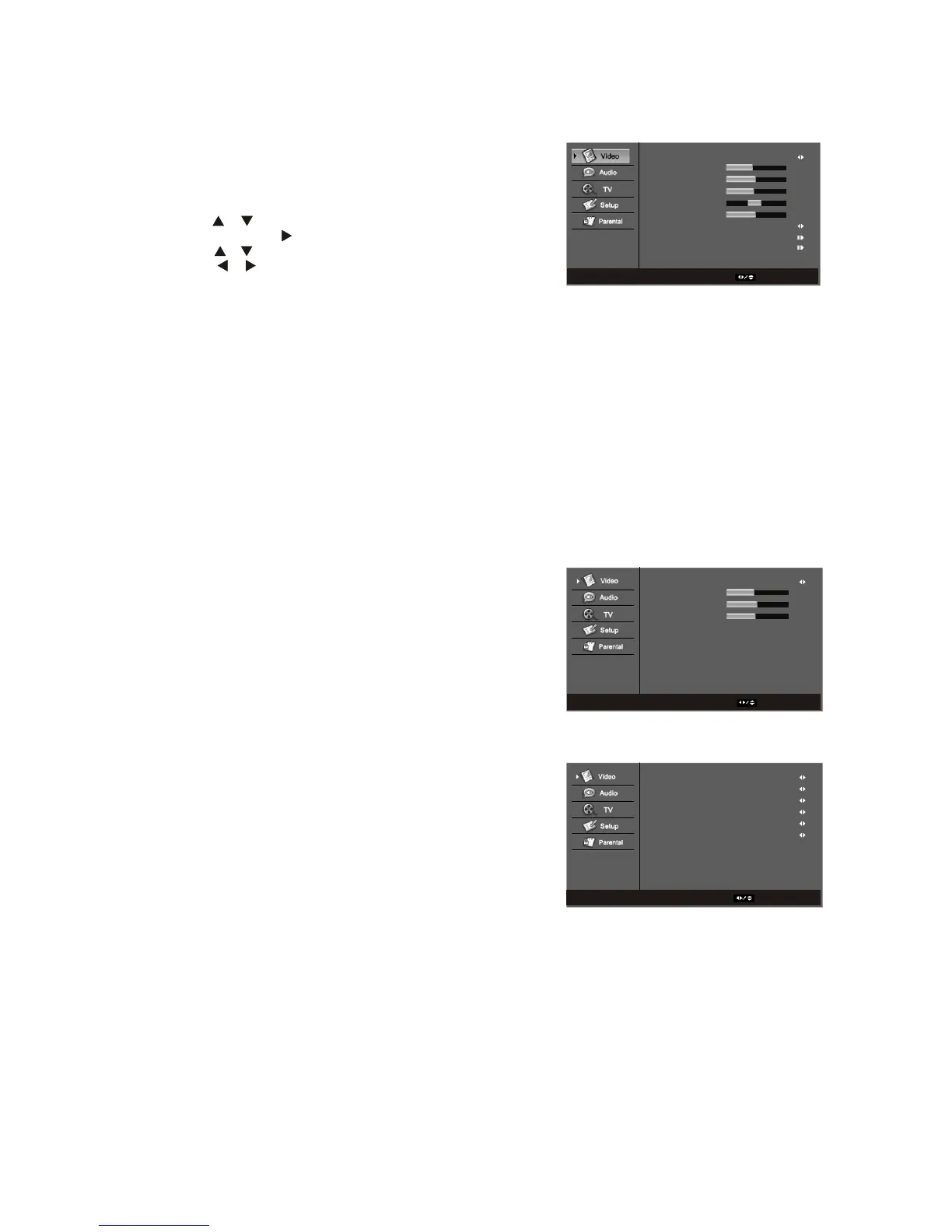
Available for the following input sources-Composite1,Composit2,
S-Video, Component1, Component2, HDMI1,HDMI2, TV.
1.Press the MENU button to display the menu.
2.Press the or button to select the Video item
3.Press the ENTER or button too display the sub.menu.
4.Press the or button to select the Sub item
5.Press the or button to adjust the settings.
6.Pess EXIT button to exit the current page, or press the Menu
button to exit the OSD.
Picture Mode-To quick adjust video settings by the default
selections: Normal, User, Cinema, Sport, Vivid and Hi-Bright.
Brightness-Adjusts the black levels of the picture, users may
need to readjust the brightness after the TV warms up.
Contrast-Adjusts the level of white between the lightest and
darkest portions of an image, If the contrast is too low, the picture
appears dark and lacks detail. If the contrast is too high, the
picture appears faded and lacks shadow and depth.
Saturation- Adjusts the levels of white and color in the picture.
Highly saturated colors then to be deep and strong while
unsaturated colors are weaker and lighter.
Hue-Adjusts to make the flesh tones more natural.
Sharpness-Adjusts the clarity of the picture. If the sharpness is set
too high, hard edges in the picture appear to have a ghost image.
Back Light- To adjust the back light to brighten or darken: dark.
middle, bright.
Color Temperature-Option include user, cool, standard or warm.
Advanced Video- Press the enter button, "Advanced Video"
window appears.
DNR- Option include off/low/medium/strong/auto, select "on" to
control the sharpness and noise reduction automatically.
DNR: Digital Noise Reduction.
Black Level Extender- To adjust the ability in the black areas
detail of the picture :On and Off.
White Peak Limiter- To adjust the ability in the white areas
detail of the picture : On and Off.
CTI- Option include low/medium/strong/off.
Flash Tone-Select "on" to correct the flash tone automatically.
Adaptive luma control- user selects either on or off.
3.4.2-Video
WWW.VISIONQUESTCE.COM
34
Picture Mode
Brightness
Contrast
Saturation
HUE
Sharpness
Back Light
Color Temperature
Advanced Video
Video
ENTER Enter Select EXIT Exit
User
45
50
50
0
4
Bright
Color Temperature
R Gain
G Gain
B Gain
User
Color Temerature
Select EXIT Back
0
0
0
DNR
Black Level Extender
White Peak Limiter
CT1
Flesh Tone
Adaptive Luma Control
Medium
On
On
Medium
On
On
Advanced Video
Select EXIT Back


 To Next Page