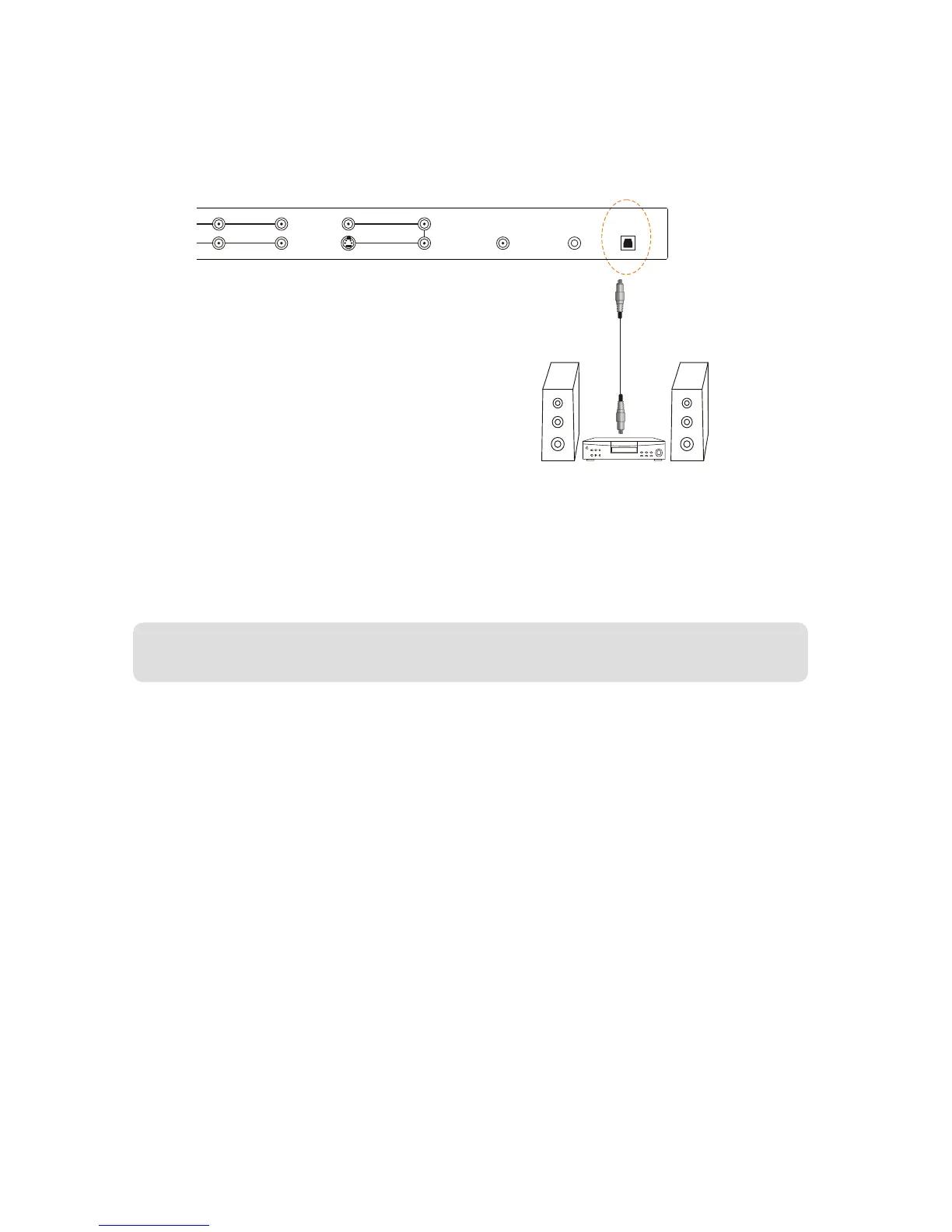
2.6-Connecting an Amplifier or Speakers
1.Turn off the power to the LCD TV and Receiver /AMP.
2.Connect the optic audio connectors on the Receiver/Amp to the optic audio output connectors in the rear
of your LCD TV.
3.Turn on the power to the LCD TV and Receiver/AMP.
4. Refer to your Receiver/Amp system manual to select the corresponding audio input.
Note: This audio output is not amplified and cannot be connected directly to external speakers.
WWW.VISIONQUESTCE.COM
28


 To Next Page