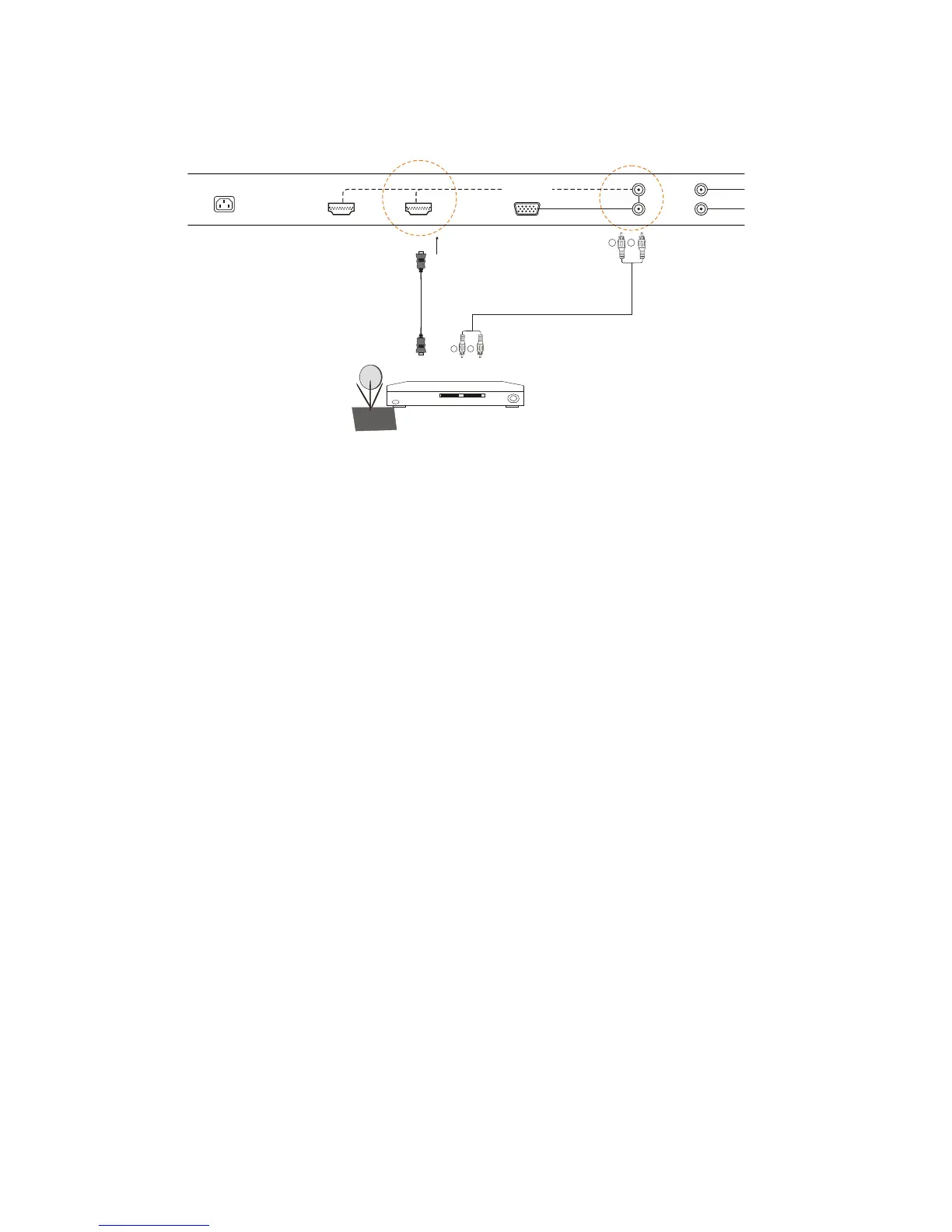
For HDTV Set- Top Boxes with DVI:
1.Turn off the power to the LCD TV and HDTV Set -Top Box.
2.Using a HDMI-DVI cable, connect the DVI end to your HDTV Set- Top Box and the HDMI end to the HDMI
input in the rear of your LCD TV.
3.Using an audio cable (white and red connectors), connect cable to the audio output connectors associated
with the DVI output on the rear of your HDTV Set-Top Box, and connect the other end to the audio connectors
associated with the HDMI input in the rear of your LCD TV.
4.Turn on the power to the LCD TV and your HDTV Set-Top Box.
5.Select HDMI1 or HDMI2 using the INPUT button on the Remote control or front of the LCD TV or directly by
pressing the HD button on the Remote Control.
HDTV Set-Top Box
WWW.VISIONQUESTCE.COM
23
W R
W R


 To Next Page