9
2.3.2 PC Requirements
The DisplayLink software can be utilized with any Ultrabook, Windows Tablet, Notebook/Laptop or
Desktop systems.
The performance of the software is dependent upon the processing power available, as well as the
operating system in use. More capable systems will provide overall better performance.
Please find detailed information about the minimum and recommended system specifications
needed to run this software in the DisplayLink Knowledge Base
http://support.displaylink.com/knowledgebase/articles/524951
2.3.3 Installation Setup – Windows 10/8.1/8/7 Setup
Step 1. Connect the Docking Station to your Laptop
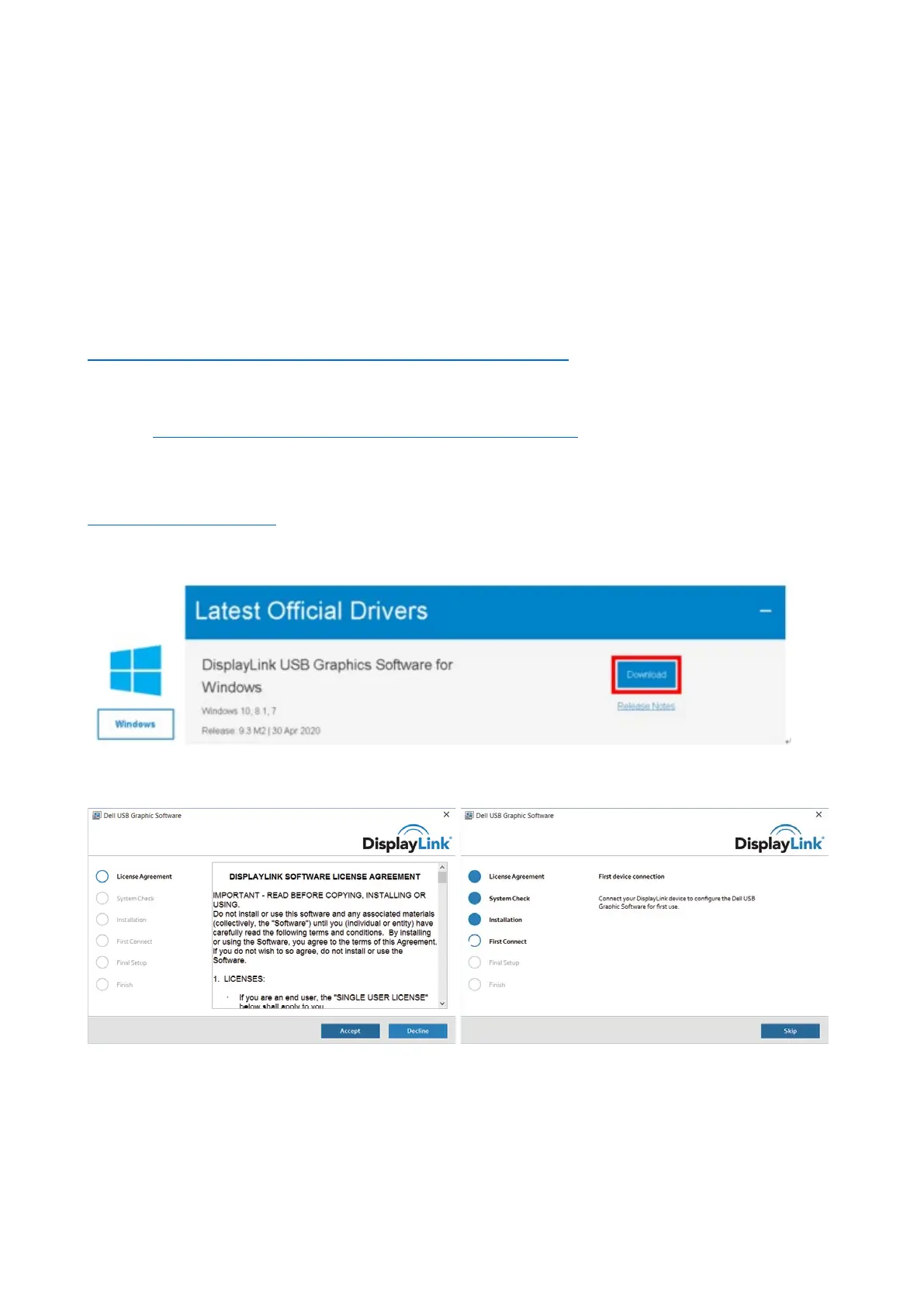
Noted: Note: It is recommended to download the latest drivers from the DisplayLink support website at:
www.displaylink.com/support
Step 2. Execute the Setup File which is download from DisplayLink website:
Step 3. Follow the screen instructions until the installation is complete.
Step 4. Connect your Docking Station and peripherals to your PC (Host)



 To Next Page