5
1.4 Hardware Installation
1. Download the latest drivers for Windows, macOS and Android OS from the following link: http://www.display-
link.com/downloads/
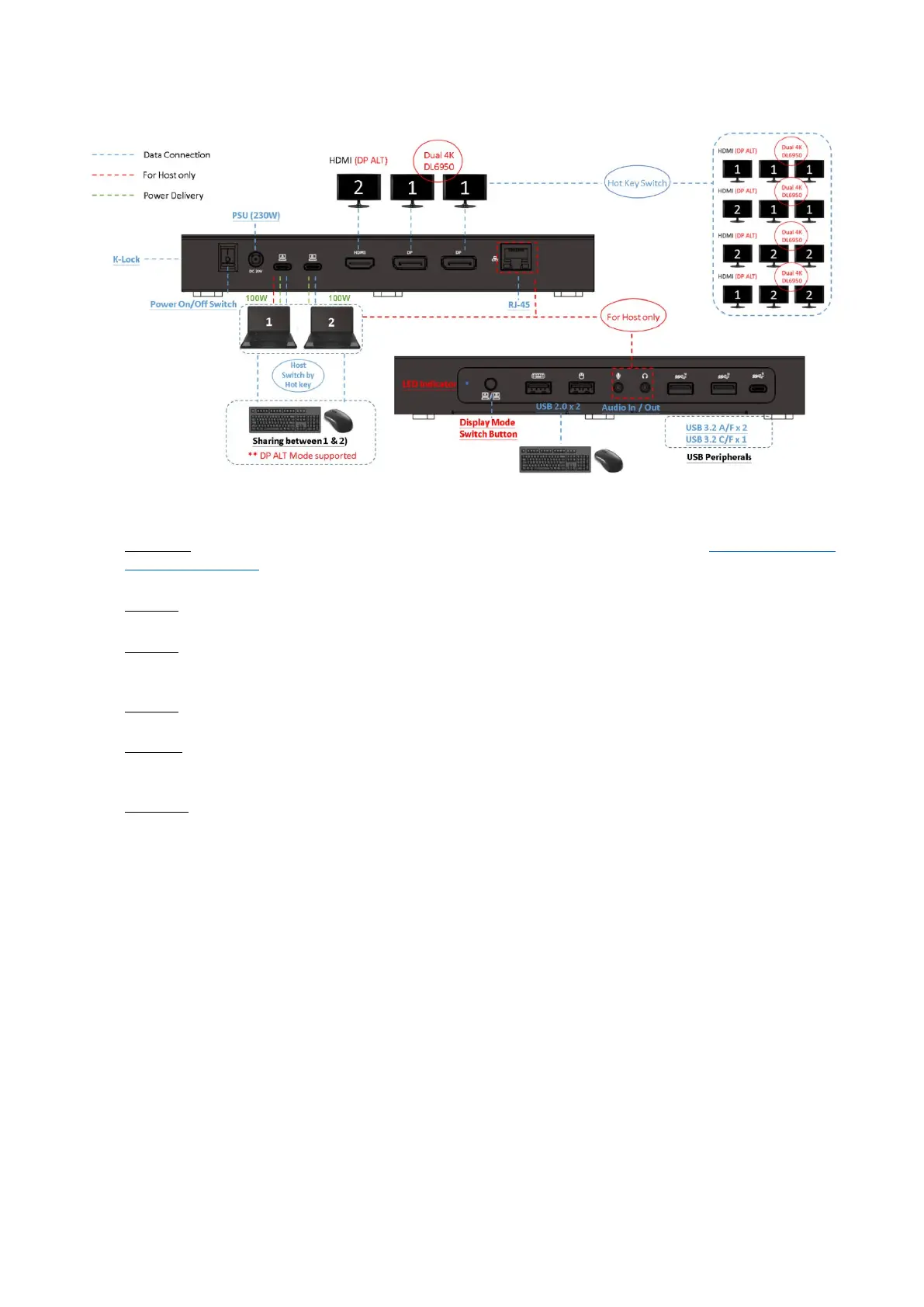
2. Connect the Power adapter (PSU) to the DC power jack on the VT4900 Docking Station.
3. Connect the included 2 x USB-C to C cables to USB-C (Upstream) Ports (Host A / B) on the Docking Station and
then to an available USB-C Port on each Host computer.
4. Connect your DisplayPort / HDMI displays to the corresponding ports on the VT4900 Docking Station.
5. Connect any other devices to the Docking Station, including an RJ-45 (Gigabit) for network connection, USB pe-
ripherals, speakers and microphones.
6. Power On the Docking Station.



 To Next Page