16
4 Host Bridge (Docking Center) Utility (MAC OS)
4.1 Limitations
1. Not supported by VM simulation systems.
2. KM Share Hub only works on USB3.0/USB3.1 host ports.
3. If one PC/MAC has an abnormal KM Share operation caused by entering sleep, suspend or
restart, please unplug both upstream ports, restart the software on both PC and MAC, and re-plug
both upstream ports to get back to normal operation.
4.2 Setup and Installation
Please follow the steps below for the installation.
a. Connect HOST 1 Upstream port (On Docking) to the USB-C port of Host 1, and connect
the HOST 2 Upstream port (On Docking) to the USB-C port of Host 2
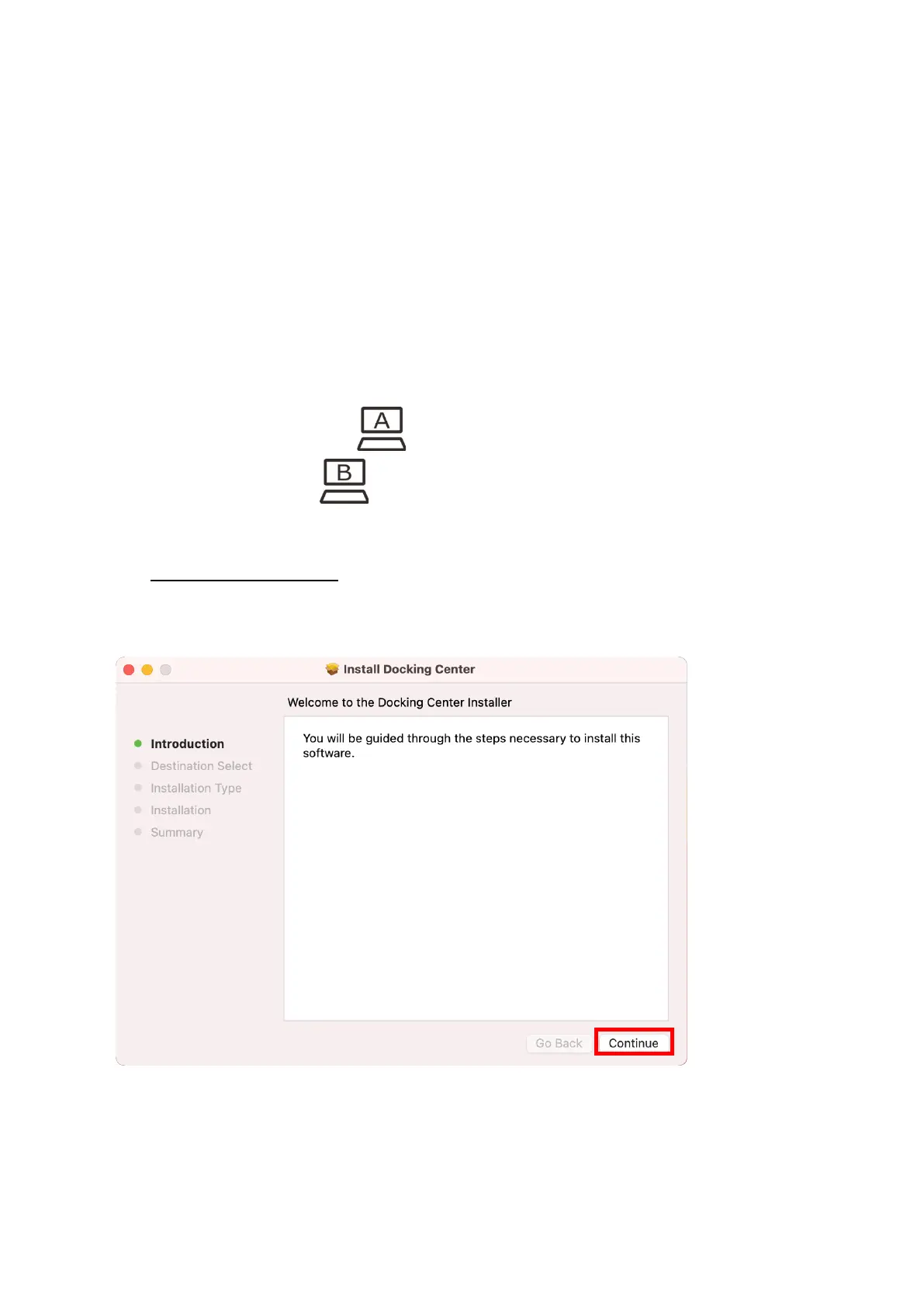
b. Click DockingCenterMac.pkg to start the installation, as shown below.
c. Click “Continue”



 To Next Page