Page.19.
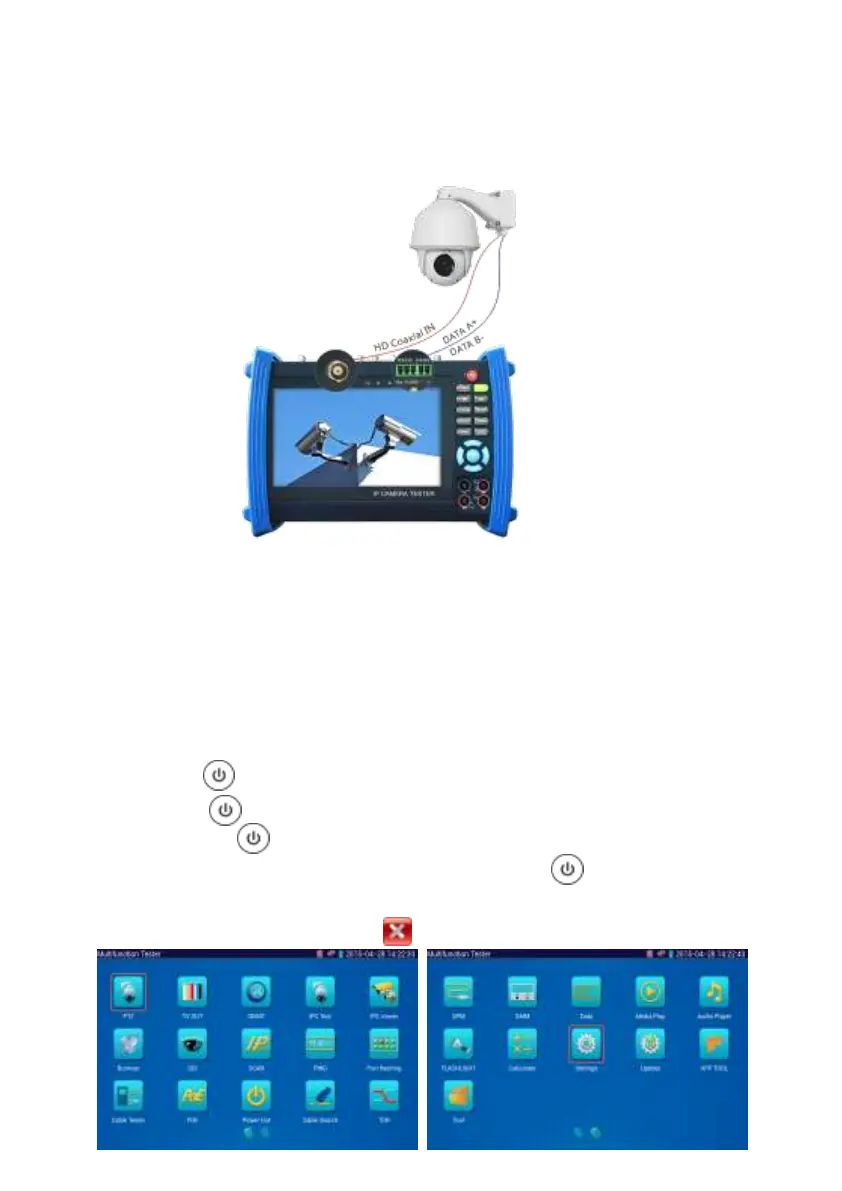
(1) Connect the TVI camera's video output to the IP tester’s “SDI IN” interface, the image will
display on the tester. The tester only come with TVI input interface. There is no TVI output
interface.
(2) Connect the TVI camera or the speed dome RS485 controller cable to the tester RS485
interface, (Note positive and negative connection of the cable).Support RS232 PTZ controller;
connect the RS232 cable to RS232 interface of the tester.
3.3 OSD menu
Press the key 2 seconds to turn on
Press the key again to turn off
short press the key to enter sleep mode, press it again to test.
If tester works abnormally and cannot be turned off , Press the key for several seconds
to turn off, the tester reset.
Select Icons to enter, if quit, please click


 To Next Page