Page.55.
Note: The battery of the cable tracer must according to corresponding positive
pole + and negative pole -, otherwise will damage the tester.
Note: While the cable tracer tester is receiving the audio signal from the tester, it
may be influenced by other signals and make some noise.
3.3.13 Port Flashing
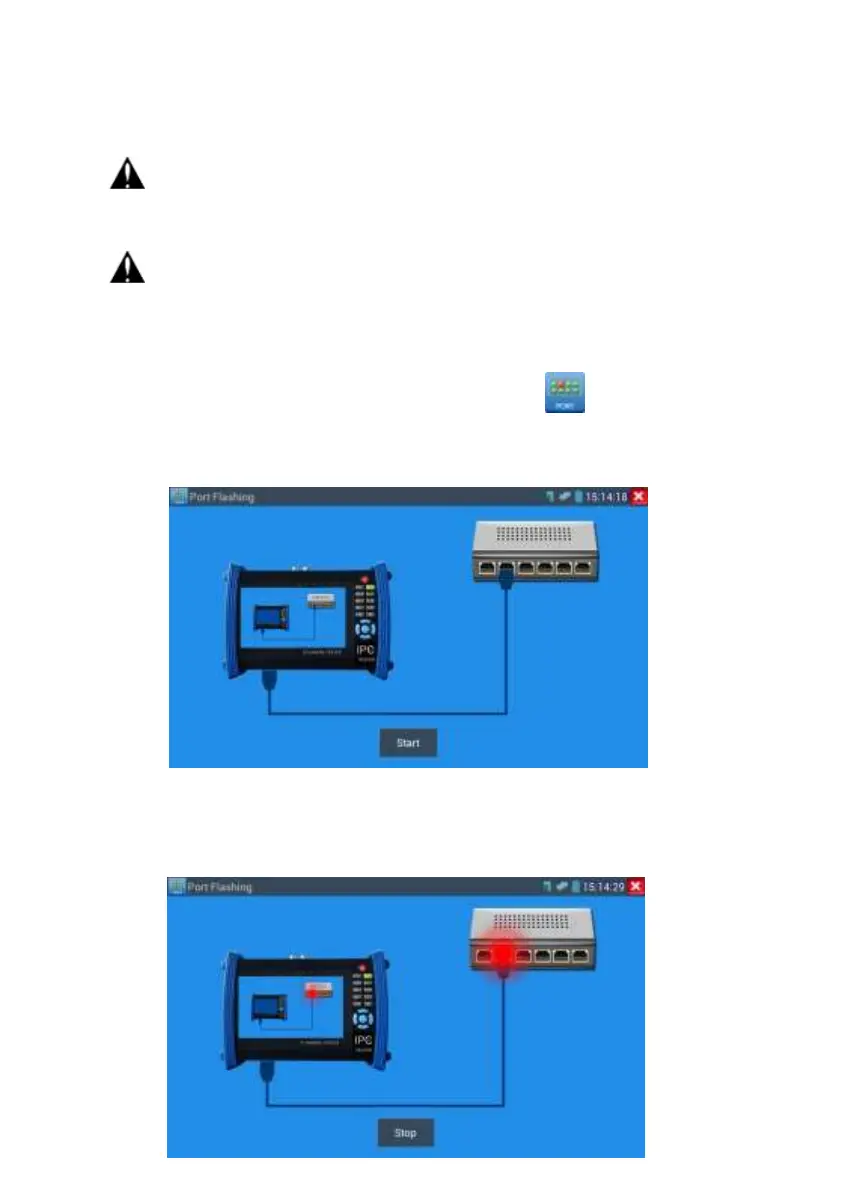
Connect a network cable to the meter’s “LAN” port, click the icon to open the Port
Flashing app. Click “Start”. The IP tester sends a unique signal to make the connected LAN
port of the switch flash.
If the tester and PoE switch are connected well, the LAN port of POE switch flash at special
frequency, If not, no any changes on the LAN port


 To Next Page