Page.70.
3.3.23 PoE power / DC12V 2A and DC 5V 2A USB power output
When the tester is turned on, the 12VDC and 5VDC power output functions are automatically
turned on. If the IP tester is turned off, the 5VDC USB can still be used to power an external
USB device.
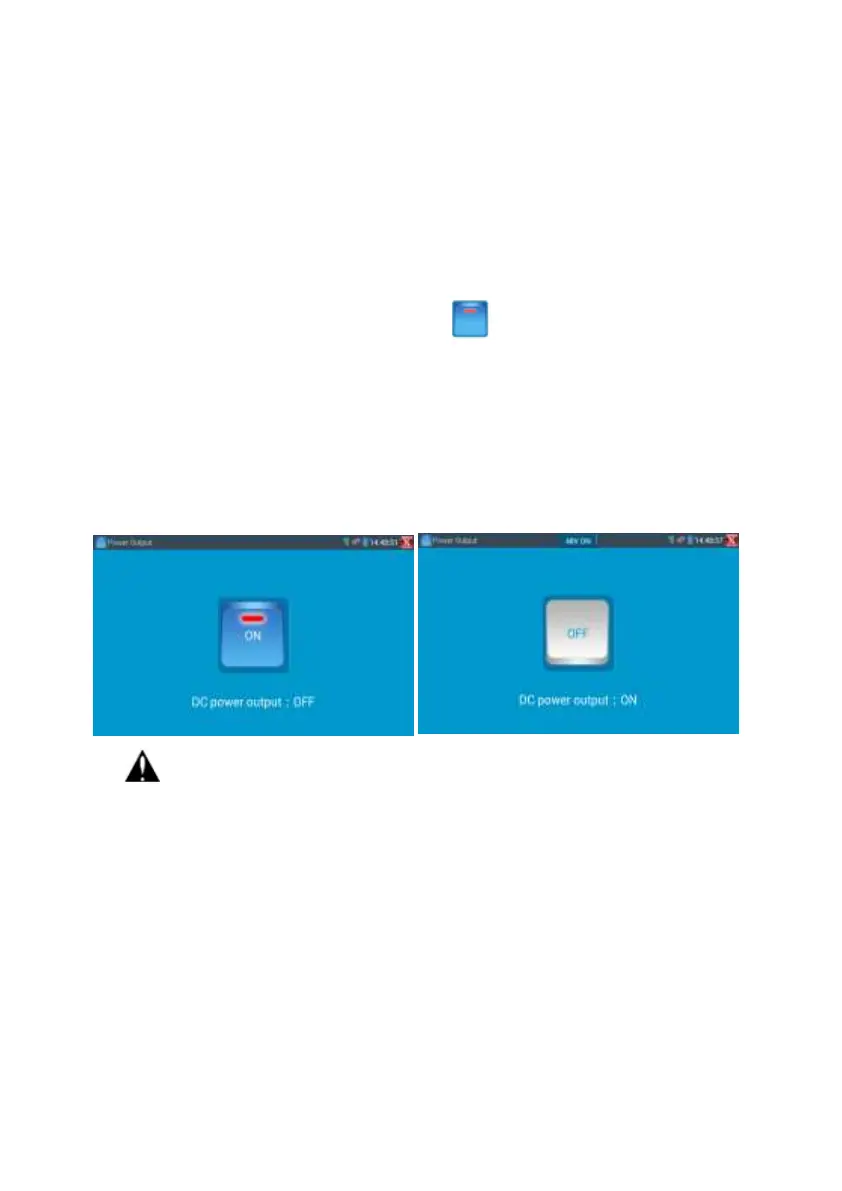
To use the PoE Power Output function, click on the icon and change the switch “ON” or
“OFF”.
The IP camera needs to be connected to the LAN port before you turn PoE Power on. If the IP
camera
Supports PoE, the PoE power is delivered via pins 1, 2, 3, and 6 on the LAN port. The IP tester
will
display “48V ON” at the top of the screen when the POE power is still on.
Note:
1. Don’t input power into the “DC12/2A OUTPUT” port.
2. Don’t output this DC12V/2A power to the DC12V/IN port of the IP camera tester to avoid
destroy
3. The IPC tester power output is close to 2A, if the IP camera’s power is over 2V, the tester
will auto enter protection mode. Disconnect all the connections of the tester and then
connect the tester with power adaptor to resume the tester.
4. Before turning on the PoE power output, please make sure the IP camera supports PoE
power. Otherwise it may damage the IP camera.


 To Next Page