Page.31.
image.
For NTSC format, the Chroma standard level is 40 IRE
For PAL format, the Chroma standard level is 280mV
If the Chroma level is too low, the colour will not be as deep, and some details of the image will
become lighter. If the Chroma level is too high, there will be distortions on the image. If the
coaxial cable is too long, it will reduce the chroma level.
Image loop test:Test video optical transmitter and receiver and video cable, connect one end
to the tester “VIDEO OUT” port ,and the other end connected to “VIDEO IN” port, the signal
send via “VIDEO OUT” port ,and received via “VIDEO IN” port , If the testing is ok, the tester
displays several gradually dwindling photos on the desktop.
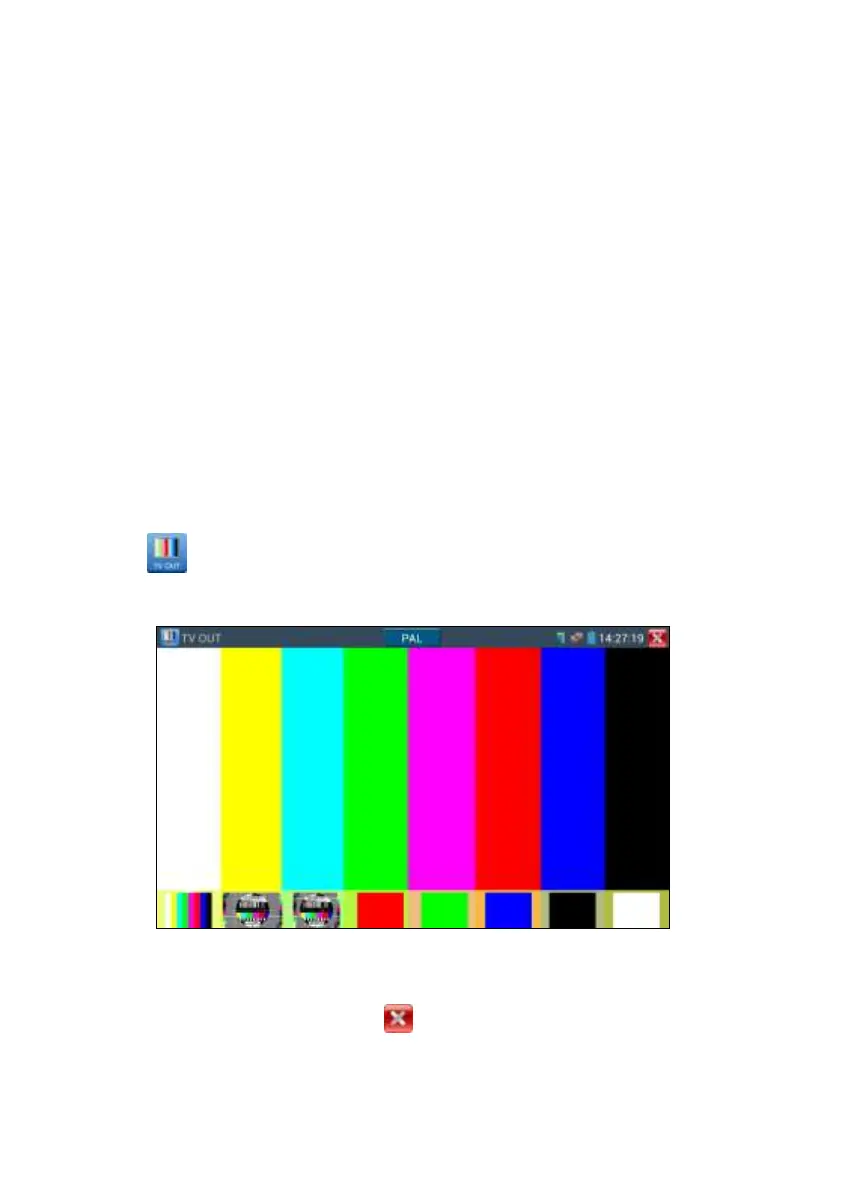
3.3.3 Colour-bar generator (TV OUT)
Click to enter, the tester sends the colour bars from the “Video out” port ,Click the icon
“PAL”, select “PAL/NTSC” output formats
Click the selected colour-bars, testing image or single bar ( red, green, blue, white or black).
Double click to full display on the screen and output, click to return main menu.


 To Next Page