Page.39.
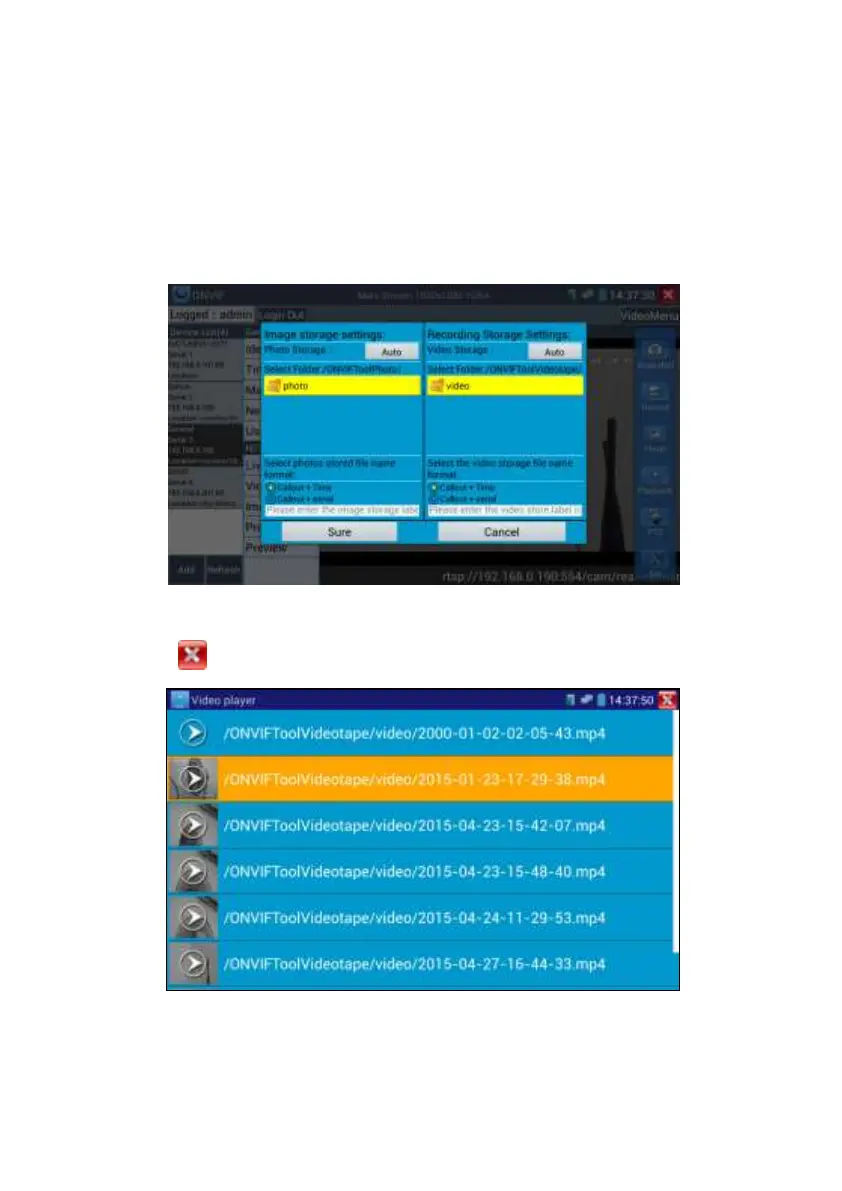
Set: Click on the “Set” icon to change Snapshot and Video recording file name settings. You
can set Auto storage, which sets filenames by time or set manual storage. Click “Sure” to save
file name settings.
Playback: Click the “Playback” icon to view saved videos. Double click the video you want to
play. Click to return to the last menu
To rename or delete a photo, click and hold on the file until this screen appears:


 To Next Page