Page.43.
IP Camera's IP: Enter the IP camera’s IP address manually or click “Search” to auto-scan for
the IP camera’s IP address. It is better to directly connect the IP camera to the
tester so the search results will only display the camera’s IP address. If the
tester is connected to a PoE switch, it will find and display several IP address
IPC User Name: Enter IP camera’s user name
IPC Password: Enter IP camera’s login password
IPC Port :: When you select the IP camera type, it will default the camera’s port number and
doesn’t need to be changed.
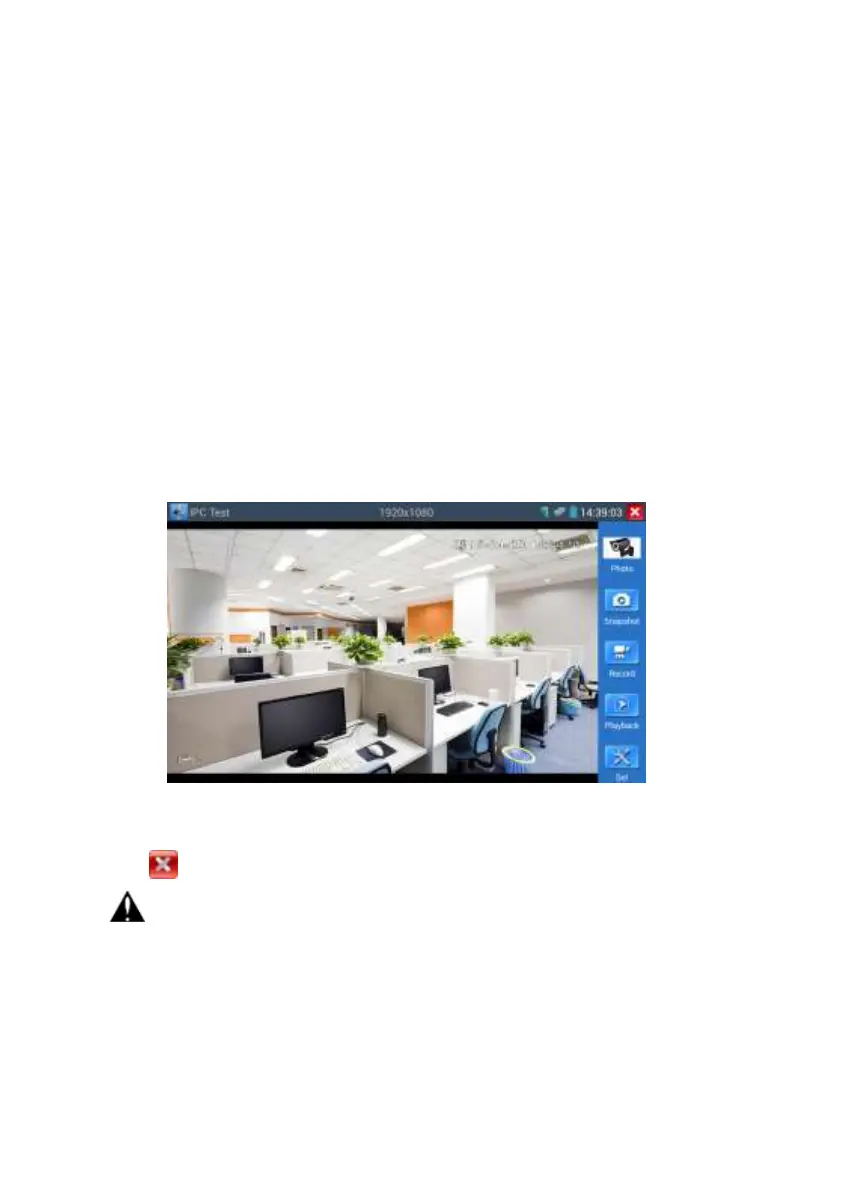
After all settings are completed, click “Enter” to view the live video
If IP address setting has error or IP camera is not connected.. The tester prompts “Network
Error”
Click to quit from image display and return to IP camera test interface.
Once you are viewing video on the IPC Test app, you will see the “Video Menu” icon on
the top right. This button will give you access to Snapshot, Record, Photo, Playback, PTZ, and
Set. Please refer to the ONVIF section to use these functions.


 To Next Page