Page.59.
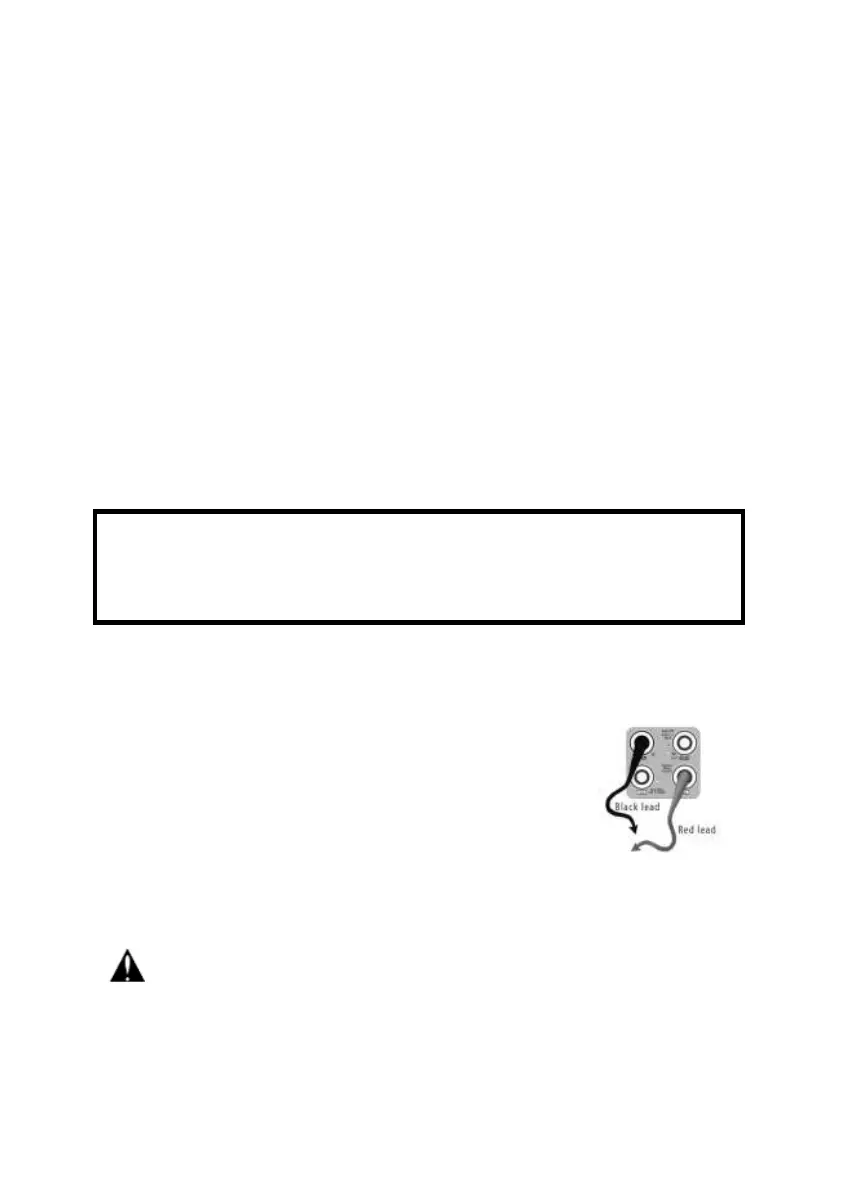
a. Connect the black test lead to the “COM” jack and the red test lead to the “V/Ω” jack.
b. select U ~ , enter the AC voltage measurement.
C.the tester default Auto range status, by click “AC auto range”
d. Manual range can be select , press the key “NEAR” to restore Auto range
e.Manual range: 0.000V 6.600V range
00.00V 66.00V range
000.0V 660.0V range
000.0mV 660.0mV range
C. DC Current Measuring (only manual range )
a. Connect the black test lead to the “COM ” jack and the red test lead to the “mA” jack for a
maximum of 660mA current. For a maximum of 10A, move the red lead to the 10A jack.
b.select A, enter the DC current measurement,the screen display“DC current ”, can select
manual range;
c.Manual range: 0.000mA 6.6mA range
00.00mA 66.00mA range
000.0mA 660.0mA range
00.00A 10.00A range(use 10A socket)
d. Select the range to enter current measurement
NOTE:
When only the figure “OL” is displayed, it indicates over range situation and the higher range
WARNING!
Shut down the power of the tested circuit, and then connect the meter with the circuit for
measurement.


 To Next Page