Vitrek V4 – Electrical Safety Tester USER MANUAL
27
7-3. Connecting the V4 via the RS232 Interface
The RS232 interface capabilities:
The RS232 interface provides a point-to-point connection between two items of equipment such as a
computer and the EST. There are some parameters you need to set on the both sides. Once you have set
these parameters, you can control the power supply through the RS232 interface.
z Baud rate: You can set rates of 1200, 2400, 4800 or 9600 baud.
z Parity bit: none.
z Data bit: 8 bits.
z Stop bit: 1 stop bit.
z Data flow control: none.
Notes for RS232 installation:
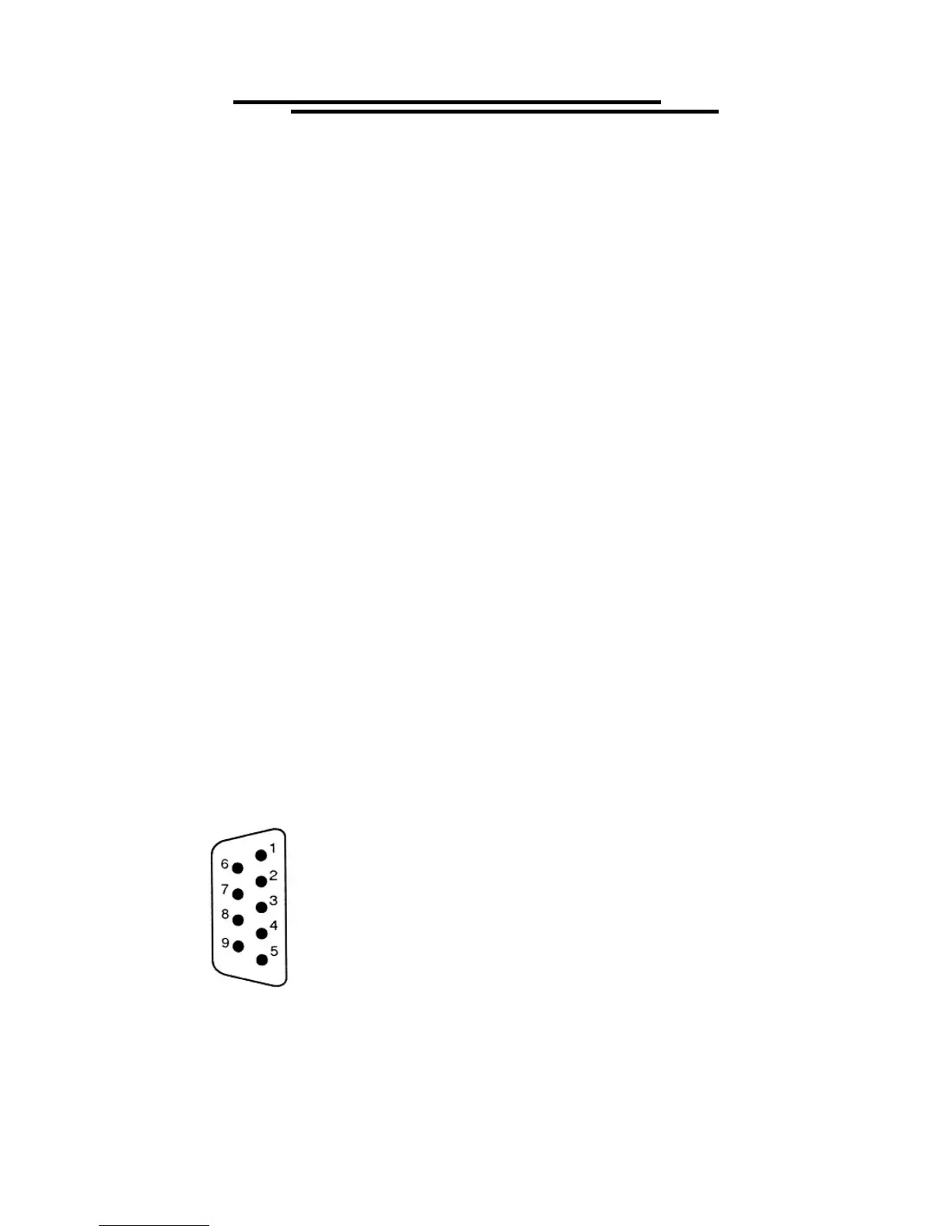
The EST is a DTE device with a 9-pin D-type shell RS232 connector located on the rear panel. Figure 1
shows the equipment of 9-pin connector (male) with its pin number assignments. Figure 2 shows the
wiring configuration for DB9 to DB9. When the V4 is set up with a RS232 interface, please check the
following points:
z Do not connect the output line of one DTE device to the output line of the other.
z Many devices require a constant high signal on one or more input pins.
z Ensure that the signal ground of the equipment is connected to the signal ground of the external device.
z Ensure that the chassis ground of the equipment is connected to the chassis ground of the external
device.
z Do not use more than 15m of cable to connect devices to a PC.
z Ensure the same baud rate is used on the device as the one used on PC terminal.
z Ensure the connector for the both side of cable and the internal connected line are met the demand of the
instrument.
1. No connection
2. Receive Data (RxD) (input)
3. Transmit Data (TxD) (output)
4. No connection
5. Signal Ground (GND)
6. No connection
7. No connection
8. No connection
9. No connection
Pin assignments of the RS232 connector on the rear panel for DB-9-D



 To Next Page