D
D
D
L
L
L
P
P
P
P
P
P
r
r
r
o
o
o
j
j
j
e
e
e
c
c
c
t
t
t
o
o
o
r
r
r
–
–
–
U
U
U
s
s
s
e
e
e
r
r
r
’
’
’
s
s
s
M
M
M
a
a
a
n
n
n
u
u
u
a
a
a
l
l
l
– 9 –
SETUP AND OPERATION
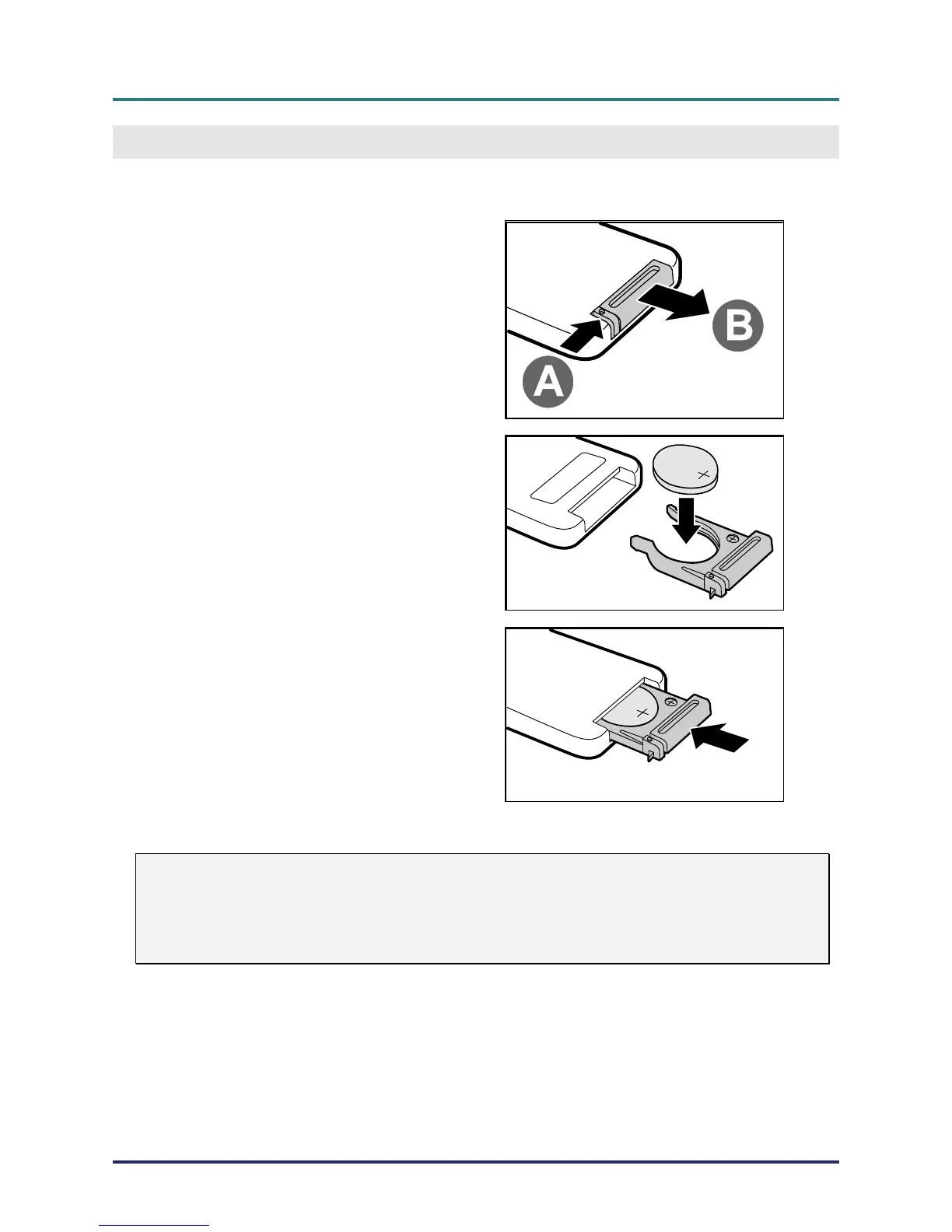
Inserting the Remote Control Batteries
1.
Remove the battery compartment
cover by sliding the cover in the di-
rection of the arrow (A). Pull out the
cover (B).
2.
Insert the battery with the positive
side facing up.
3.
Replace the cover.
Caution:
1. Only use a 3V lithium battery (CR2025).
2. Dispose of used batteries according to local ordinance regulations.
3. Remove the battery when not using the projector for prolonged periods.



 To Next Page