D
D
D
L
L
L
P
P
P
P
P
P
r
r
r
o
o
o
j
j
j
e
e
e
c
c
c
t
t
t
o
o
o
r
r
r
—
—
—
U
U
U
s
s
s
e
e
e
r
r
r
’
’
’
s
s
s
M
M
M
a
a
a
n
n
n
u
u
u
a
a
a
l
l
l
Starting and Shutting down the Projector
1.
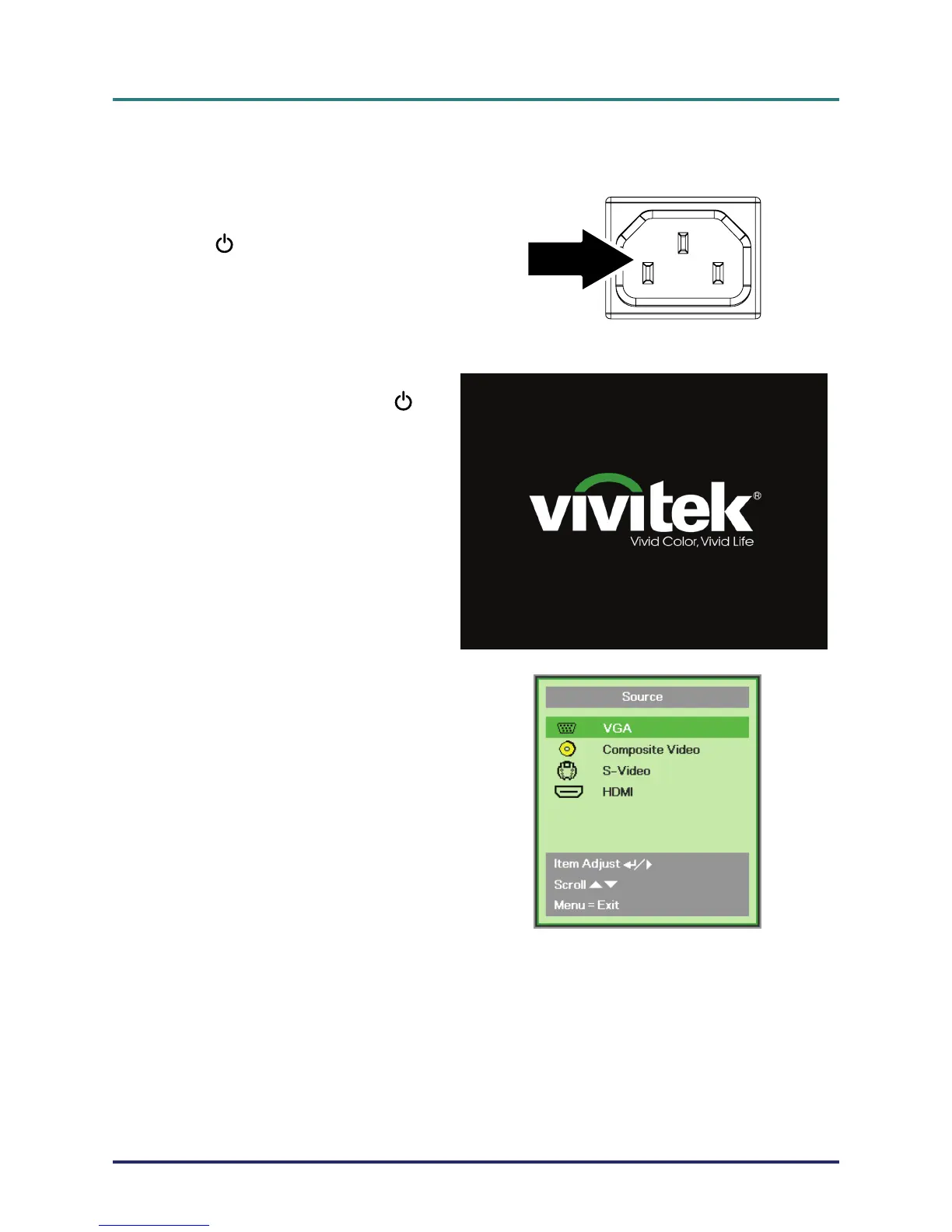
Connect the power cord to the pro-
jector. Connect the other end to a
wall outlet.
The
POWER LED on the projec-
tor light.
2.
Turn on the connected devices.
3.
Ensure the POWER LED not a
flashing blue. Then press the
POWER button to turn on the pro-
jector.
The projector splash screen displays
and connected devices are de-
tected.
See
Setting an Access Password
(Security Lock)
on page 12 if secu-
rity lock is enabled.
4.
If more than one input device is con-
nected, press the SOURCE button
and use ▲▼ to scroll among de-
vices.
(Component is supported through
the RGB to COMPONENT
ADAPTER.)
• VGA: Analog RGB
Component: DVD input YCbCr / YPbPr, or
HDTV input YPbPr via HD15 connector
• Composite Video: Traditional composite video
• S-Video: Super video (Y/C separated)
•
HDMI: HDMI, DVI (Not available in D516 /
D517.)
– 10 –



 To Next Page