D
D
D
L
L
L
P
P
P
P
P
P
r
r
r
o
o
o
j
j
j
e
e
e
c
c
c
t
t
t
o
o
o
r
r
r
—
—
—
U
U
U
s
s
s
e
e
e
r
r
r
’
’
’
s
s
s
M
M
M
a
a
a
n
n
n
u
u
u
a
a
a
l
l
l
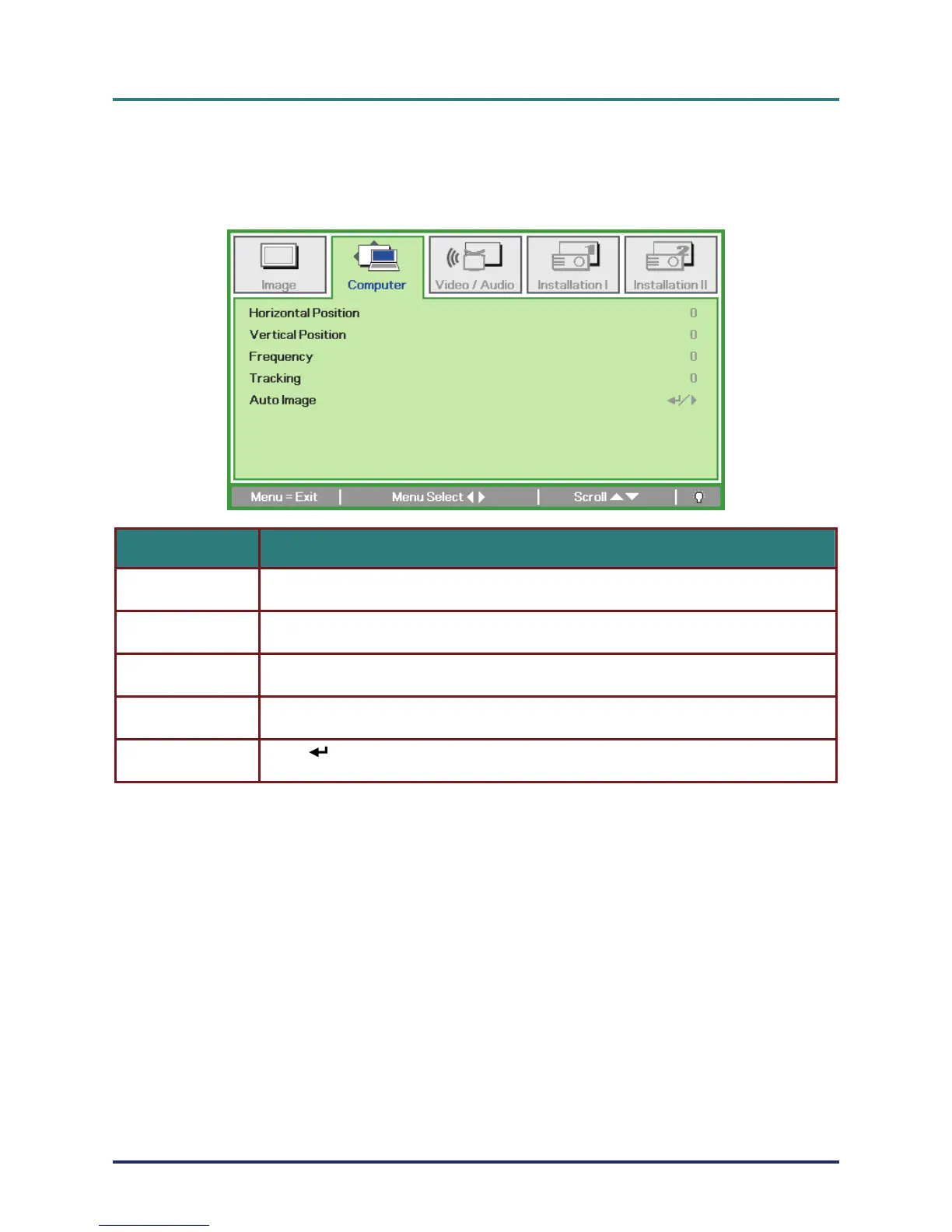
Computer Menu
Press the MENU button to open the OSD menu. Press the cursor ◄► button to move to the Com-
puter menu. Press the cursor ▲▼ button to move up and down in the computer menu. Press ◄► to
change values for settings.
ITEM DESCRIPTION
Horizontal Position Press the cursor ◄► button to adjust the display position to left or right.
Vertical Position Press the cursor ◄► button to adjust the display position to up or down.
Frequency Press the cursor ◄► button to adjust the A/D sampling clock.
Tracking Press the cursor ◄► button to adjust the A/D sampling dot.
Auto Image
Press
(Enter) / ► to automatically adjustment for phase, tracking, size and posi-
tion.
– 24 –



 To Next Page