- 42 -
www.vivotek.com
T: 886-2-82455282
F: 886-2-82455532
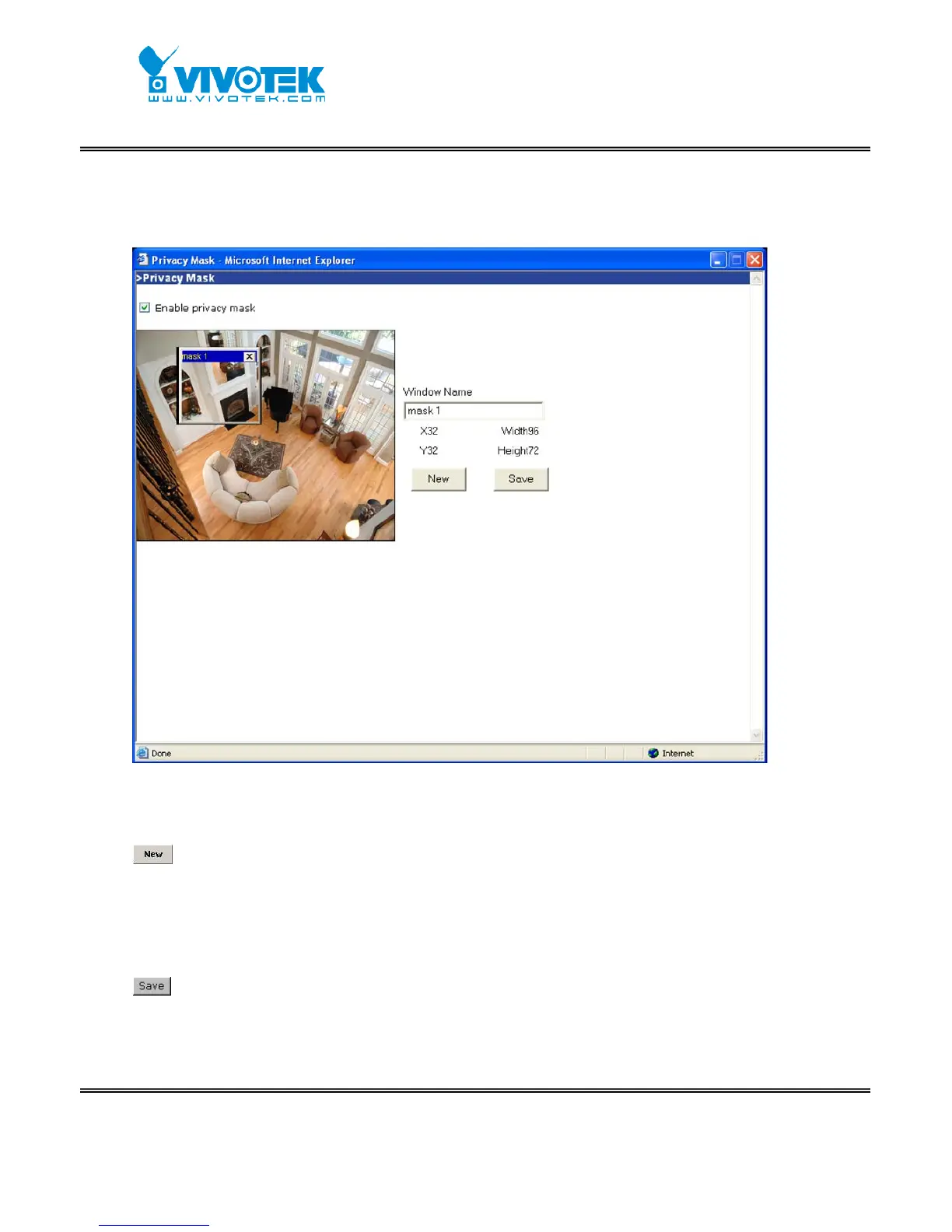
Privacy Mask
Click on the button to pop up another window to set privacy mask window. All users can
not view the block under privacy mask window.
“Enable privacy mask” Check this option to turn on privacy mask.
Click on this button to add a new window. At most five windows can exist
simultaneously. Use the mouse to click, hold, and drag the window frame to resize or
the title bar to move. Click on the ‘x’ at the upper right-hand corner of the window to
delete the window. Remember to save in order to validate the changes. The base of
window axis is eight. You can see the X, Y, width and height of the window.
Click on this button to save the related window settings.
"Window Name" The text will show at the top of the window.



 To Next Page