- 50 -
www.vivotek.com
T: 886-2-82455282
F: 886-2-82455532
Preset position
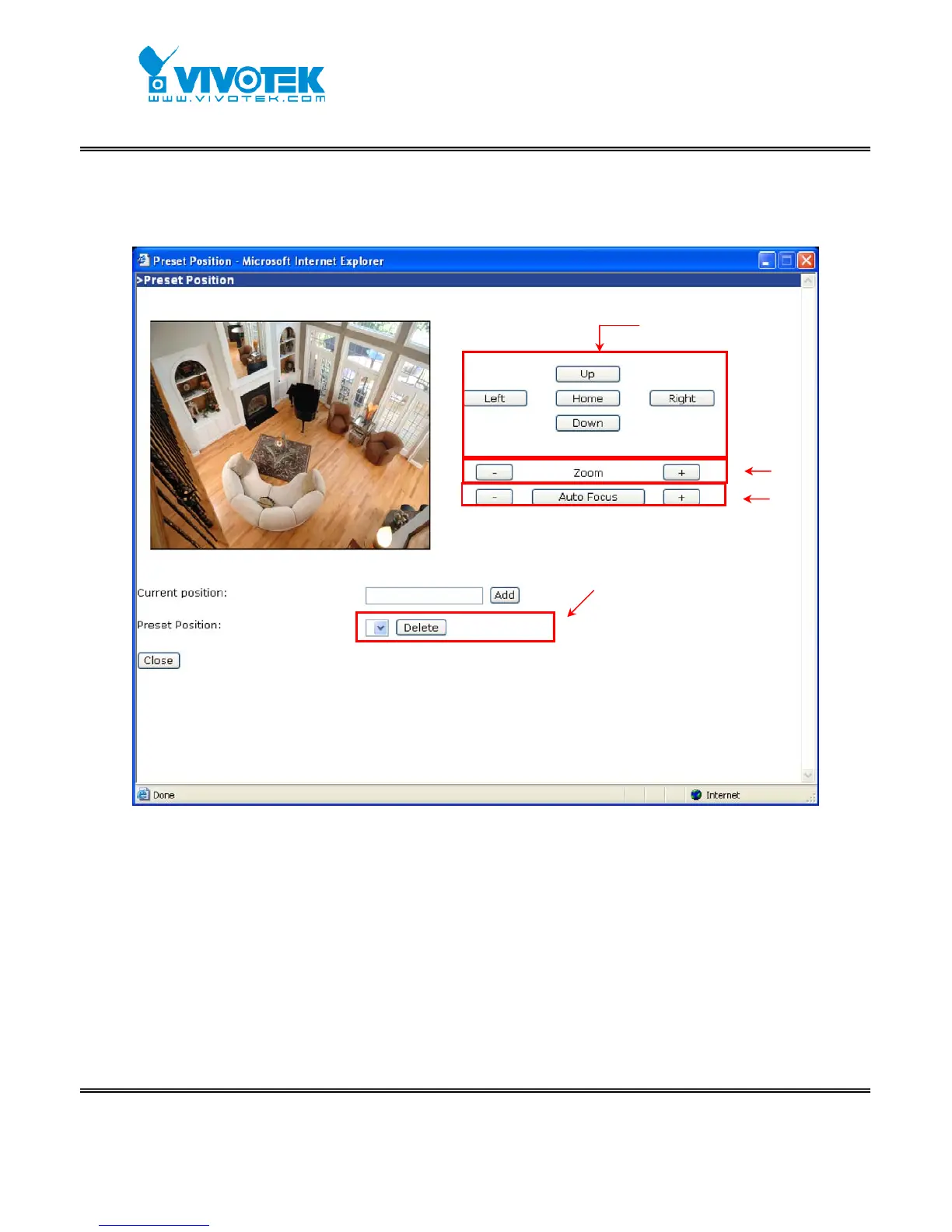
Users can define a list of preset locations up to 20 through pan/tilt functions and
zoom/focus functions. After setting up a preset location, users should give it a proper
name, and those pre-defined locations will save into the preset location list and also
show up in the homepage. In homepage, users can pull down the list of preset locations
to choose any one to move the camera to the preset location that is defined. The
network camera provides up to twenty preset locations for users.
Pan and Tilt
Zoom
Focus
functions
Newly added preset position will
appear in this list. User can manage
this list through adding and deleting



 To Next Page