2
4
Controls and Connections
Left Side Panel
Left Side Panel
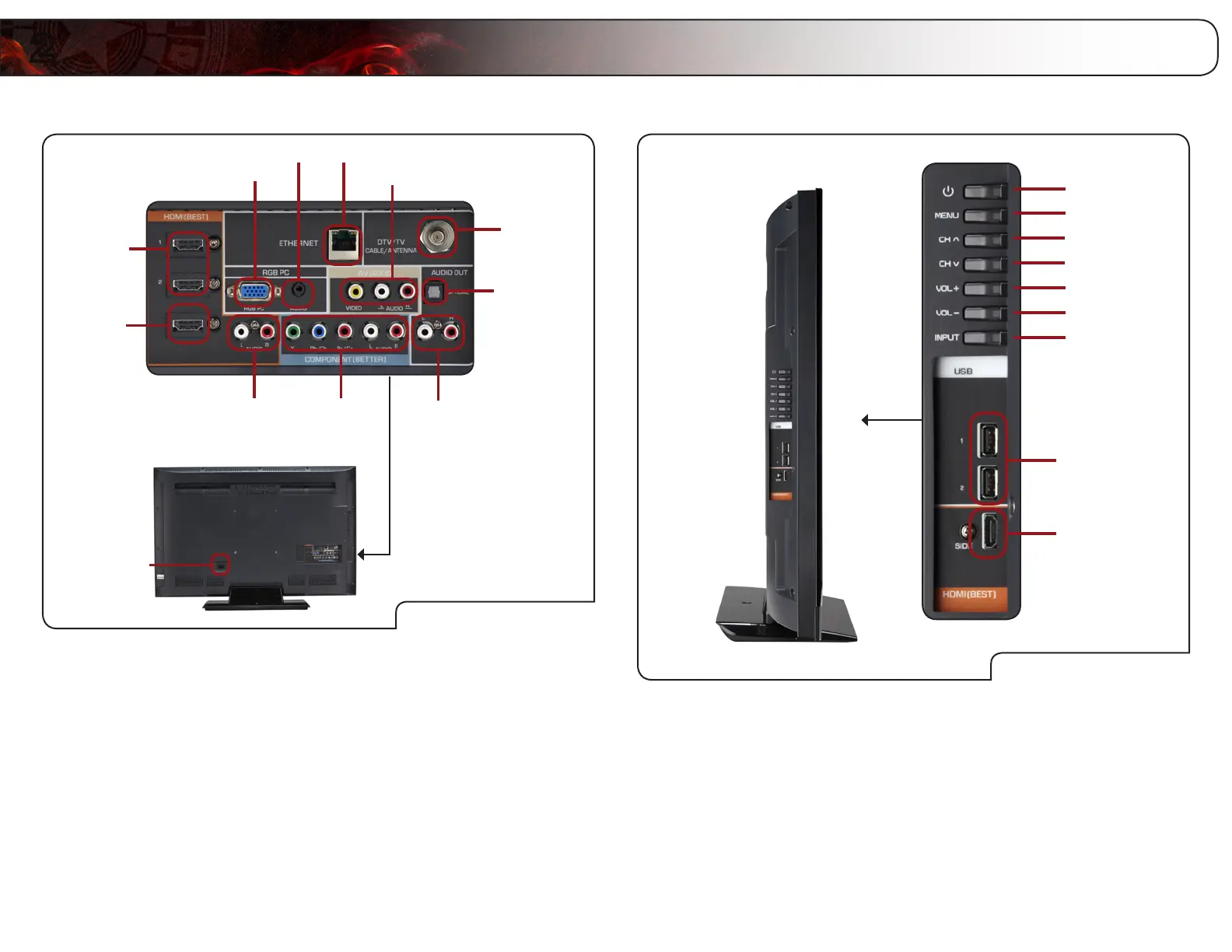
Power
Menu
Channel Up
Volume Up
Input
Channel Down
Volume Down
USB (1,2)
HDMI (Side)
Power: Turn the TV on or off.
Menu: Display on-screen menu.
Channel Up/Down: Change the channel.
Volume Up/Down: Increase or decrease the loudness of the TVs audio.
Input: Change the input device. With each press of the
button, the TV will display a different input source
HDMI (Side): Connect HDMI device.
USB (1,2): Connect a USB drive to play music or photos.
Rear Panel
Rear Panel
HDMI (1, 2)
RCA Audio In
(For use with
HDMI ports)
Component
RCA Audio Out
Optical
Audio Out
Cable/
Antenna
RGB PC
PC Audio In
Composite AV
AC IN
Ethernet
HDMI (3)
E3D470VX
ONLY
RGB PC: Connect RGB cable from computer.
PC Audio In: Connect 3.5mm connector from computer.
Ethernet: Connect ethernet cable from home network.
Composite AV: Connect composite video/audio device.
Cable/Antenna: Connect RF/Coaxial connector from cable or antenna.
Optical Audio Out: Connect SPDIF/Optical audio cable.
RCA Audio Out: Connect RCA audio device (soundbar, etc).
Component: Connect component video/audio device.
RCA Audio In: Connect audio for an HDMI input.
HDMI (1,2): Connect HDMI devices.
AC IN: Connect the included power adapter.



 To Next Page